
AI Paraphrasing Tool: What It Is and How It Works
Learn what an AI paraphrasing tool does, how it works, and when to pair it with cleanup tools like Simple Unmark for clean, human-ready text.
You paste a ChatGPT draft into a client document and it looks acceptable at first glance. Then the problems appear: bland phrasing, robotic transitions, awkward synonym choices, and perhaps a faint cluster of non-English characters hiding between sentences. The paragraph reads cleanly on the surface, but an editor, a checker, or a technically curious reader may still find something wrong.
That's the point where raw AI output stops being a draft and becomes a production problem. An AI paraphrasing tool can improve wording, but it isn't automatically a forensic cleaner. It may rewrite visible language while leaving hidden Unicode characters, formatting artifacts, or statistical watermark signals untouched. The distinction matters, and this guide to how AI text watermarks work makes clear why visible polish and invisible cleanup aren't the same job.
Table of Contents
- The Moment You Realize AI Text Is Not Clean Yet
- What an AI Paraphrasing Tool Actually Does
- Strengths and Limits of AI Paraphrasing
- How Paraphrasing Differs From a Watermark Cleaner
- Real Workflows Writers and Editors Use
- When to Use Paraphrasing, Cleanup, or Both
- Quick Decision Rules Before You Hit Rewrite
The Moment You Realize AI Text Is Not Clean Yet
A freelance writer had a client deadline, a nearly finished blog post, and a familiar shortcut. They asked ChatGPT for a first draft, pasted the response into a document, and started editing the obvious parts. The ideas were usable, but the transitions sounded manufactured. Every paragraph seemed to arrive in the same rhythm, with the same safe verbs and predictable conclusions.
The writer ran a quick visual check, replaced a few phrases, and assumed the document was ready. Then the cursor behaved strangely between two sentences. A closer inspection revealed faint characters that didn't belong in the copy. They weren't visible in ordinary reading, but they survived copying and pasting.
Practical rule: If text came from an AI system, inspect both the wording and the characters underneath it.
The writer's first instinct was to use a paraphraser. That made sense. The prose needed a more natural voice, less repetition, and stronger sentence variety. A rewrite could turn flat copy into something more specific and readable. It could also reduce obvious stylistic signals that make generated text feel generic.
But the hidden characters created a different problem. Rewording a sentence doesn't necessarily remove a zero-width space inserted between words. A synonym swap doesn't guarantee that unusual Unicode controls, homoglyphs, or other formatting residue will disappear. The writer now had two tasks that looked similar from a distance but required different treatment.
The first task was editorial: make the text sound like a person wrote it. The second was technical: remove artifacts that readers can't see but software may process. Treating both as a single rewrite problem is how production teams end up publishing copy that looks polished and still fails a final check.
That uneasy moment changes the workflow. Instead of asking whether an AI paragraph is “good enough,” the writer asks a sharper question: what does this tool change, and what does it leave behind?
What an AI Paraphrasing Tool Actually Does
An AI paraphrasing tool is software that rewrites existing wording while attempting to preserve its meaning, usually through a language model. It's a sentence-level editing system, not a complete document-cleaning service.
The process usually follows a simple sequence:
- Tokenization: The tool breaks the input into units such as words, punctuation, and subword pieces.
- Context encoding: The model examines how those units relate to the surrounding sentence and paragraph.
- Candidate generation: It creates alternative wording, sentence structures, or clause orders.
- Candidate scoring: The system weighs fluency, grammatical fit, similarity to the input, and the selected mode.
- Rewrite selection: It returns a version that aims to sound natural while retaining the original idea.
Take a basic example:
- Original: “The model produced a detailed report.”
- Paraphrase: “It generated a thorough analysis.”
The second sentence changes the verb, noun, and adjective while keeping the central meaning. More advanced systems may also split a long sentence, reorder clauses, shift between active and passive voice, or adjust formality.
The two modes most users encounter
Fluency mode focuses on clarity. It tightens grammar, removes repetition, smooths transitions, and fixes phrasing that sounds unnatural. Use it when the draft is understandable but clumsy.
Creative mode makes broader changes. It may restructure sentences, vary openings, and choose less predictable vocabulary. Use it when the copy feels formulaic, but review the result closely because more freedom creates more opportunities for meaning drift.
A tool such as Outrank's unique content generator can be useful when the main need is producing alternative article wording. That kind of resource belongs near the drafting and revision stage, where the visible prose is the problem.
What the tool doesn't do
A paraphraser generally doesn't decode hidden tokens, inspect document metadata, or guarantee removal of unusual Unicode. It may process the visible text representation it receives, but that isn't the same as performing a character-level audit.
It also can't replace editorial verification. A fluent rewrite may alter a number, weaken a qualification, replace a named entity, or change a technical term. Research on paraphrase evaluation treats quality as semantic and syntactic adequacy, along with readability, rather than surface overlap alone, as shown in this paraphrase evaluation research.
The right mental model is simple: a paraphraser is a fast sentence editor. It improves wording and structure. It isn't automatically a document-level cleaner, watermark inspector, citation checker, or fact-checker.
Strengths and Limits of AI Paraphrasing
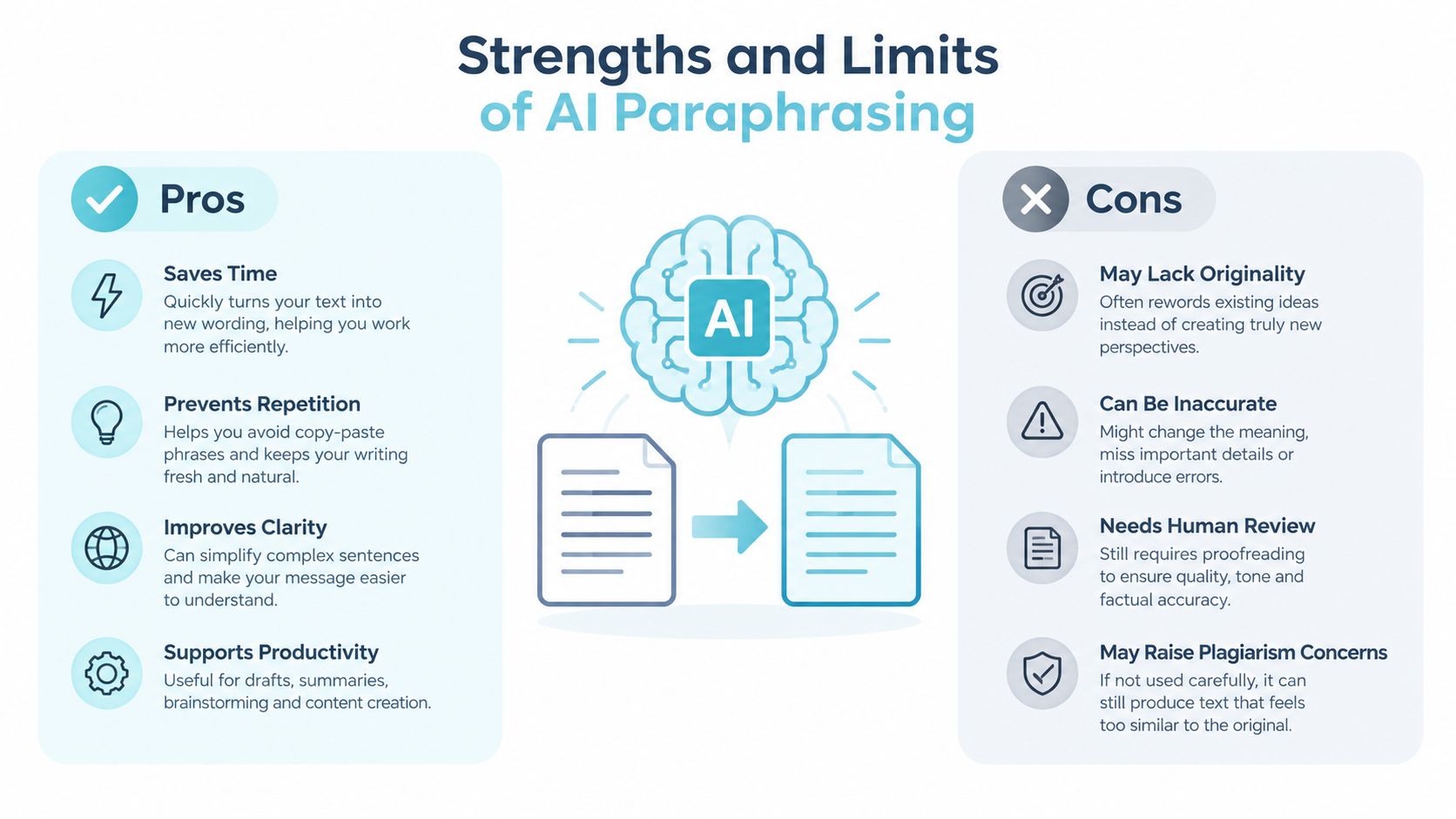
Paraphrasing tools are useful because they solve a visible problem quickly. They can turn a rough draft into smoother copy, offer alternate sentence structures, and help a writer maintain a consistent tone across a long document. They're especially practical when the facts are already verified and the editor needs several wording options under deadline pressure.
They also help expose weak writing. If a sentence becomes clearer after restructuring, the original probably had a readability problem. If every suggested version sounds generic, the source may need human editing rather than another automated pass.
Where the rewrite earns its place
- Faster drafting: A writer can generate alternatives without rebuilding every sentence manually.
- Smoother tone: Fluency modes can remove stiff wording and repetitive transitions.
- Structural variety: Creative modes can change clause order, sentence openings, and paragraph rhythm.
- Second-language support: Writers can compare alternatives and choose language that fits the intended register.
- Basic detector resistance: Rewording may disrupt simplistic pattern matching, but that isn't a dependable compliance strategy.
That last point needs precision. A 2026 adversarial study found that paraphrase-based rewriting reduced average T@1%F by 87.88% under OpenAI-RoBERTa-Large guidance, while 87% of paraphrased outputs received quality ratings of 4 or 5 out of 5. The findings appear in the published adversarial paraphrasing study, and they show a tradeoff, not a universal guarantee.
Where the rewrite breaks down
A paraphraser can damage technical content when it treats a precise term as ordinary prose. Idioms may become literal. Named entities can change. A carefully qualified claim may sound more certain after rewriting. Longer passages can also develop style drift, with odd synonyms and uniform sentence patterns replacing the original voice.
It may leave structural fingerprints behind too. Sentence lengths can remain unusually even, connectors can repeat, and every paragraph can follow the same problem-to-solution pattern. A skilled editor notices those patterns even when individual sentences look fine.
The practical limit: A paraphraser changes what the reader sees. It doesn't necessarily clean what the software reads.
Detector behavior is also unstable across models, prompts, and watermarking methods. Recent research reported 93.2% detection of humanized samples in one setting, while another study found 98.3% watermark removal for SynthID after paraphrasing, as discussed in this research on paraphrase attacks and detection. Those results point in opposite directions because they test different systems. They don't justify promising that any rewrite will pass every detector.
When the problem is awkward language, paraphrasing is appropriate. When the problem is hidden characters or embedded markers, you need a different class of cleanup.
How Paraphrasing Differs From a Watermark Cleaner
The distinction is easiest to understand by separating the visible layer from the hidden layer. A paraphraser changes words, syntax, and phrasing. A dedicated cleaner inspects characters, spacing, formatting controls, and, where applicable, token-choice patterns associated with generated text.
A zero-width space illustrates the gap. Unicode defines U+200B ZERO WIDTH SPACE as a formatting character with no intrinsic width that still creates a word-break or line-break opportunity, according to the Unicode Core Specification. A paraphraser may rewrite the words around it and leave the character in place.
Consider three production cases:
- Hidden watermark characters: The paragraph contains invisible characters between words. Rewriting visible phrases doesn't guarantee their removal.
- Cyrillic homoglyphs: A character that looks like a Latin letter may come from another script. The sentence appears normal to a reader, but its character sequence differs.
- Formatting residue: The wording is acceptable and detection-clean, but copied text contains direction controls, unusual spacing, or other artifacts that create problems downstream.
Simple Unmark is one example of a cleanup tool that combines wording changes with invisible-character removal. Its AI watermark remover is designed for passages where rewriting alone isn't enough. The correct choice depends on the defect, not on which tool has the more impressive label.
| Input Scenario | What a Paraphraser Does | What Simple Unmark Does | Best Output |
|---|---|---|---|
| AI paragraph with hidden characters | Rewrites visible wording, but may leave artifacts | Cleans unusual Unicode and rewrites the passage | Readable, copy-safe text |
| Text using Cyrillic homoglyphs | May preserve lookalike characters | Normalizes suspicious character patterns during cleanup | Consistent character set |
| Clean prose with formatting residue | Changes wording unnecessarily | Removes hidden formatting artifacts | Original voice with cleaner text |
| Robotic but technically clean draft | Improves sentence flow and tone | Can combine cleanup with a rewrite pass | More natural, checked copy |
Neither category solves every editorial problem. A cleaner can remove artifacts without making the voice sound authentically human. A paraphraser can improve voice while missing the hidden layer. The production mistake is expecting one tool to perform both jobs automatically.
Real Workflows Writers and Editors Use
Good editing workflows don't start with a favorite tool. They start with the defect in front of the editor. The order changes depending on whether the draft has a voice problem, a character problem, a factual problem, or all three.
A content writer preparing a blog post
The writer begins with a ChatGPT draft that has the right outline but weak transitions. They paraphrase first to adjust tone, shorten inflated sentences, and remove repetitive phrasing. After that visible edit, they run a cleanup pass before scheduling the article.
The deliverable is a publishable draft with a consistent voice and no obvious hidden formatting residue. Fact checking still happens separately. A rewrite cannot prove that a claim is accurate.
An editor reviewing several freelancers
An editor receives submissions from multiple AI-assisted writers. Instead of paraphrasing immediately, they clean the files first. That preserves the wording long enough to reveal whether the submissions contain unusual characters or other artifacts from the contributors' tools.
Only after the initial inspection does the editor paraphrase weak sentences. The final deliverable is an edited manuscript with a clearer audit trail, rather than a rewritten document whose original defects have been obscured.
A graduate student refining a literature review
The student needs to express research findings in a consistent academic voice. They read the source material, verify the claims and citations, then use paraphrasing to vary structure and reduce patchwriting. A human review follows, with cleanup used only as a safety net if the text passed through an AI system.
The deliverable is not merely a detector-resistant paper. It's a properly cited literature review that preserves technical meaning and follows the institution's rules for AI use.
A compliance reviewer auditing vendor copy
A marketing agency receives vendor copy that has already gone through an internal rewriting system. The compliance reviewer prioritizes cleanup because the immediate question is whether hidden markers or formatting artifacts survived the vendor's process.
The reviewer then checks names, numbers, claims, and required language manually. The deliverable is an approved copy file with documented editorial checks, not a promise that every external detector will produce the same result.
Production order matters: Inspect first when provenance or hidden residue matters. Rewrite first when the visible voice is clearly the defect.
When to Use Paraphrasing, Cleanup, or Both
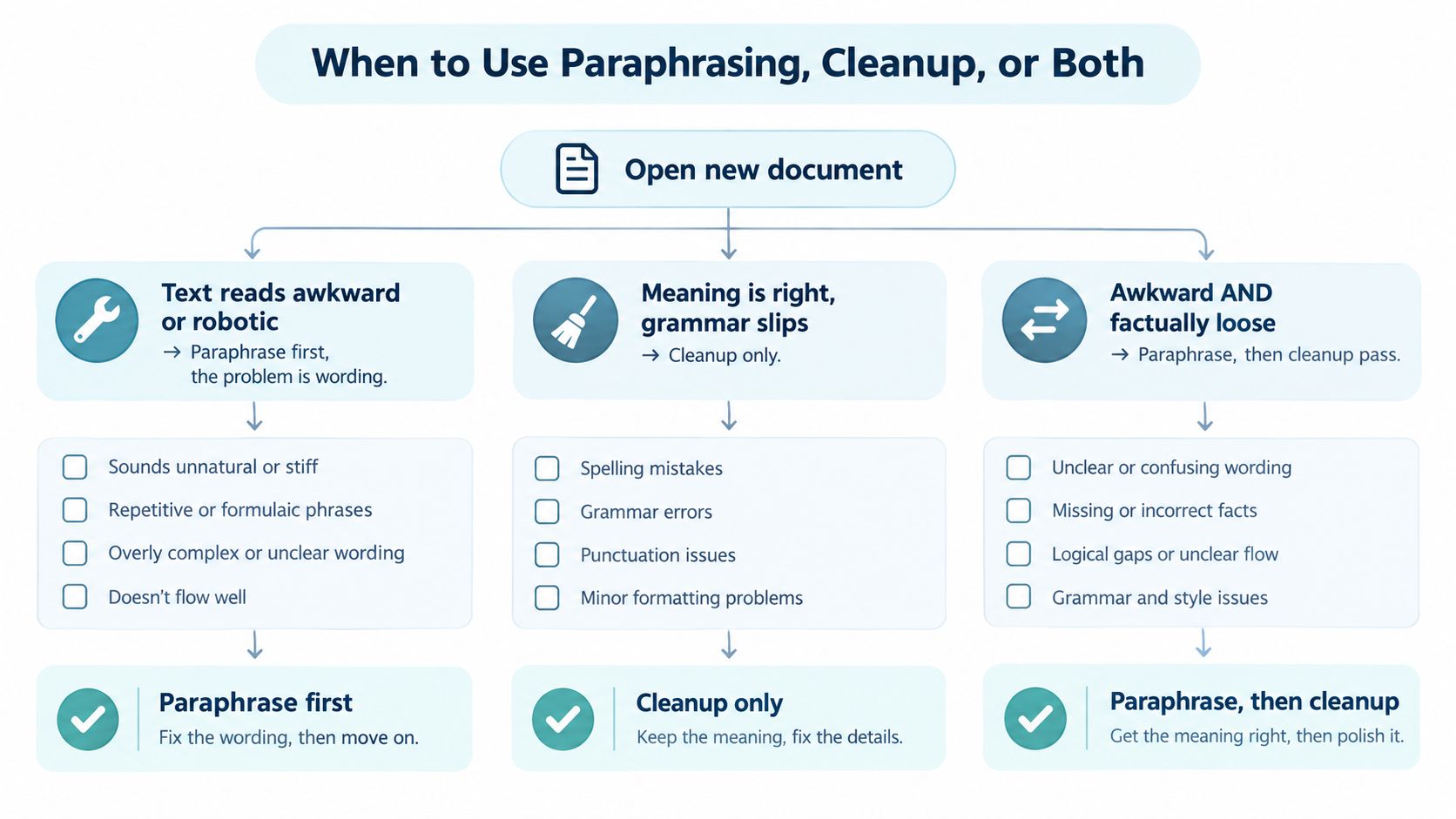
Use the tool that matches the symptom. If the writing sounds robotic, paraphrasing should come first because the problem is wording. If the prose reads well but came from a flagged system, cleanup should come first because the problem may sit beneath the visible text.
The most reliable combined workflow is cleanup first, paraphrasing second when both defects are present. Removing hidden residue before a rewrite gives the editor a cleaner input. The subsequent paraphrase can then focus on tone, jargon, sentence rhythm, and clarity rather than pretending to solve a character-level problem.
Choose paraphrasing alone
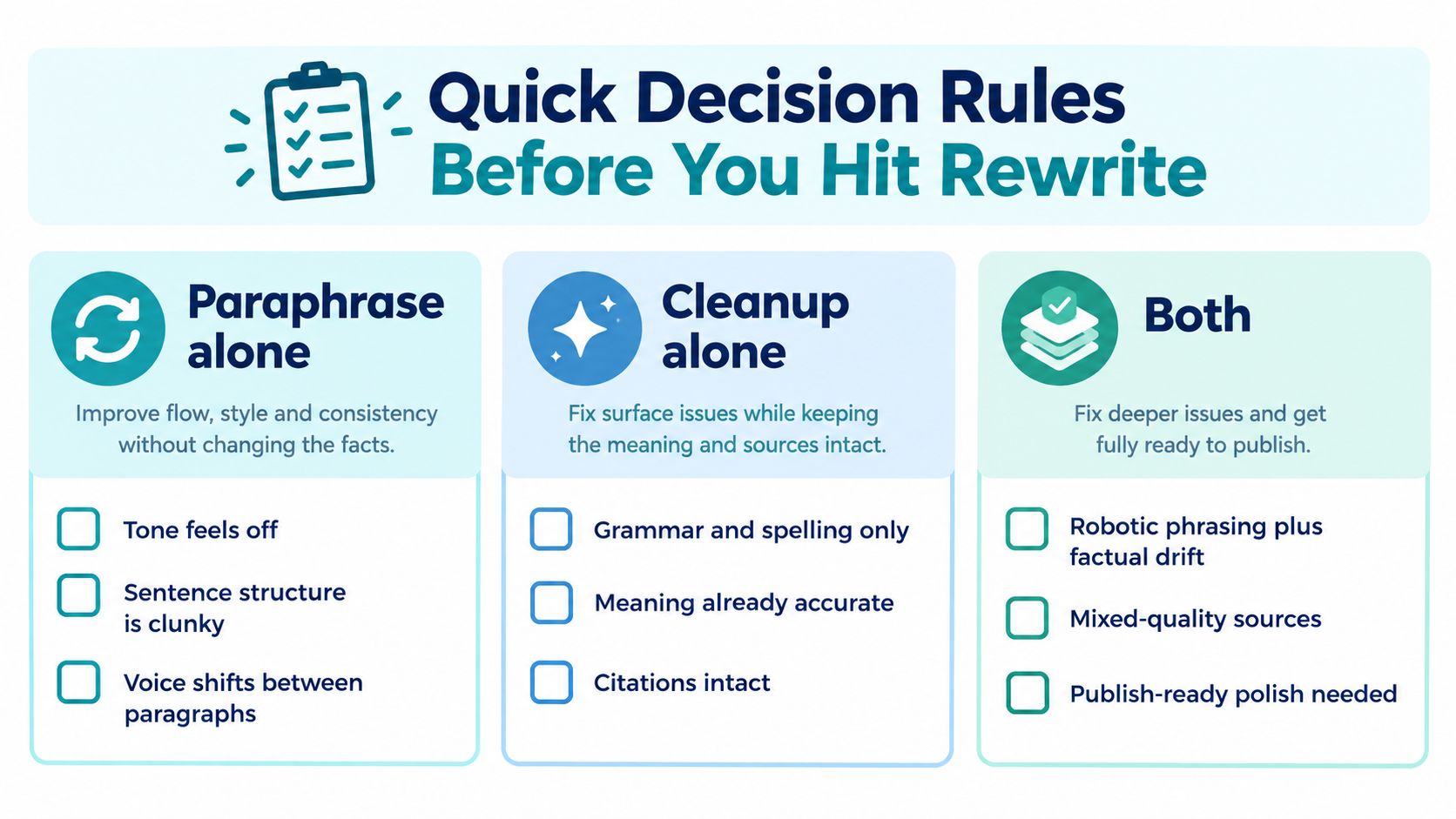
Use a paraphraser when:
- The draft's meaning is accurate.
- The tone feels too formal, flat, or repetitive.
- Sentence structure is clunky.
- The source was human-written or has already passed a character-level cleanup.
- You can manually review proper nouns, technical terms, citations, and qualifications.
This is the straightforward editorial case. Don't add a cleanup layer just because the document contains AI-assisted writing. Add it when there's a reason to inspect or normalize the hidden text layer.
Choose cleanup alone
Cleanup is the better first move when:
- The wording already sounds right.
- The document came from Gemini, ChatGPT, Claude, or another generation system.
- You've found zero-width characters, direction controls, unusual spacing, or script mixing.
- Rewriting would damage a carefully approved voice.
- The text needs to remain close to an authorized version.
For a technical document, legal copy, or approved brand statement, unnecessary paraphrasing introduces risk. Preserve the prose and remove only the artifacts that don't belong.
Choose both
Use both when the text is robotic and technically suspect. Clean the hidden layer first, then paraphrase the visible prose, and finally review the output against the source. The guide to removing AI watermarks from text is useful background for understanding why these steps should remain separate.
A 2026 study reported that meaning-preserving paraphrase eliminated detection in 100% of initially detected texts for KGW and Unigram watermarks, and in 98.3% of cases for SynthID, while also producing a 5.4% false positive rate on clean SynthID text, according to the empirical watermark study. That's evidence that paraphrasing can disrupt signals, not permission to skip review or institutional disclosure.
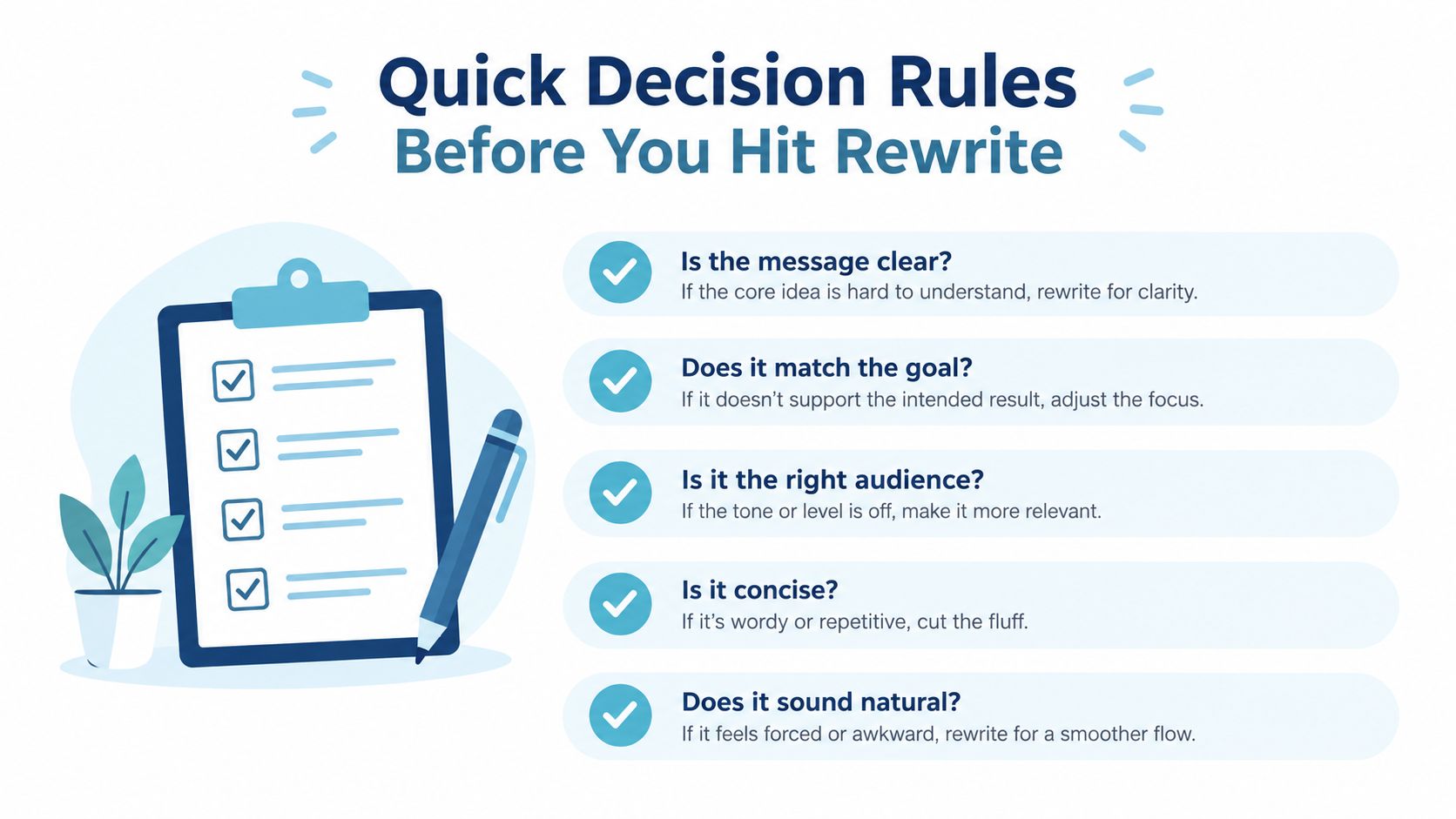
Quick Decision Rules Before You Hit Rewrite
Use this checklist before editing the next file.
Paraphrasing alone is enough
- Tone feels off: The document is accurate, but it sounds stiff or generic.
- Sentence structure is clunky: Clauses need reordering, splitting, or tightening.
- Voice shifts: One paragraph sounds conversational while the next sounds like a template.
- No hidden artifacts appear: A character inspection finds no unusual spacing, script mixing, or formatting controls.
- The document is low risk: It won't be submitted to a formal detector or used as an approved technical statement.
In this path, preserve facts and citations, then review every rewrite for meaning drift.
Cleanup alone is enough
- Grammar is the only visible issue: Fix spelling and punctuation without changing the author's voice.
- Meaning is already accurate: The prose has been approved or carefully written.
- Citations and names must remain intact: Avoid a rewrite that could alter references or entities.
- Formatting glitches appear: Remove invisible characters, direction controls, or unusual spacing.
- The draft is short and controlled: A targeted cleanup is safer than broad stylistic rewriting.
This is the right choice for copy that already works and only needs technical hygiene.
Both are required
- Robotic phrasing plus factual drift: Clean the hidden layer, then rewrite and fact-check.
- Mixed-quality sources: Inspect text from multiple AI systems before consolidating the voice.
- Detector review is part of the workflow: Treat results as system-dependent, not as a guarantee.
- Long drafts need consistency: Clean in manageable sections, paraphrase selectively, and compare against the source.
- Formal output needs approval: Academic, legal, policy, and regulated content still requires human oversight and proper disclosure.
Paraphrasing rewrites words and structure. Cleanup removes artifacts and normalizes the text layer. They solve different problems, so use one, the other, or both based on the document's real content.
Simple Unmark cleans AI-assisted text by removing hidden Unicode artifacts and rewriting passages to reduce probabilistic watermark signals while preserving meaning, facts, numbers, proper nouns, tone, and intent. Visit Simple Unmark when a paraphraser has improved the wording but the document still needs a dedicated cleanup pass.
- ai paraphrasing tool
- paraphrasing software
- ai text rewriter
- ai watermark
- content cleanup
More posts
10 Best Paraphrasing Tools for Better Writing
Compare the best paraphrasing tools by features, pricing, use cases, limitations, and text-preservation concerns to choose the right fit.
How to Clear Copy and Paste Text Without Losing Meaning
Learn how to clear copy and paste text by removing hidden formatting, invisible Unicode, and AI watermark signals while keeping meaning intact.
10 Paraphrase Tool Online Options Compared
Compare 10 paraphrase tool online options by features, pricing models, use cases, rewrite fidelity, and limits, including Simple Unmark.