
Simple Unmark Word Limits and Credit Examples
Guests get three cleans of up to 100 words; accounts support up to 5,000 words per clean. See word-block billing and privacy-mode multipliers.
A signed-in clean at Simple Unmark is capped at 5,000 words and, in Private mode, billed at 0.1 credit per started 100 words, rounded up to the next 100. Paste a 4,200-word draft and you'll pay 4.2 credits. Paste 4,201 words and you'll pay 4.3. Confidential mode doubles those figures.
If a long draft is sitting in your clipboard, the questions are whether the tool will accept it and how many credits it will use. The rules are simple, but the rounding catches people who estimate loosely. This page shows how to price every clean before you click. It applies to the main cleaner only; the free tools, such as the invisible character remover and line break remover, don't use credits.
Table of Contents
- How Simple Unmark Word Count Limits Work
- The Next 100 Rounding Rule Explained
- Credit Cost Examples at Common Document Sizes
- Guest Cleans Versus Signed In Accounts
- Per Clean Credits Versus Subscription Pricing
- What Happens at the Edges of the Cap
- Choosing a Credit Pack That Fits Your Workload
- What You Actually Get for Each Credit
- Pre Submit Checklist for Sizing a Clean
- Quick Reference Table Words to Credits
How Simple Unmark Word Count Limits Work
The first rule is the hard ceiling: one account clean can contain no more than 5,000 words, and there's also a 60,000-character cap. Typical English prose reaches the word cap first; the character cap matters for text with unusually long words or few spaces. Guests are limited to 100 words per clean. Text above the limit has to be trimmed or split before you clean it; the cleaner doesn't process just the first part of an over-limit paste.
The second rule controls billing. Private mode charges 0.1 credit for each started 100-word block, rounded up to the next full block. A 4,200-word draft uses 4.2 credits. A 4,250-word draft uses 4.3 credits because the words after 4,200 start another block. Confidential mode uses the same blocks at twice the rate, so the same 4,250 words cost 8.6 credits.
Use the same check every time
Before submitting, run this sequence:
- Count the words. Use the count from your editor or a dedicated word counter.
- Check the cap. If the result is above 5,000, split the draft at a paragraph or section boundary.
- Round upward. Convert the word count into started 100-word blocks.
- Multiply by 0.1. That gives the Private-mode cost. Double it for Confidential.
The cap and billing unit apply to every clean, whether you're spending starter credits or purchased ones, and whatever kind of text you paste. How the text is processed is documented in Simple Unmark's methodology guide.
Practical rule: Budget from the rounded length of each individual clean, not from the total document length.
Journal limits show why splitting is common. Published word limits vary widely between journals and article types, as this 2026 dataset of journal statistics illustrates, so there's no standard length to plan around. A 7,500-word research article, for example, needs two cleans.
The Next 100 Rounding Rule Explained
The phrase started 100 words matters more than the decimal price. Simple Unmark divides the word count into 100-word units, rounds any partial unit upward, then applies the 0.1-credit rate.
That creates sharp boundaries:
- 101 words becomes 200 billable words, costing 0.2 credit.
- 250 words becomes 300 billable words, costing 0.3 credit.
- 500 words stays at 500 billable words, costing 0.5 credit.
- 1,001 words becomes 1,100 billable words, costing 1.1 credits.
A document ending at 00 pays exactly for its displayed length. A document ending anywhere from 01 through 99 pays for the next hundred. This is why a draft just over a boundary costs more than a draft just under it, even when the actual difference is only one word.
Calculate it without guesswork
Use this mental formula:
Rounded billable words = the next 100-word boundary, unless the count already ends in 00.
Then:
Credits charged = rounded billable words × 0.001.
So, 2,400 words costs 2.4 credits. A 2,401-word document costs 2.5 credits. The extra word starts a new billing block.
The same rule applies to small tests and near-cap submissions. A 50-word test costs 0.1 credit because it starts one block. A 4,950-word draft costs 5.0 credits because it rounds to the 5,000-word boundary.
Academic counts differ because institutions define them differently. University of Worcester guidance notes that quotations and in-text citations may be included while footnotes, references, appendices, abstracts, and front matter may be excluded, depending on the rules. Simple Unmark counts the words in everything you paste, so references and footnotes in the pasted text count too.
Credit Cost Examples at Common Document Sizes
Apply the same calculation to each draft: take the word count, round up, then multiply by 0.1. These examples use Private mode.
| Document size | Rounded billable size | Credit cost |
|---|---|---|
| 350-word email | 400 words | 0.4 credit |
| 1,000-word blog post | 1,000 words | 1.0 credit |
| 2,750-word article | 2,800 words | 2.8 credits |
| 4,999-word long-form draft | 5,000 words | 5.0 credits |
The 2,750-word example is the one that catches people. The draft is 50 words into the next block, so it pays for 2,800 words. The 4,999-word example stays within the cap and rounds to exactly 5,000, making it a 5.0-credit clean.
More sizes worth memorizing
- 1,500 words costs 1.5 credits.
- 2,000 words costs 2.0 credits.
- 2,001 words costs 2.1 credits, not 2.0.
- 3,200 words costs 3.2 credits.
- 4,201 words costs 4.3 credits.
Don't split a document at random to chase a lower count. Each chunk rounds separately, so careless splitting can create more partial blocks. Split at natural paragraph or section boundaries, then calculate each chunk independently before you submit.
Guest Cleans Versus Signed In Accounts
Guest access suits a one-off test. You can run three free cleans of up to 100 words without an account, which is enough to check a short passage or try the workflow.
Signing in raises the limit to 5,000 words per clean, and new accounts receive 10 starter credits. For guests and accounts alike, submitted text and output aren't stored in the application database or analytics; Simple Unmark keeps usage counts and credit activity. The exception is optional feedback: if you choose to share a cleaned output with feedback, that output is stored. Copy your result before you leave the page.
| Feature | Guest | Signed-In |
|---|---|---|
| Free access | Three cleans, up to 100 words each | 10 starter credits |
| Per-clean limit | Up to 100 words | Up to 5,000 words or 60,000 characters |
| Billing rule | Free | 0.1 credit per started 100 words (Private), 0.2 (Confidential) |
| Text storage | Not stored unless shared in feedback | Not stored unless shared in feedback |
| Best fit | One-off short cleanup | Repeat work and longer drafts |
If you're cleaning one short passage, guest mode is enough. For articles, research drafts, or recurring batches, an account gives you the higher limit and credits to plan around.
Per Clean Credits Versus Subscription Pricing
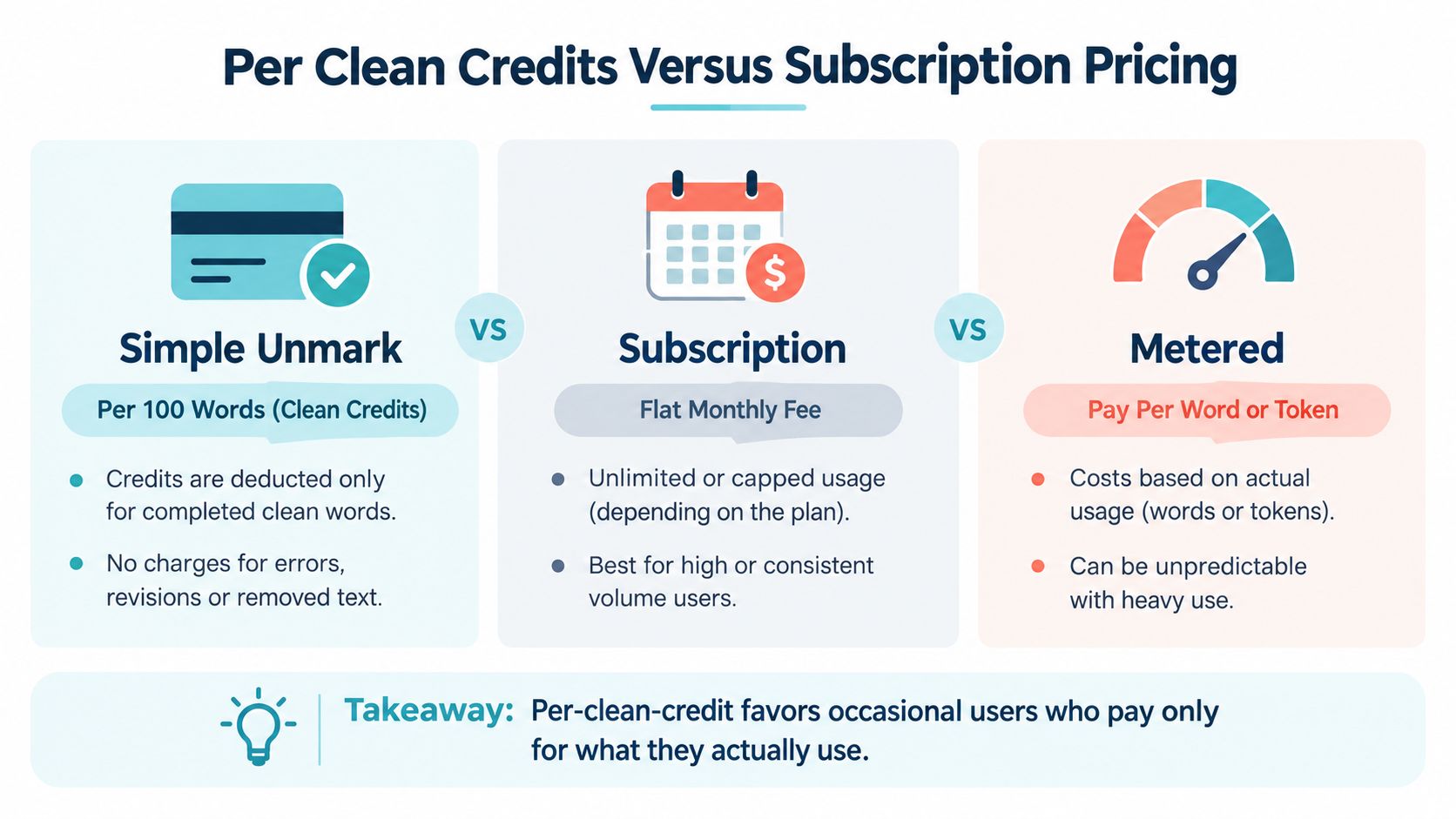
Per-clean billing and subscriptions reward different habits. A credit model suits occasional users because you pay for processed text instead of maintaining a recurring plan during quiet periods. A subscription can make more sense for someone who processes large volumes every day, but only once the monthly fee is lower than the equivalent usage cost.
At Simple Unmark's Private rate, a 2,000-word clean costs 2 credits. A 10,000-word workload split into two cleans costs 10 credits. Simple Unmark has no subscription; credits are one-time purchases from $5 and don't expire. If you're comparing against an unlimited plan elsewhere, work out the breakeven against its monthly fee. "Unlimited" alone doesn't show you'd save money.
Match the billing shape to your workload
| Model | How you pay | Practical advantage |
|---|---|---|
| Per-clean credit | Credits follow processed word blocks | No recurring commitment for occasional use |
| Subscription | Flat monthly fee, usage may be unlimited or capped | Predictable cost for sustained volume |
| Metered | Payment follows words, tokens, or another usage unit | Direct alignment with consumption |
A writer cleaning a 500-word email once a week shouldn't automatically buy an unlimited plan. An agency batching long manuscripts every week should compare its actual monthly credits with the subscription alternatives.
Other AI services package usage in tiers; Wispra's pricing page is one example. Compare the structure rather than the headline price. Simple Unmark's own pricing information is most useful when you already know your expected word volume.
What Happens at the Edges of the Cap
A 5,001-word paste exceeds the cap. Remove unnecessary material or divide the draft at a paragraph boundary before cleaning.
A 100,000-word manuscript needs at least 20 separate cleans, and only if every chunk lands at exactly 5,000 words. Each clean is priced on its own, so calculate the rounded cost for each chunk.
Invisible characters need a separate check
Zero-width spaces and related Unicode marks can remain inside copied text even though they don't display. Unicode U+200B ZERO WIDTH SPACE has no visible width, but it still exists in the text string and can affect processing, comparison, wrapping, and downstream handling, as described by Unicode Explorer's U+200B reference.
Invisible characters inflate raw character counts without necessarily adding words, so a document can look large in a character counter and still sit below the word cap. This zero-width space reference explains how these marks survive copy-paste and affect later handling even when the screen looks normal.
Trim to 5,000 words or less, remove hidden characters where practical (the free invisible character remover does this without using credits), and submit the complete text you intend to clean.
Choosing a Credit Pack That Fits Your Workload
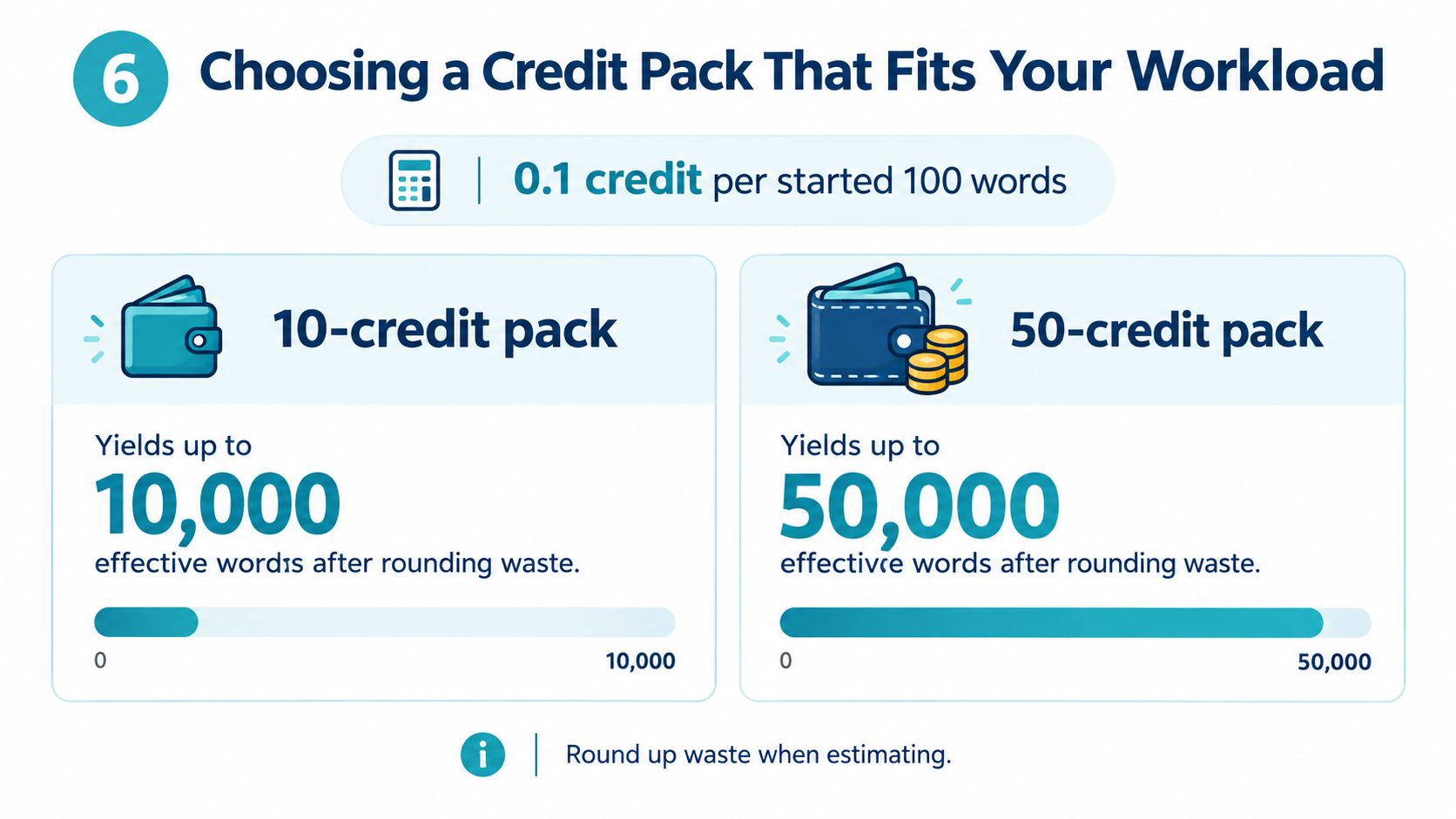
Start with the rate, not the pack name. At 0.1 credit per started 100 words in Private mode, 10 credits cover up to 10,000 words and 50 credits up to 50,000. Those are ceilings: rounding on each clean means real batches use a little more, and Confidential mode halves the coverage.
Forecast a month, not a single draft
Estimate the words you expect to clean over the next 30 days. Then divide by 100, round each request upward, and multiply by 0.1. Leave room for partial-block waste, especially if you process many short documents instead of a few long ones.
A 2,000-word draft needs 2 credits. Ten 4,500-word manuscripts per week create a much heavier recurring workload than one isolated article. The right pack depends on that pattern, not on the largest file currently open in your editor.
There's no standard percentage to add for rounding waste; it depends on where your documents end, so calculate from actual chunk sizes. Pricing models built for other products, such as these subscription costs for video detection, don't transfer to a per-word text workflow.
What You Actually Get for Each Credit
A credit pays for cleaning: Unicode cleanup plus a rewrite that aims to keep the source's facts, numbers, proper nouns, tone, and intent. It isn't an open-ended creative rewrite.
The pass removes supported invisible Unicode marks such as zero-width spaces and changes wording with the aim of weakening statistical watermark signals. Google's SynthID text system works by adjusting token-generation likelihoods during generation rather than adding a visible label, according to MIT Technology Review's explanation of SynthID. This 2026 theoretical analysis of SynthID-Text gives more technical background. No cleaning tool can promise a particular detector outcome, and there's no general public detector that confirms a provider's watermark is gone.
The output should remain usable
The intended result is a copy-ready version where:
- Wording changes: The rewrite alters word choice and structure, which may weaken statistical watermark patterns.
- Invisible characters are cleaned: Supported zero-width and control characters are removed or normalized, while controls that some scripts and emoji need are kept.
- Meaning is the target: Numbers, names, dates, and facts should survive, but check them; no rewrite can guarantee identical meaning.
- Voice is retained: Sentence rhythm may tighten without turning the draft into a new argument.
For the specific removal workflow, see the Simple Unmark AI watermark remover. Treat the output as a draft that still deserves normal editorial review, particularly when the source contains citations, technical notation, or formatting-sensitive material.
Pre Submit Checklist for Sizing a Clean
Run this checklist before you paste:
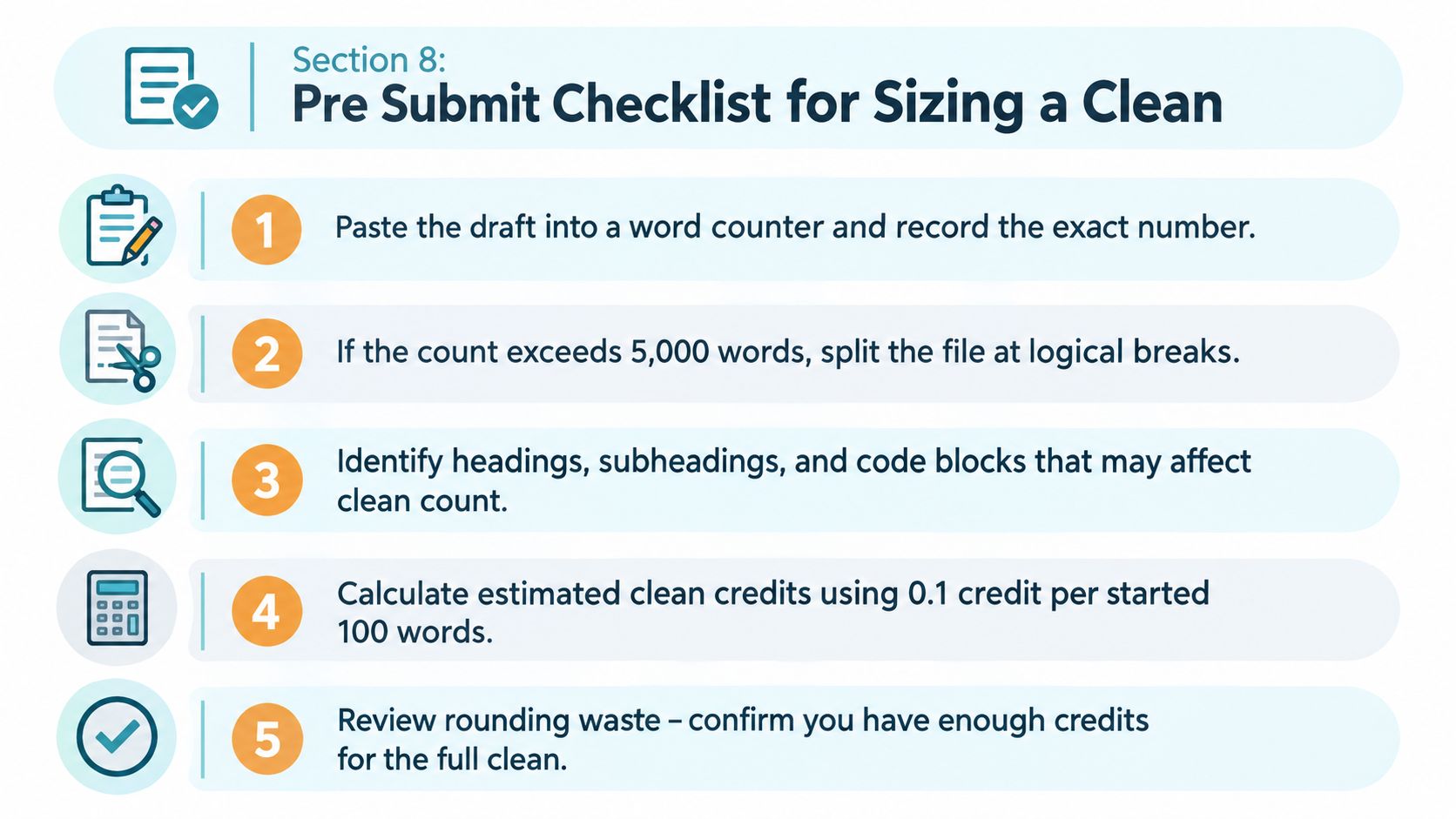
- Record the count. Paste the draft into a word counter and write down the exact number.
- Split oversized text. If it exceeds 5,000 words, divide it at paragraph or section boundaries.
- Calculate each chunk. Round every chunk up to its next 100-word block, then multiply by 0.1 credit (0.2 for Confidential).
- Check your balance. Add the chunk costs and confirm your account can cover the total.
- Inspect hidden characters. Scan pasted text for zero-width spaces and other invisible Unicode marks before processing.
On the fifth step: invisible characters affect raw character handling and downstream comparisons, but they don't automatically become extra billable words. The word count determines the cost. Scan for them because they make copied text behave differently across editors and platforms.
For academic work, check the destination's own definition of "word count" separately. Journal abstracts and conference submissions may use very different limits, including character caps, as summarized in this academic word-limit review. Simple Unmark's calculation is a processing rule, not a substitute for your institution's submission policy.
Quick Reference Table Words to Credits
Use this grid for a fast Private-mode estimate; double the credits for Confidential. Every count at or below 5,000 follows the started-100 rule. The final row marks the cap, not a payable clean.
| Word Count | Rounded Bucket | Credits Charged |
|---|---|---|
| 50 | 100 | 0.1 credit |
| 100 | 100 | 0.1 credit |
| 250 | 300 | 0.3 credit |
| 500 | 500 | 0.5 credit |
| 1,000 | 1,000 | 1.0 credit |
| 1,500 | 1,500 | 1.5 credits |
| 2,000 | 2,000 | 2.0 credits |
| 3,000 | 3,000 | 3.0 credits |
| 4,000 | 4,000 | 4.0 credits |
| 4,999 | 5,000 | 5.0 credits |
| 5,000 | 5,000 | 5.0 credits |
| 5,001 | Exceeds cap | Split required |
The fastest habit is to watch the last two digits. 00 means exact billing. Anything from 01 through 99 rounds upward. Then check that the full request remains within the 5,000-word limit. Current credit packs are listed on the pricing page.
- word count limit
- Simple Unmark
- AI text cleaning
- credit pricing
- SynthID
Related articles

Credit-Based Pricing for AI Text Tools
Understand usage credits, word blocks and privacy-mode multipliers, with worked examples of Simple Unmark's one-time credit pricing.
AI Detection Bypass Tools: Claims and Limits
Understand what bypass tools change, why classifier scores differ from watermark tests, and how to review rewritten text without false confidence.

How to Address AI Text Watermarks and Hidden Unicode
Inspect characters, consider a substantive rewrite and compare the result with the original. Learn what provider documentation does and does not support.