
Unicode Text Converter: What It Does and Why It Matters
Learn what a unicode text converter actually does, why pasted AI text behaves strangely, and how to remove invisible characters without breaking real content.
You copied clean looking text from ChatGPT or Gemini, pasted it into a doc, and now search won't find a word that's right in front of you. That's not your editor glitching. It's hidden characters in the buffer. A good Unicode text converter fixes the deterministic part of that problem. It doesn't magically erase statistical watermarks, and anyone telling you otherwise is selling you confusion.
Table of Contents
- Why Pasted AI Text Feels Off
- What a Unicode Text Converter Actually Does
- Invisible Characters Worth Knowing by Function
- Why Removing Invisible Characters Will Not Remove an AI Watermark
- The Four Kinds of Tools and Where They Fall Short
- Using Simple Unmark in Practice
- Practical Rules for Copy-Safe AI Text
Why Pasted AI Text Feels Off
You paste a paragraph into Google Docs, Word, or your CMS. It looks fine. Then find and replace misses a phrase, a word count looks wrong, or a pasted string breaks code that should compile.
I've debugged this enough times to check the invisible layer first. What you see is rendered glyphs. What your software processes is code points, and those two things don't always match your expectations.

Two Different Problems in One Paste
Hidden formatting artifacts are one job. Zero width characters, odd spaces, and stray controls can sit between letters and break matching, sorting, and deduplication. Removing them is deterministic. You can inspect before and after at code point level and verify the result.
Watermark signals are a different job entirely, and conflating them causes most bad advice online. If you're unclear on that split, read the breakdown of AI watermarks versus AI detectors and what each actually measures before you trust any cleaner. Cleanup fixes portability. Rewriting is what changes token patterns.
If a tool can't show you what it removed, don't trust what it claims it fixed.
Your usual find and replace workflow fails because you're searching for visible text. The offending characters have no width, no glyph, and no obvious selection highlight. You need a converter that works below the rendering layer, not another pass with Ctrl+H.
What a Unicode Text Converter Actually Does
A real Unicode text converter does three things in order. It decodes bytes from a known encoding into Unicode scalar values, normalizes equivalent sequences into one form, then lets you filter, compare, or store the result. Anything else is decoration.
That scope matters because Unicode is huge. The history of the Unicode Standard and its expanding repertoire records 7,129 code points in Unicode 1.0.0 in October 1991, 28,327 code points in version 1.0.1 in June 1992, and more than 90,000 characters by Unicode 3.2 in 2002. You aren't cleaning ASCII with a few accents stuck on.
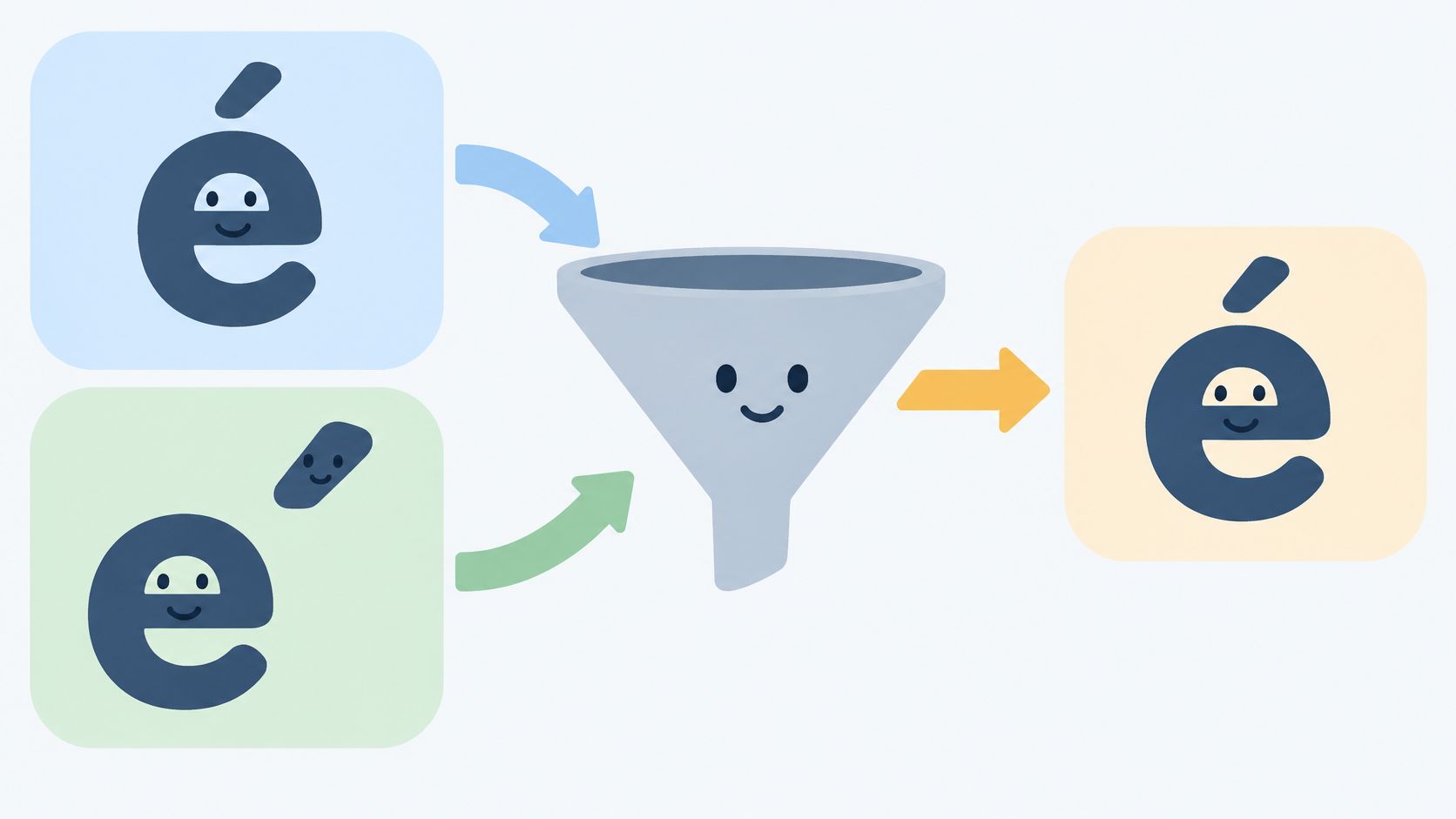
Normalization Is the Core Job
Take ä. It can be one precomposed character, U+00E4, or two code points, U+0061 followed by U+0308. They look identical. They don't compare as equal in a naive binary check.
Unicode defines four forms. NFC composes, NFD decomposes, and NFKC and NFKD also apply compatibility mappings, as set out in Microsoft's guidance on text normalization forms and validation order. Use NFC as your default for interchange. It's the safest choice when you want to preserve appearance and meaning.
Use NFKC only with explicit review. Compatibility normalization can collapse full width characters, presentation forms, and certain symbols into simpler forms. Sometimes that's what you want for search. Sometimes it destroys distinctions you needed.
Decode First, Validate After
Decoding matters because the web runs on UTF-8 now. The W3C summary of who uses Unicode and UTF-8 adoption cites W3Techs figures of 99.1% UTF-8 use among sites with known encoding and 99.3% among the top 1,000,000 websites. Legacy sources still arrive as ISO-8859-1 or Windows-1252, and guessing wrong gives you broken accents and replacement characters.
Normalize once at a defined boundary, then validate. If you validate first, an allowlist can pass one representation while your app later processes an equivalent string in another form. That's a bypass, not a theoretical concern.
Don't confuse any of this with fancy font generators or emoji translators. Those swap glyphs for looks. A converter makes text comparable, searchable, and copy safe.
Invisible Characters Worth Knowing by Function
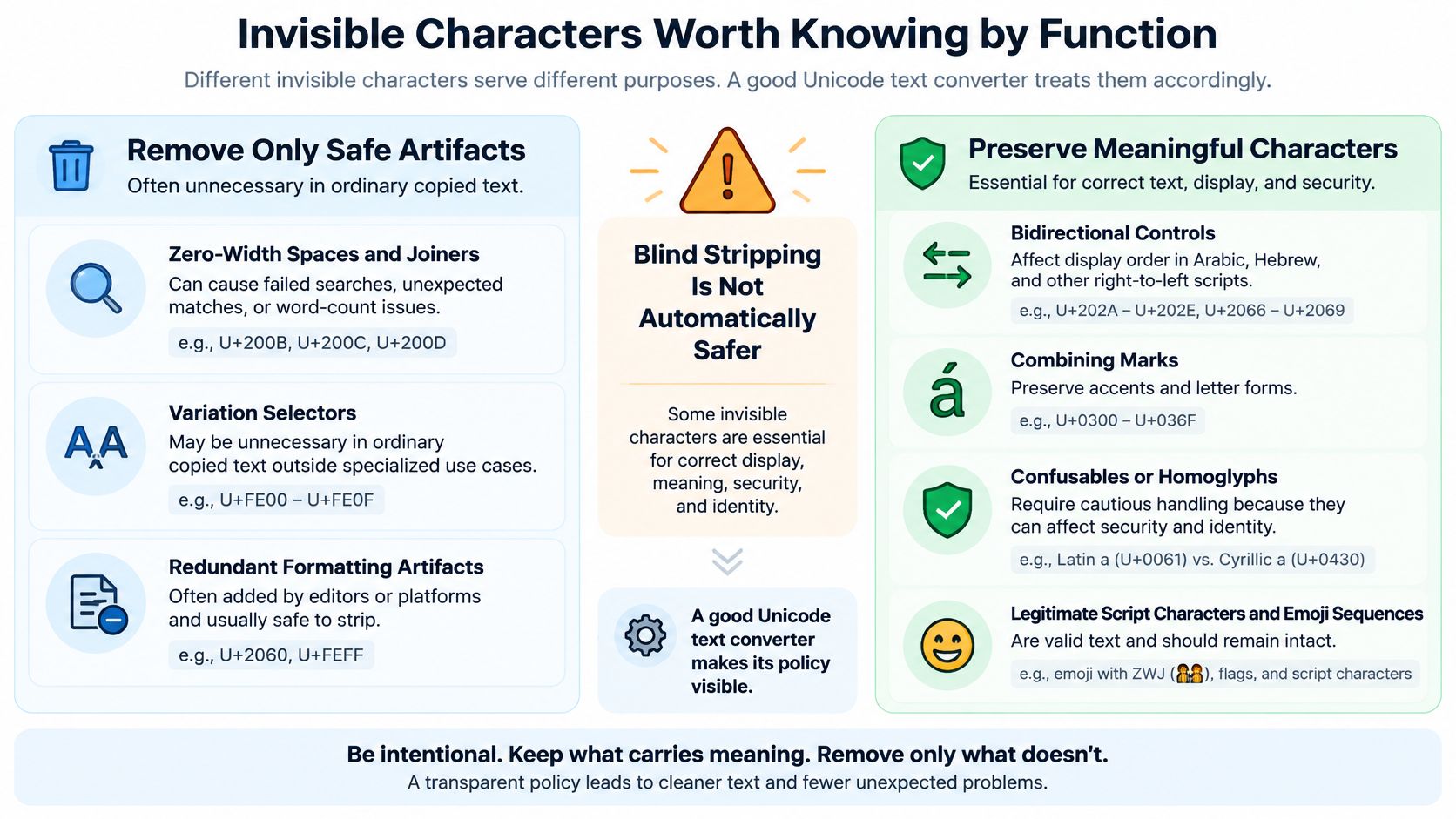
Don't strip by code point number. Strip by function, and only when you know what that function does in your text.
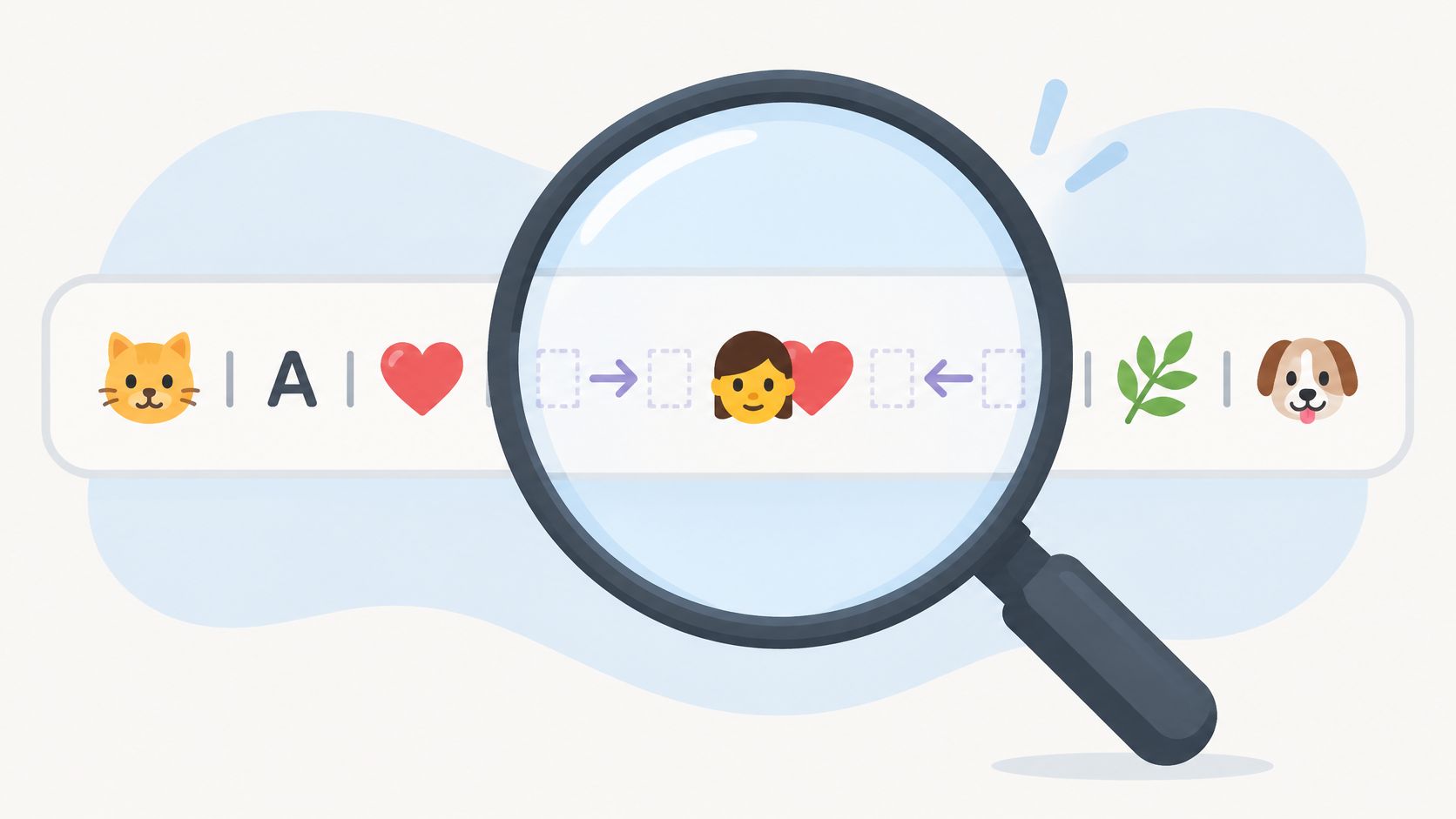
The Unicode core specification chapter on special areas and format characters makes a distinction people skip. U+200B ZERO WIDTH SPACE has no visible width but can signal a possible word or line break. Directional marks don't do that job at all.
- Zero width spaces and joiners: Usually safe to remove from ordinary English copy. They break search and inflate counts. In some scripts and emoji sequences, joiners carry real joining behavior, so check context first.
- Bidirectional controls: U+200E, U+200F, and U+061C carry strong directionality for Arabic, Hebrew, Syriac, and mixed direction text. Removing them from legitimate bidirectional text can scramble display order.
- Variation selectors: Often unnecessary in plain copied prose. They can matter for specific emoji presentation and variant glyph selection, so don't blanket strip emoji heavy text.
- Combining marks: Preserve them. They build accented letters and many script forms. Deleting them changes letters, not just formatting.
- Confusables: Characters that look identical but carry different code points. Unicode treats these as a security category in its machine readable confusables data for security checks, relevant in names, URLs, source code, and copied credentials.
Practical rule: ASCII only cleanup isn't safer. It's just destructive in a way that's easier to market.
For a sharper breakdown of this layer versus statistical signals, see the comparison of hidden Unicode artifacts against statistical watermark methods. A good converter shows its policy per category. If it just says it removes hidden characters, assume it's stripping blind and will eventually corrupt a name, a formula, or a right to left phrase.
Why Removing Invisible Characters Will Not Remove an AI Watermark
Here's the claim I won't let slide. Deleting zero width spaces does not remove SynthID. Normalizing to NFC does not remove SynthID. Running NFKC does not remove SynthID.
Google's own description in its SynthID safeguards documentation for text generation is clear. SynthID Text is a logits processor applied after Top-K and Top-P filtering. It nudges token scores with a pseudorandom g-function so the model favors particular token choices. No symbol gets inserted. There's nothing hidden between your letters to scrub out.
Where the Signal Actually Lives
The signal lives in which words got picked, not in invisible formatting around them. That's why research on text watermark robustness against paraphrasing and editing separates deterministic artifact cleanup from rewriting. Only changing the token sequence changes the pattern a detector measures.
The numbers support that distinction, with limits. One evaluation in recent research on paraphrase attacks against multiple watermark schemes reported detection eliminated in 98.3% of initially detected SynthID texts after meaning preserving paraphrase, and a 5.4% false positive rate on clean text for SynthID. Rewriting can weaken a signal. Detectors can also flag text with no watermark. Both facts kill any honest guarantee.
Recruiters hit the same uncertainty from the other side when screening documents, which is why a guide to resume authenticity for recruiters is useful context for anyone treating a detector score as proof. It isn't proof. It's a probabilistic read on transformed text.
Bottom line. Unicode cleanup is deterministic. Watermark reduction through rewriting is probabilistic. Tools that blur that line are misleading you, even if their cleaner works fine.
The Four Kinds of Tools and Where They Fall Short
Most tools do one job and pretend they've done both. Sort them by failure mode and the marketing gets easier to ignore.
| Tool type | What it does well | Where it falls short |
|---|---|---|
| Pure Unicode cleaners | Remove artifacts, normalize forms | Blind to statistical watermarks |
| Paraphrasers | Change wording and token patterns | Sloppy with hidden formatting |
| Narrow watermark tools | Target one named scheme | Often unverifiable or outdated |
| Full stack cleaners | Clean artifacts and rewrite | Quality depends on meaning preservation |
Pure cleaners are the right choice when your only problem is broken search or messy paste formatting. They're fast, inspectable, and honest about scope. They just can't touch a token choice pattern, and good ones don't claim to.
Paraphrasers flip the problem. They'll change your wording, sometimes past the point where facts, names, and tone survive intact, and they'll happily carry invisible characters straight through into the output. You get different text that's still dirty underneath.
Narrow watermark tools are where I get skeptical fastest. If a tool names one scheme, shows no method, and promises a clean detector result, walk away. Detector configurations change, thresholds vary, and you can't verify a black box claim with one paste into one checker.
Full stack is the category that makes sense for AI drafted text you intend to publish. Simple Unmark sits here. It removes hidden Unicode artifacts and rephrases wording to reduce token choice patterns in the same run, which you can see on its AI watermark remover page describing the combined cleaning approach. That's the right architecture. Two separate mechanisms, handled separately, delivered in one pass.
Pick based on your actual problem. Formatting bug, use a cleaner. Statistical signal, you need rewriting. Both, which is most pasted AI text, use both.
Using Simple Unmark in Practice
The workflow is paste, clean, copy. No settings maze, no normalization form picker for you to get wrong. A local scan gives feedback as you type, so you see issues before you spend anything.
Limits and Credit Math
You get concrete limits, which I prefer over vague fair use language.
- Per request: Up to 5,000 words in a single clean.
- Rounding: Processing rounds up to the next 100 words.
- Cost: 0.1 credit per started 100 words, bought as a one time purchase through Stripe hosted payments.
- Expiry: Credits never expire, so occasional use doesn't punish you.
- Starting balance: New accounts start with 10 credits.
- Guest use: Three free cleans of up to 100 words without an account.
Do the math before a large job. A document just over a rounding boundary costs the next increment, so splitting or trimming at the margin is your call.
Accounts, Privacy, and the Honest Boundary
Guest submissions aren't saved. Account records track counts and credit activity rather than your submitted text. Use guest mode for one off checks. Create an account when you're processing longer documents regularly and want the starter credits and balance tracking.
The boundary you need to hear plainly is this. The public technical guide documents the method and explicitly doesn't promise detector outcomes. That's not a weakness. Given the false positive evidence covered above, a guarantee would be the red flag.
Run a short sample first on any new document type. Check names, numbers, and terminology in the output before you process the full text. That habit catches meaning drift early, when it's cheap to fix.
Practical Rules for Copy-Safe AI Text
You don't need to become a Unicode specialist. You need five rules and the discipline to apply them every time you paste AI text into something that matters.
- Normalize once at a known boundary: Pick the point where text enters your system or document workflow and normalize there. Normalizing repeatedly in random places creates inconsistencies you cannot trace.
- Use NFC for general interchange: It's the safest default for preserving appearance and meaning. Reach for compatibility forms only for specific search or matching needs, and review the output.
- Validate after normalization: Run allowlists, identifier checks, and security filters on the normalized form. Validating the raw input leaves the equivalent string bypass wide open.
- Preserve legitimate scripts: Don't force ASCII. Stripping non ASCII text destroys names, languages, and mathematical notation while telling you nothing about which invisible characters changed.
- Treat detector results as probabilistic: A negative result is not proof of human authorship, and a positive is not proof of AI authorship. Act accordingly in hiring, publishing, and academic contexts.
Rule five isn't caution for its own sake. In published research on paraphrasing effects across watermarked GPT-2 texts, researchers tested 500 generated texts and found detection accuracy dropped from 100% to 57.2% after paraphrasing. The signal moved a lot, and it didn't vanish reliably. That's signal reduction, not a switch you flip.
Make pasted text copy safe without corrupting legitimate Unicode. That means an audit trail, a visible policy, and warnings in security sensitive contexts, not one universal conversion.
Follow these rules and most paste and publish problems stop happening. Search matches again. Counts make sense. Names survive. You'll still need rewriting when statistical signals are your concern, but you'll stop blaming invisible characters for a problem they never caused.
Paste your AI drafted text into Simple Unmark and get both jobs done in one pass, hidden Unicode artifacts removed and wording rephrased to reduce statistical watermark signals while your meaning, facts, and names stay intact. Start with a free guest clean on a short passage, inspect the output, and only then run your full document.
- unicode text converter
- invisible character remover
- unicode normalization
- ai watermark
- text cleaning
More posts
10 AI Essay Checker Tools for Detection and Cleanup
Compare 10 AI essay checker tools for detecting AI-generated text, reviewing flagged passages, cleaning watermarks, and managing false positives.
Undetectable AI Content Without the False Promises
Undetectable AI Content. Learn how to reduce AI-detection signals in text through rewriting, Unicode cleanup, quality checks, and honest limits—without
AI Rewriter Free Online: 10 Tools Worth Trying
Compare the 10 best AI rewriter free online tools, including features, limitations, use cases, and where Simple Unmark fits your editing workflow.