
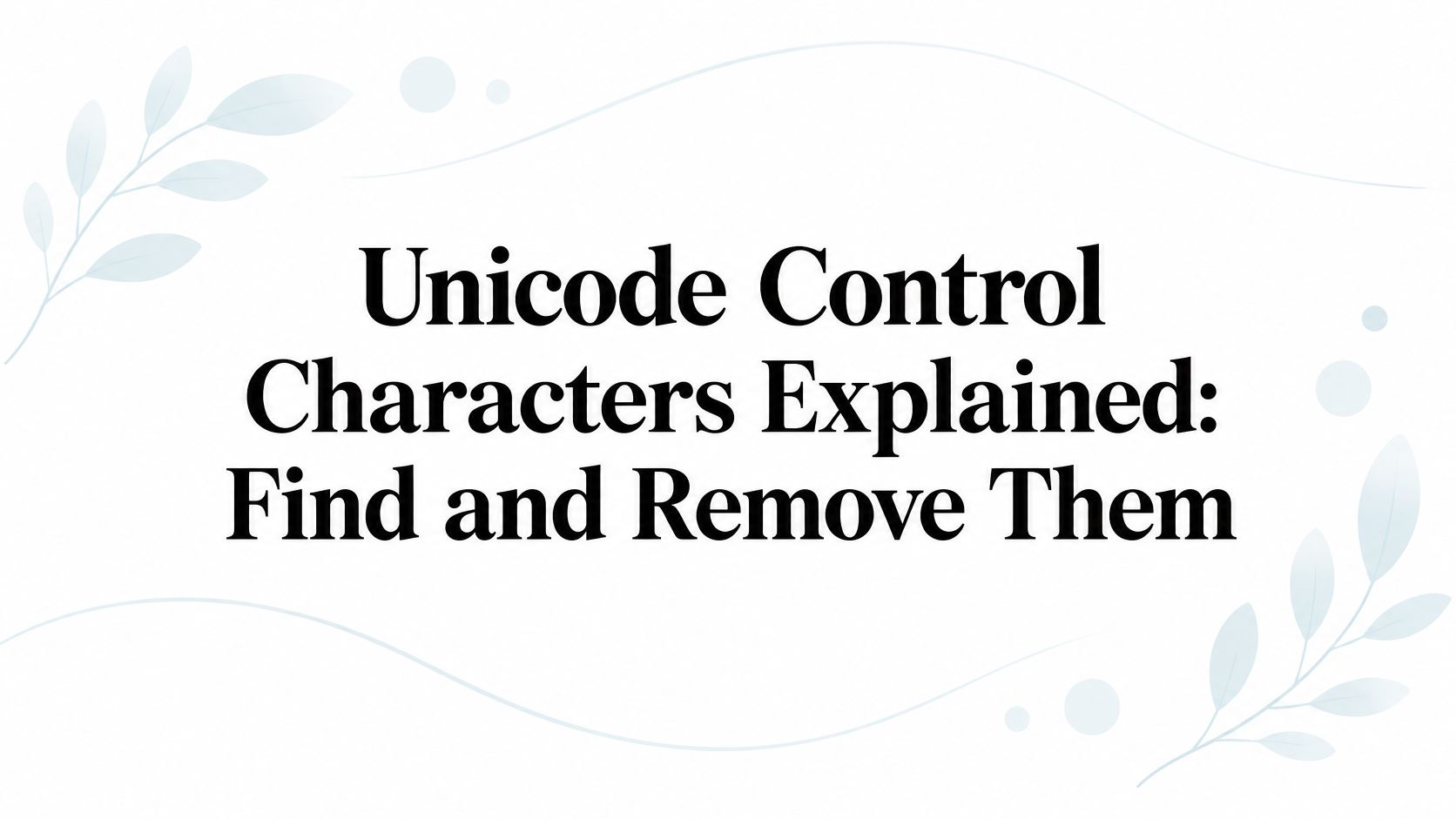
Unicode Control Characters Explained: Find and Remove Them
Unicode control characters explained: zero-width, bidi and formatting codes, how they hide in pasted and AI text, and how to detect and remove them safely.
You paste a paragraph into your editor. It looks clean, but searching for a word finds nothing, and a validator rejects the file. Before retyping everything, inspect the characters you can't see. Unicode control characters and invisible formatting characters can change how software reads text without leaving an obvious mark on the screen.
Table of Contents
- What Unicode Control Characters Are and Why They Stay Hidden
- Zero-Width Characters That Change Text Without Showing Up
- Bidirectional Controls and the Trojan Source Example
- How Hidden Characters End Up in Pasted and AI Text
- How to Detect Hidden Characters Step by Step
- Which Characters to Remove and Which to Keep
- Clean Hidden Characters Before You Publish or Ship
What Unicode Control Characters Are and Why They Stay Hidden
Every character in a Unicode string has a code point, an identifier written in a form such as U+200D. A visible letter produces a glyph. A control character instead tells software how to process text, communicate with a device, or handle structure.
Think of controls as stage directions. The audience hears the dialogue without seeing the cues, but the actors and stagehands still act on them. In text, the reader may see nothing while a parser, editor, or rendering engine responds.
The Unicode Standard's chapter on special areas and format characters preserves 65 legacy control positions, comprising 32 C0 positions, one DELETE position, and 32 C1 positions, for compatibility with ISO/IEC 2022 and ISO/IEC 6429. They originate in older 7-bit and 8-bit systems, not in modern AI tools.
Unicode control character families
| Family | Code point range | Examples | What it does |
|---|---|---|---|
| Legacy C0 controls | U+0000–U+001F (32 positions) | Tab, line feed, carriage return | Transmission, device control, and information separation |
| DELETE | U+007F (1 position) | DELETE | Legacy deletion code from 7-bit systems |
| Legacy C1 controls | U+0080–U+009F (32 positions) | Rarely typed; from 8-bit encodings | Legacy control functions tied to ISO/IEC 2022 and ISO/IEC 6429 |
| Zero-width format controls | U+00AD, U+200B–U+200D, U+2060, U+FEFF | Zero-width space, joiners, word joiner, soft hyphen | Joining and break behavior, usually without a standalone glyph |
| Bidirectional controls | U+200E–U+200F, U+202A–U+202E, U+2066–U+2069 | Direction marks, embeddings, overrides, isolates | Reorders the display of mixed-direction runs |
These are practical cleaning groups, not mutually exclusive Unicode categories. Bidirectional controls belong to the broader family of format controls, but deserve separate handling because they affect display order.
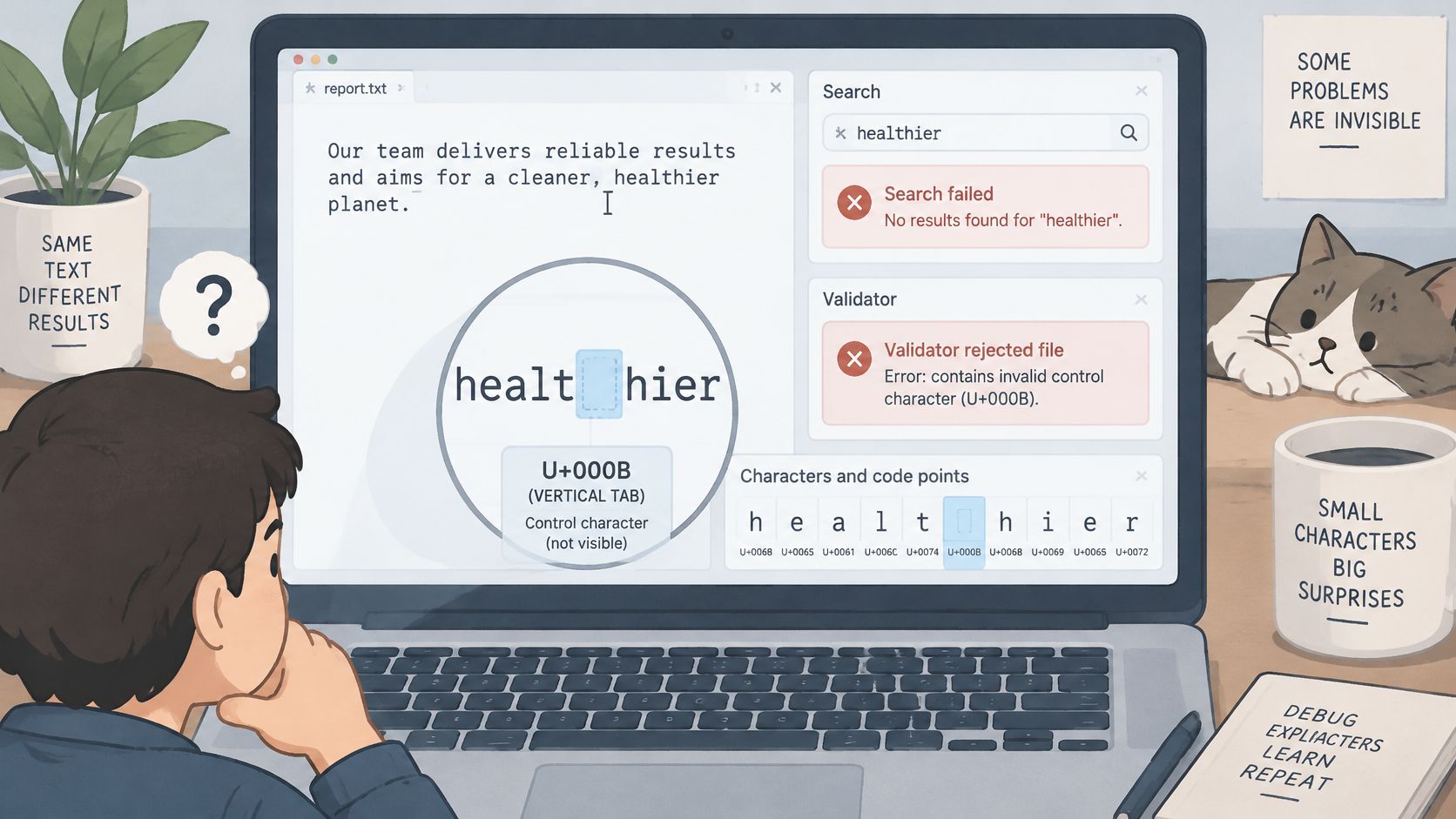
Control doesn't mean unwanted. A line feed may separate records correctly, while a stray transmission control may cause an import failure. Likewise, an invisible formatting character may preserve a word's intended appearance.
Practical rule: Sort characters by behavior and purpose, not by whether they leave a visible mark.
Zero-Width Characters That Change Text Without Showing Up
| Code point | Name | Visible? | Typical source or job |
|---|---|---|---|
| U+200B | ZERO WIDTH SPACE | No | Allows a line break without a visible gap; encountered in web and CMS pastes |
| U+200C | ZERO WIDTH NON-JOINER | No | Keeps letters from joining; used in Persian and other scripts |
| U+200D | ZERO WIDTH JOINER | No | Requests joined forms; used in emoji sequences and some scripts |
| U+2060 | WORD JOINER | No | Prevents a line break at its position |
| U+FEFF | ZERO WIDTH NO-BREAK SPACE | No | Byte order mark at the start of some files; sometimes stray in pasted text |
| U+00AD | SOFT HYPHEN | Usually not | Marks a discretionary hyphenation point; may become visible at a line break |
Consider a hypothetical copy of signup containing U+200B between sign and up. It can look identical to the ordinary word, yet contain seven code points instead of six. A literal comparison against signup fails because the underlying strings differ.
A search tool might ignore that character, but an exact-match validator might not. That explains why the same pasted word can work in an editor's search box and fail in a database lookup. The application's matching rules matter.
Joiners aren't substitute spaces
A ZERO WIDTH NON-JOINER suppresses a connection that would otherwise occur between letters. In Persian and other joining scripts, that separation can be intentional. It isn't merely visual clutter.
A ZERO WIDTH JOINER requests joined rendering where supported. In an emoji family sequence, deleting it can turn the joined presentation into separate emoji. In script text, removing it can change adjacent glyph forms.
The Unicode security report discusses ZERO WIDTH JOINER as a character that can map to nothing during a transformation. The absence of a standalone glyph doesn't make its removal inconsequential.
Position changes the diagnosis
U+FEFF needs a different question: where is it? At the beginning of a file, it may serve as a byte order mark. In the middle of a copied sentence or column heading, it's more likely to be an unwanted artifact.
SOFT HYPHEN also requires context. It may be appropriate in typeset prose, but unwanted inside an identifier or a search term extracted from a document.
Visual inspection can't establish that copied text contains only ordinary letters, spaces, and punctuation. To make that judgment, you need the underlying code-point list.
Bidirectional Controls and the Trojan Source Example
In November 2021, researchers demonstrated how invisible bidirectional controls could make source code look misleading to a reviewer while the compiler processed its logical character sequence. Red Hat's security advisory identifies the related vulnerability as CVE-2021-42574, commonly called Trojan Source.
The compiler doesn't need to misread the program. The attacker targets the person reviewing it.
Say a reviewer inspects a change containing a comment and a conditional statement. Hidden direction controls alter the displayed arrangement, making text appear to belong inside a comment when its logical position says otherwise. The reviewer approves what they think they saw, not what the parser will consume.
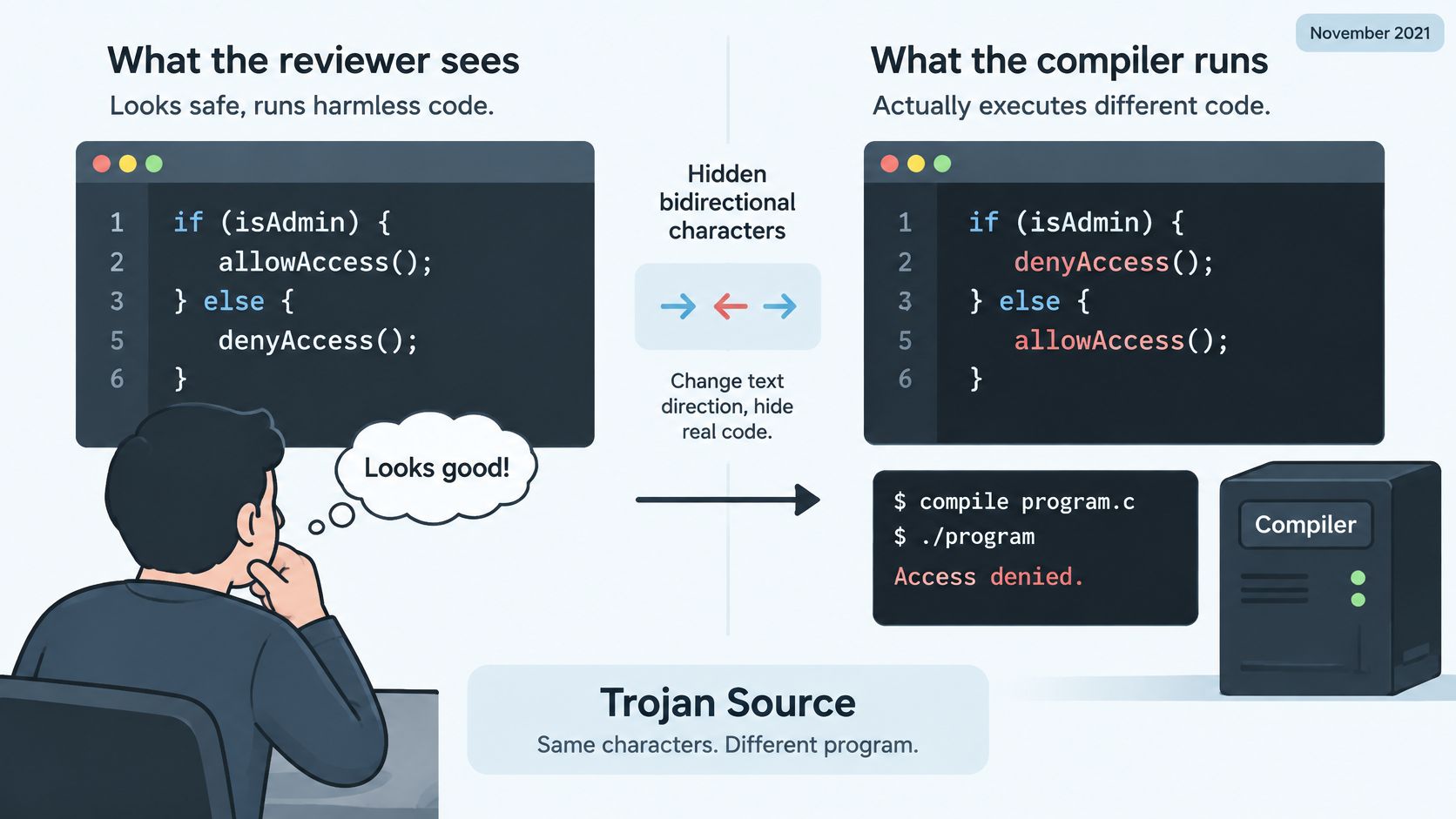
Bidirectional control characters
The Unicode Standard's discussion of bidirectional controls explains how directional marks, embeddings, overrides, and isolates affect display. Their scopes differ, so a scanner must distinguish openers, terminators, and standalone marks.
| Control | Code point | Effect | Closed by |
|---|---|---|---|
| LEFT-TO-RIGHT MARK | U+200E | Influences adjacent neutral characters toward left-to-right display | None (single mark) |
| RIGHT-TO-LEFT MARK | U+200F | Influences adjacent neutral characters toward right-to-left display | None (single mark) |
| LEFT-TO-RIGHT EMBEDDING | U+202A | Starts a left-to-right embedding | U+202C |
| RIGHT-TO-LEFT EMBEDDING | U+202B | Starts a right-to-left embedding | U+202C |
| LEFT-TO-RIGHT OVERRIDE | U+202D | Forces left-to-right direction within its scope | U+202C |
| RIGHT-TO-LEFT OVERRIDE | U+202E | Forces right-to-left direction within its scope | U+202C |
| LEFT-TO-RIGHT ISOLATE | U+2066 | Isolates a left-to-right run | U+2069 |
| RIGHT-TO-LEFT ISOLATE | U+2067 | Isolates a right-to-left run | U+2069 |
| FIRST STRONG ISOLATE | U+2068 | Sets direction from the first strong character | U+2069 |
| POP DIRECTIONAL FORMATTING | U+202C | Ends an embedding or override | Not applicable |
| POP DIRECTIONAL ISOLATE | U+2069 | Ends an isolate | Not applicable |
Protect the review layer
The same mismatch matters in filenames, logs, policy text, and identifiers. If someone must approve a string by looking at it, the interface should reveal unexpected direction controls instead of rendering them unseen.
Preserve the original logical string for an audit trail. Show escaped code points in security-sensitive views, and validate nesting rather than checking only whether opener and closer totals match.
A balanced sequence can still be suspicious. Matching controls establish structure, not trust.
Keep legitimate right-to-left prose intact. In identifiers and other constrained fields, reject or flag unexpected controls, especially unmatched terminators, unclosed scopes, and surprising nesting.
How Hidden Characters End Up in Pasted and AI Text
Invisible characters don't prove AI authorship. Rich-text editors, word processors, PDF extraction, web pages, CMS fields, chat windows, and messaging apps can all contribute formatting artifacts.
Some AI outputs contain hidden characters; others don't. Their presence is a clue about the text's processing and copy path, not a reliable answer to who wrote it.
Separate the problems
- Unicode artifacts: These are actual code points in the string. Inspect them, identify their function, and remove or preserve them deliberately.
- Statistical watermarks: These concern patterns across generated token choices, not necessarily extra hidden characters.
- Wording and style: Repetition, vague phrasing, and awkward structure require editorial judgment. A character scan won't fix them.
The SynthID technical overview describes text watermarking that adjusts token selection during generation to create a detectable statistical pattern. It doesn't depend on appending an invisible Unicode marker to every passage.
Deleting a zero-width space therefore isn't equivalent to removing a statistical watermark. Rewriting changes the token sequence, but that doesn't justify a guarantee about any detector's result. Our guide to how AI text watermarks work explains this distinction in more detail.
Treat copied technical text as input
For security teams reviewing AI-assisted changes, DevArmor's AI coding guidance for security teams is a useful companion to character-level inspection. Review needs to address both the visible implementation and the inputs that developers or tools accept.
Don't collapse provenance, formatting, and safety into a single judgment. A human-written file can contain dangerous controls, and AI-assisted prose can contain none.
Avoid the shortcut: Hidden characters don't establish authorship, removing them doesn't establish watermark removal, and copying text doesn't establish safety.
Check the string for technical problems. Assess its claims, wording, and origin separately.
How to Detect Hidden Characters Step by Step
Check code points, not the screen. An editor can render a string convincingly while hiding the character responsible for a failed comparison or misleading display.
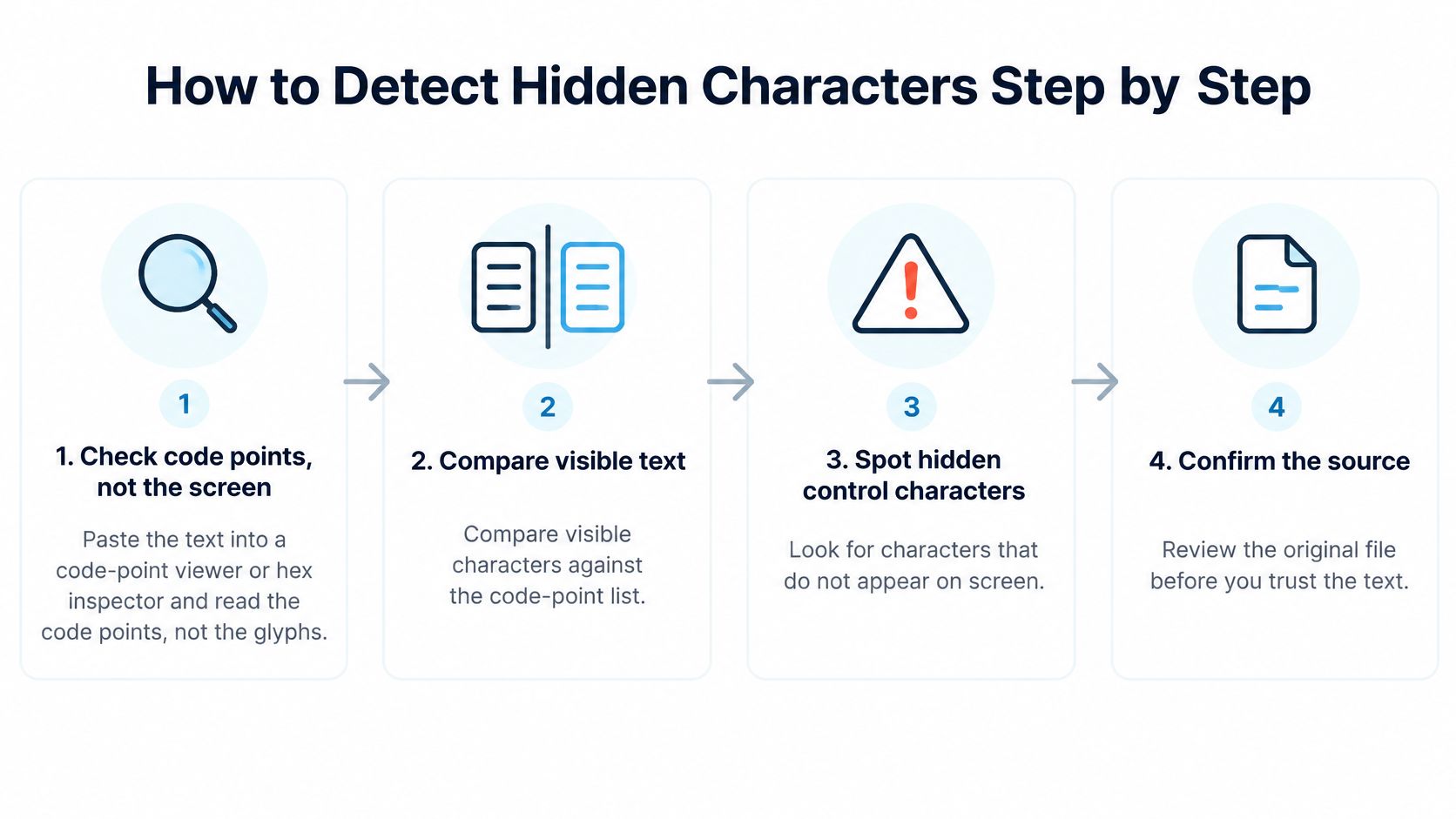
Inspect before changing anything
Open a code-point viewer or hex inspector. Paste a copy of the text and inspect character names and identifiers. A hex inspector shows encoded bytes, so select the correct encoding before interpreting them as Unicode characters.
Compare the displayed text with the code-point list. An unexpected extra code point inside a simple Latin word deserves inspection. Don't apply that expectation mechanically to combining accents or emoji, where a visible character can legitimately contain multiple code points.
Scan the relevant ranges. Check
U+0000–U+001F, excluding intentional tab, line feed, and carriage return, plusU+007F–U+009F. Also inspectU+200B–U+200D,U+2060,U+FEFF,U+00AD,U+200E–U+200F,U+202A–U+202E, andU+2066–U+2069.Use Unicode properties in code. Where supported, a regular expression such as
[\p{Cc}\p{Cf}]with Unicode mode identifies control and format categories. Treat matches as findings, not an automatic deletion list, and check bidi properties or explicit ranges when your policy needs directional classification.Validate bidi structure. Match embeddings and overrides to their formatting terminators, and isolates to their isolate terminators. Use a stack-aware validator because equal totals can hide incorrect order or nesting.
Record each finding. Log the code point, Unicode name, position, and a short escaped context before editing. Specify whether positions are byte offsets, code-unit offsets, or code-point indexes so another person can locate the same character.
Rescan the edited copy. Confirm that no disallowed characters remain and that the resulting length matches the intended edits. Retained formatting controls should appear on an explicit allowlist rather than disappear from the report.
Make inspection easy to repeat
In our Simple Unmark paste box, users paste text into one box with nothing to set up, and the browser scans for hidden characters as they type. Deterministic inspection runs locally in the browser.
For source files, put the same policy into a repeatable validation step rather than relying on someone to remember a manual scan. Save escaped findings with the review output, and inspect the final exported artifact when conversion or packaging can change the text.
Detection tells you what is present. It doesn't decide whether a character belongs there.
Which Characters to Remove and Which to Keep
| Character class | Strip by default? | Keep when | Why |
|---|---|---|---|
| C0 controls except tab, line feed, and carriage return | Yes | Never in ordinary prose; only in explicitly defined structured formats | Unexpected transmission controls can disrupt files and display |
| Tab, line feed, carriage return | No | Used as intentional structure | Carries layout; convert line breaks deliberately |
| Zero width space U+200B | Yes in prose cleanup | It provides an intentional break opportunity | Can interfere with literal search and exact matches |
| Zero width joiner U+200D | No | Inside emoji sequences and joining scripts | Removal can break joined presentation |
| Zero width non-joiner U+200C | No | Persian and other scripts requiring non-joining forms | Removal can change intended spelling or rendering |
| Byte order mark U+FEFF | Yes in pasted text | At the start of a file whose parser expects it | A stray occurrence can disrupt imports |
| Bidi marks and embeddings | Yes in identifiers, filenames, and code | Legitimate right-to-left prose or documented source-text use | Changes display interpretation |
| Bidi isolates | Flag and review | Properly scoped pairs in multilingual prose | Unexpected or unpaired isolates can distort layout |
Remove what has no job, keep what carries meaning, and flag ambiguity for a person. Those rules are safer than treating every nonprinting character as corruption.
Check the exceptions before stripping
A joiner inside a family emoji belongs to the sequence, not to accidental spacing. A non-joiner in Persian may preserve the intended word form. Right-to-left marks in Arabic or Hebrew prose may keep punctuation and embedded text readable.
A byte order mark belongs to the file boundary when the receiving parser expects it. Don't delete it solely because a prose-cleaning rule flags the same character elsewhere.
Tab, line feed, and carriage return carry structure. Removing them can merge paragraphs, fields, or records. NO-BREAK SPACE, U+00A0, is a space rather than a control character, but it often needs attention during the same cleanup pass.
Apply a controlled removal pass
Preserve the original. Make a working copy and record its code-point length. Keep enough context to compare multilingual text after editing.
Remove unwanted legacy controls. For ordinary prose, strip C0 controls other than tab
U+0009, line feedU+000A, and carriage returnU+000D, then stripU+007F–U+009F. Use a format-specific policy for structured records.Clean accidental prose artifacts. Remove unwanted
U+200B, strayU+FEFF, and discretionaryU+00ADwhen the destination doesn't need their break behavior.Preserve meaningful joiners. Leave
U+200CandU+200Din joining scripts and emoji sequences. Remove them from plain text only after confirming they have no purpose.Constrain direction controls. In identifiers, filenames, and code, escape, reject, or deliberately delete unexpected bidi marks and scoped controls. In Arabic or Hebrew prose, preserve intentional marks and correctly scoped isolates.
Normalize spacing and structure deliberately. Convert
U+00A0to an ordinary space where nonbreaking behavior isn't required. Convert line endings to the destination's convention instead of deleting them.Rescan and compare. Confirm the expected length and inspect affected words, emoji, and punctuation. Restore the original if the edit changes intended content or presentation.
Our explanation of hidden Unicode versus statistical watermarks separates this character-level work from changes to wording.
A blanket rule that removes every nonprinting code point can damage valid multilingual text. A clean string is one that satisfies its destination's rules, not one stripped of every invisible character.
Clean Hidden Characters Before You Publish or Ship
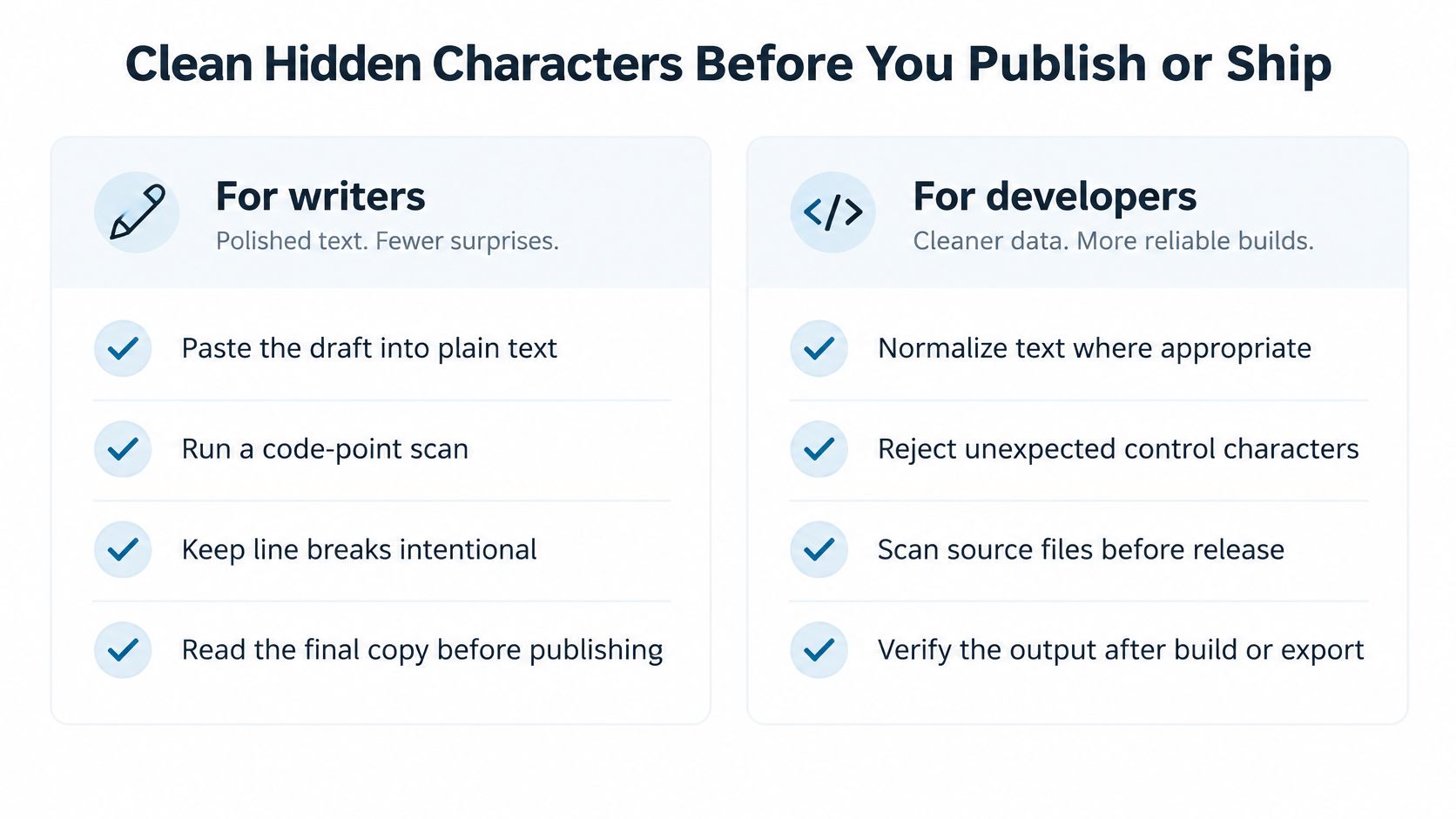
Make character inspection part of the handoff. Writers should check the text they publish; developers should check the inputs and artifacts their systems consume.
For writers
- Paste into plain text: Remove rich formatting, but don't assume this removes hidden Unicode.
- Run a code-point scan: Resolve unexpected findings before transferring the draft into your CMS.
- Keep breaks intentional: Check paragraph boundaries, lists, and spacing after export.
- Read the final copy: Compare meaning, names, quotations, and multilingual passages before publishing.
For developers
- Normalize appropriately: Choose normalization for the field's purpose; it isn't a substitute for control-character validation.
- Enforce field-specific rules: Reject unpaired bidi controls in identifiers and allow necessary formatting in prose by locale and context.
- Act on warnings: Investigate compiler, editor, and linter alerts rather than suppressing them automatically.
- Test known failures: Include hidden controls in fixtures and inspect output after build or export.
If you only need unwanted invisible characters removed, a deterministic, policy-driven pass is enough. Changing wording is a separate editorial operation, and no rewrite can guarantee a detector outcome.
Simple Unmark currently supports text only, combining deterministic Unicode cleanup with model-assisted rewriting. Cleaning removes hidden characters and rewrites wording to break up watermark patterns; the final step is reading the cleaned text and copying it yourself. Our guide to removing AI watermarks from text explains the workflow and its limits.
Keep the operational rule simple: scan, decide, rescan.
Visit Simple Unmark to inspect pasted text for hidden Unicode characters and, when needed, combine cleanup with a wording rewrite. Keep your original, review the findings in context, and read the cleaned result before copying it into your document or workflow.
- unicode control characters
- zero-width characters
- bidi characters
- invisible characters
- remove hidden characters
More posts
Rewrite Text Online Free: 8 Tools Compared by Limits
Compare free tools to rewrite text online free by word limits, meaning preservation, tone control, and privacy, with honest notes on each tool's limits.

Plain Text Editor Online: 10 Tools Compared for 2026
Compare 10 plain text editor online tools by file support, privacy, autosave, and sharing, with picks for writers and editors who need clean text.
AI Text Checker Free Tools Compared: 10 Options for 2026
Compare 10 AI Text Checker Free tools on word limits, sign-up rules, and accuracy caveats, plus how to pair detection with cleanup and human review.