
Online Text Formatters: 10 Tools by Task
Compare text formatters for whitespace, line breaks, counting and Unicode inspection. Match the utility to the cleanup you actually need.
You paste a draft into a CMS and the result looks wrong. Line breaks appear in the middle of sentences, spaces multiply, copied PDF text carries strange characters, and an AI-generated passage needs a careful wording review before anyone publishes it. A basic formatter can fix some of that, but it won't diagnose every problem.
The best text formatter online depends on the cleanup job. You may need simple normalization, line sorting, duplicate removal, Unicode diagnosis, word counting, or AI-text cleanup that goes beyond changing fonts and spacing. Hidden characters can affect how software interprets text without visibly changing it. Unicode documentation identifies zero-width spaces, zero-width joiners, and related format controls as invisible formatting marks. Some technical cleaners also flag directionality controls, non-breaking spaces, and tag characters, and a few check for homoglyphs, which are visible lookalike letters rather than hidden characters. Unicode's core specification explains the role of these invisible characters.
This list compares tools by the problem they solve: workflow, limits, privacy, reporting, and the point where a specialty cleaner makes more sense than a general formatter. Simple Unmark is our product and appears first for that reason. The other entries are described from their public pages rather than from a formal side-by-side test, and features can change.
Table of Contents
- 1. Simple Unmark
- 2. Online Text Formatter
- 3. Text Mechanic
- 4. Online Text Tools by Browserling
- 5. WordCounter with Clean Text
- 6. Formatter.org Text Formatter
- 7. Unicode Text Cleaner by UnicodeNow
- 8. Textidy Invisible Character Remover
- 9. Text Format Tool
- 10. RealUtil Text Tools
- Online Text Formatter Comparison Table
- Choose the Smallest Tool That Works
1. Simple Unmark
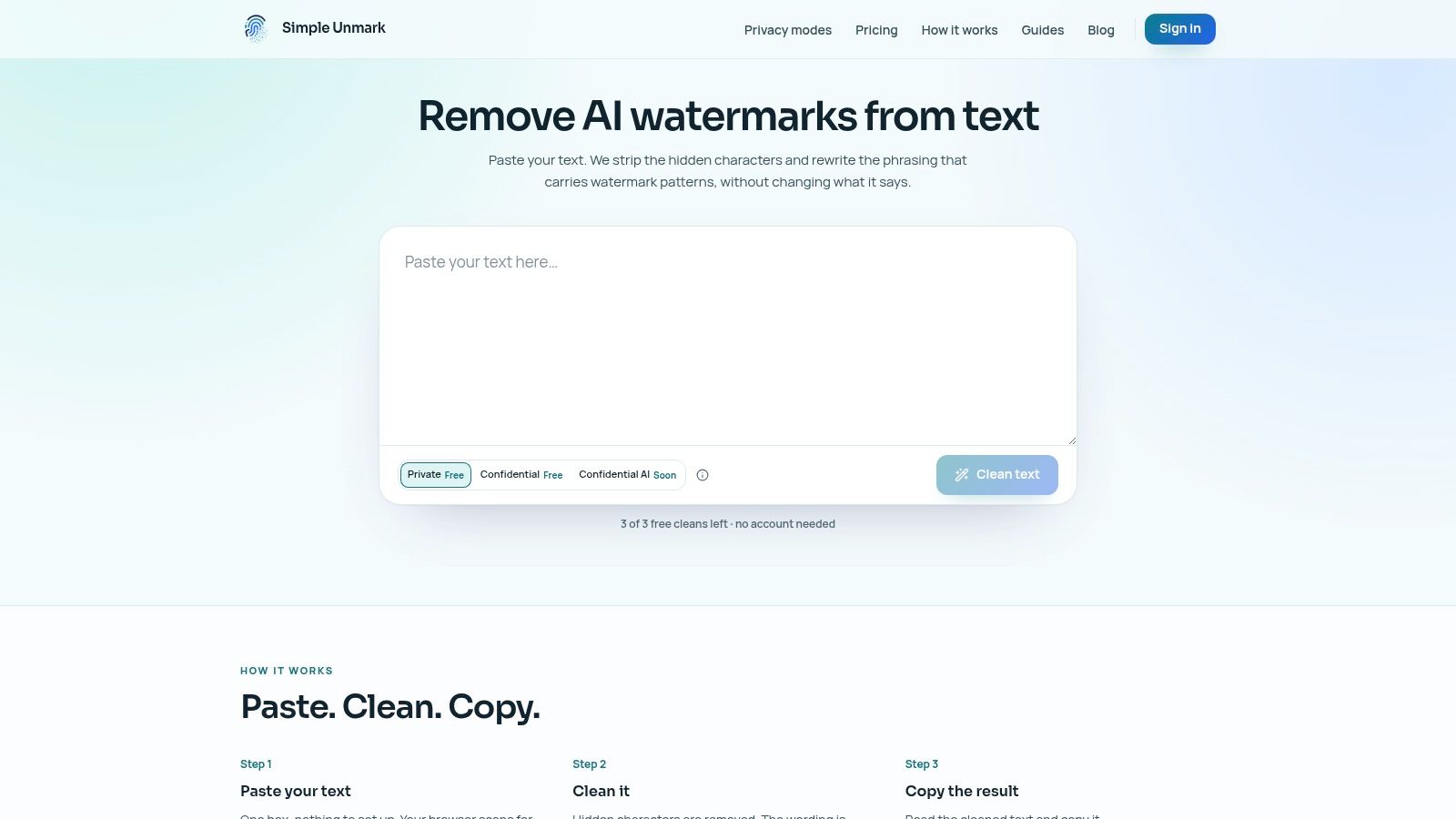
Copied text can look clean while still containing invisible Unicode marks, broken line wrapping, or leftover styling. Simple Unmark has free, browser-only tools for those jobs that don't rewrite anything: an invisible character remover, a line break remover that joins wrapped lines and can keep paragraph breaks, and a plain text converter for rich-text pastes or HTML source. The converter doesn't handle PDFs, OCR, or URLs. All three are listed on the tools page.
The paid cleaner goes further for AI-assisted drafts: paste the text, run the clean, review the rewritten passage, then copy the result. Its Unicode pass removes or normalizes supported artifacts such as stray zero-width marks, directionality controls, and unusual spacing, while keeping controls that a script or emoji sequence needs. These characters may not show on screen, yet they can affect search, rendering, moderation, code, and publishing systems. TextPurify's invisible-character reference lists zero-width characters, format controls, bidirectional controls, tag characters, and variation selectors.
The rewrite handles a separate issue. Statistical watermarking is not the same as a font choice, file property, or hidden character. Google's SynthID documentation describes text watermarking as part of AI safety work. The Nature paper on SynthID-Text explains how Tournament sampling biases token choice during generation. That's why the cleaner rewrites wording; formatting changes can't reach that kind of signal.
Review every rewrite against the source. Meaning-preserving edits can change emphasis or phrasing, and no tool guarantees a particular detector result. The 2025 study reports that meaning-preserving edits can reduce SynthID-Text detectability, but those findings do not make detector outcomes predictable.
What Simple Unmark does well
- Free character-level tools: The invisible character remover, line break remover, and plain text converter are free, run locally, and need no account.
- Combined clean: The paid cleaner runs Unicode cleanup and a wording rewrite together, aiming to preserve meaning, facts, numbers, proper nouns, tone, and intent.
- Passage size: An account can clean up to 5,000 words at a time, billed in started blocks of 100 words.
- Credit model: Guests get three free cleans of up to 100 words. New accounts get 10 starter credits, and Private mode costs 0.1 credit per started 100 words. Credits are one-time purchases from $5 and don't expire.
- Provider guides: Separate pages explain what Gemini (SynthID), ChatGPT, and Claude document about text watermarking.
Privacy and limitations
Simple Unmark doesn't store submitted text or output in its database or analytics; cleaned output is kept only if you choose to share it as feedback. In Private mode, the default, the app, the rewriting workload, and the model provider DeepInfra process plaintext. Confidential mode, at twice the credit rate, encrypts text from the browser to a verified workload and bypasses the web backend, but DeepInfra still reads the text to rewrite it. Confidential AI, a separate protected-GPU mode, is listed as coming soon and isn't available yet.
Practical rule: Use the free tools when the problem is characters or line breaks. Use the cleaner only when you also want the wording rewritten, and compare the output with the original before publishing.
2. Online Text Formatter
For a quick paste with no login, Online Text Formatter is a practical choice. It handles everyday jobs such as changing case, trimming whitespace, and encoding or decoding HTML, Markdown, and BBCode. Use it when text needs basic normalization before moving into a CMS, email, forum, or editor.
Its strongest point is client-side processing. The listed transformations run in your browser, so the text is not sent to a server for those operations. That suits private drafts, internal notes, source snippets, and copied material that should remain on your device. Privacy still depends on the service and workflow you choose, so avoid pasting sensitive content without checking the tool's current behavior.
The interface keeps the process simple: paste the text, select a transformation, and copy the result. There is no project setup or account requirement, and the markup options are grouped in one place. That makes it useful when the same content moves between HTML, Markdown, and BBCode.
Where it stops
This is a lightweight formatter, not a document-production system. It is a poor fit for very large documents, batch processing, saved presets, or API automation. It also does not provide a per-character Unicode report, a line-level audit trail, or AI-assisted rewriting.
Choose it for case changes, whitespace cleanup, and markup conversion. Use an invisible-character tool when the problem is hidden characters, and a reporting cleaner when you need diagnosis rather than a direct transformation.
3. Text Mechanic
Text Mechanic is the right choice when the input is a list, dataset, or block of lines instead of polished prose. Its utilities remove or insert text, sort lines, delete duplicates, remove empty lines, and add prefixes or suffixes. Use it for editorial lists, keyword sets, URLs, IDs, and copied rows where line structure matters more than visual formatting.
The interface is utilitarian, with separate pages for separate operations. That creates extra clicks, but it also keeps each task clear. Select the needed utility, paste the text, run the change, and review the output before copying it elsewhere.
Text Mechanic handles repetitive line edits well. It can sort entries, remove repeated values, strip blank lines, or add the same text to every row without manual editing. It is also more practical than a prose formatter for long lists and logs, where paragraph-oriented tools provide little control.
The practical trade-off
The service focuses on direct transformations. It does not act as an AI editor, visual publishing tool, or Unicode inspection system, and it does not provide saved presets or a unified multi-step pipeline. If the cleanup requires several operations, run them one at a time and check the result after each pass.
Use Text Mechanic for line-level manipulation, deduplication, and repeated prefixes or suffixes. For prose with broken line wrapping or hidden Unicode characters, a line break remover or invisible-character tool fits better. Text Mechanic is more direct when every line is a separate record.
4. Online Text Tools by Browserling
Online Text Tools suits editors and developers who handle repeated, narrowly defined text cleanup. Its collection covers case conversion, line wrapping, line sorting or randomizing, find-and-replace, and other small transformations. The shared interface keeps recurring tasks familiar, so you can apply another operation without relearning the controls.
Choose it by cleanup problem. For reordered lists, changed separators, wrapped lines, or quick substitutions, the separate utilities are direct and easy to review. They also cover unusual one-off jobs that would take longer to fix manually. Run one transformation, inspect the preview, then copy the result into the working document.
The trade-off is a fragmented workflow. Each page handles one operation, and the collection does not diagnose the document as a whole. Discovery can also take time if you do not know the operation's name. It will not explain invisible Unicode characters, determine whether an AI watermark affects text, or preserve meaning through a rewrite.
Best fit
Use Browserling's collection for many small, repeatable text operations, especially when line order, separators, or casing are the problem. It works well as a utility shelf for technical writers, editors, and developers.
Choose a specialty cleaner when copied text has broken spacing or hidden characters that need focused cleanup. Use Browserling when you already know the transformation required, and avoid it when diagnosis or a single multi-step document workflow matters more than breadth.
5. WordCounter with Clean Text
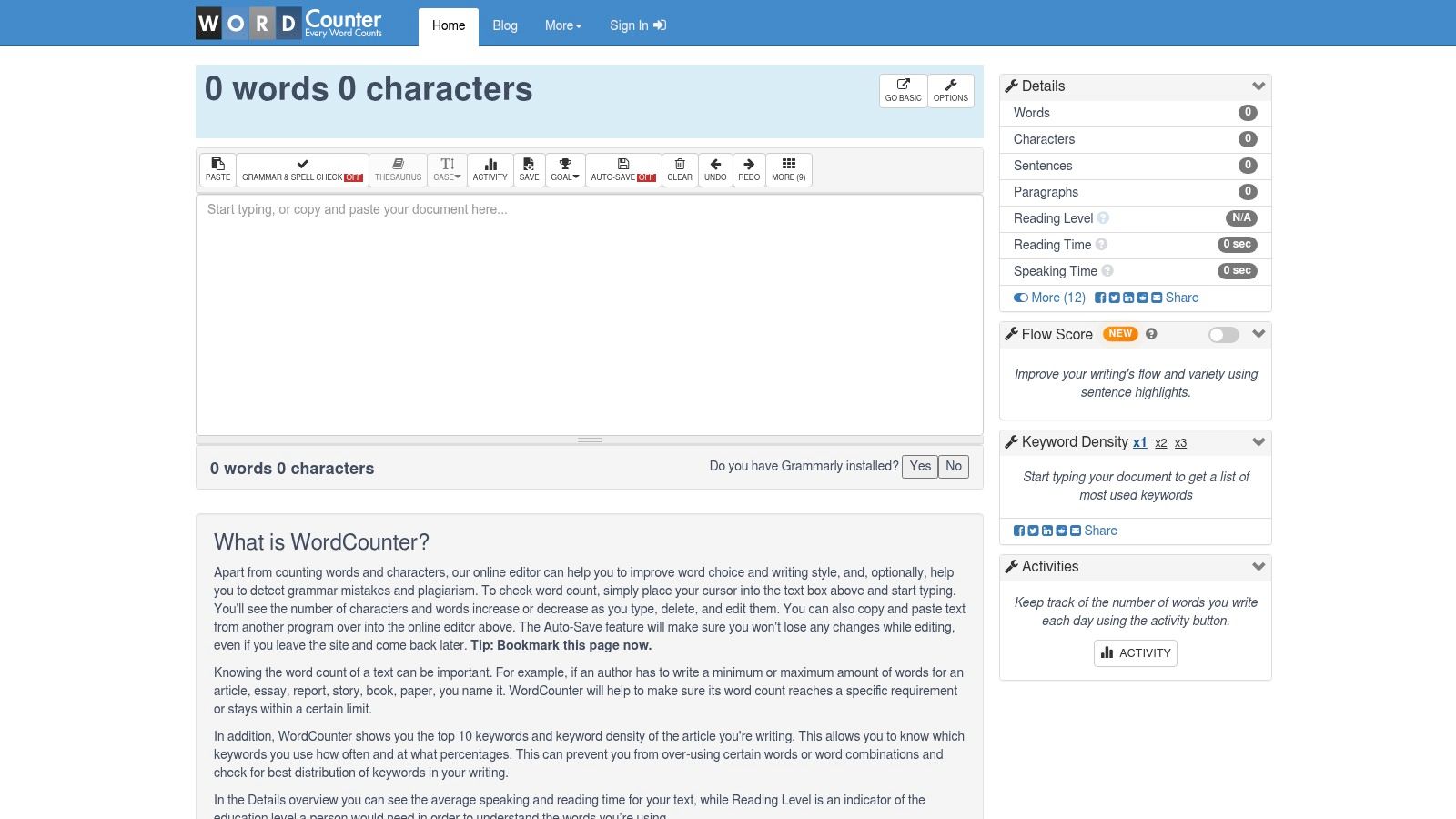
WordCounter fits drafts where counting plus light cleanup happen in one session. Its editor shows word and character counts, reading time, case conversion, and a Clean Text function for broken wrapping, stray newlines, and invalid characters. That combination suits students, writers, and content teams working under length limits.
A practical workflow is simple: paste the draft, check its counts, run Clean Text, then keep editing on the same screen. You can immediately see whether cleanup changed the passage enough to affect a word limit, without moving between a formatter and a separate counter.
It's handy for copied chat output and PDF text whose visible problems are awkward line breaks or scattered newlines. Clean Text can restore readable paragraphs faster than manual repair. It does not provide the character-level evidence needed to identify exactly which Unicode character disappeared or where it occurred.
Choose it for combined editing
WordCounter sits between a general formatter and a specialist cleaner. It gives you a compact editing workflow but fewer diagnostic controls than a Unicode-focused tool. When hidden characters need investigating, use a tool that lists them; a clean-looking result isn't proof that every character is safe.
Privacy also matters. Avoid pasting confidential drafts unless the service fits your organization's handling requirements. For ordinary material, use WordCounter when length checking is part of the job. If hidden characters could affect search, code, or moderation, switch to a Unicode-aware cleaner. For substantive AI rewriting, use a dedicated rewriting workflow instead.
6. Formatter.org Text Formatter
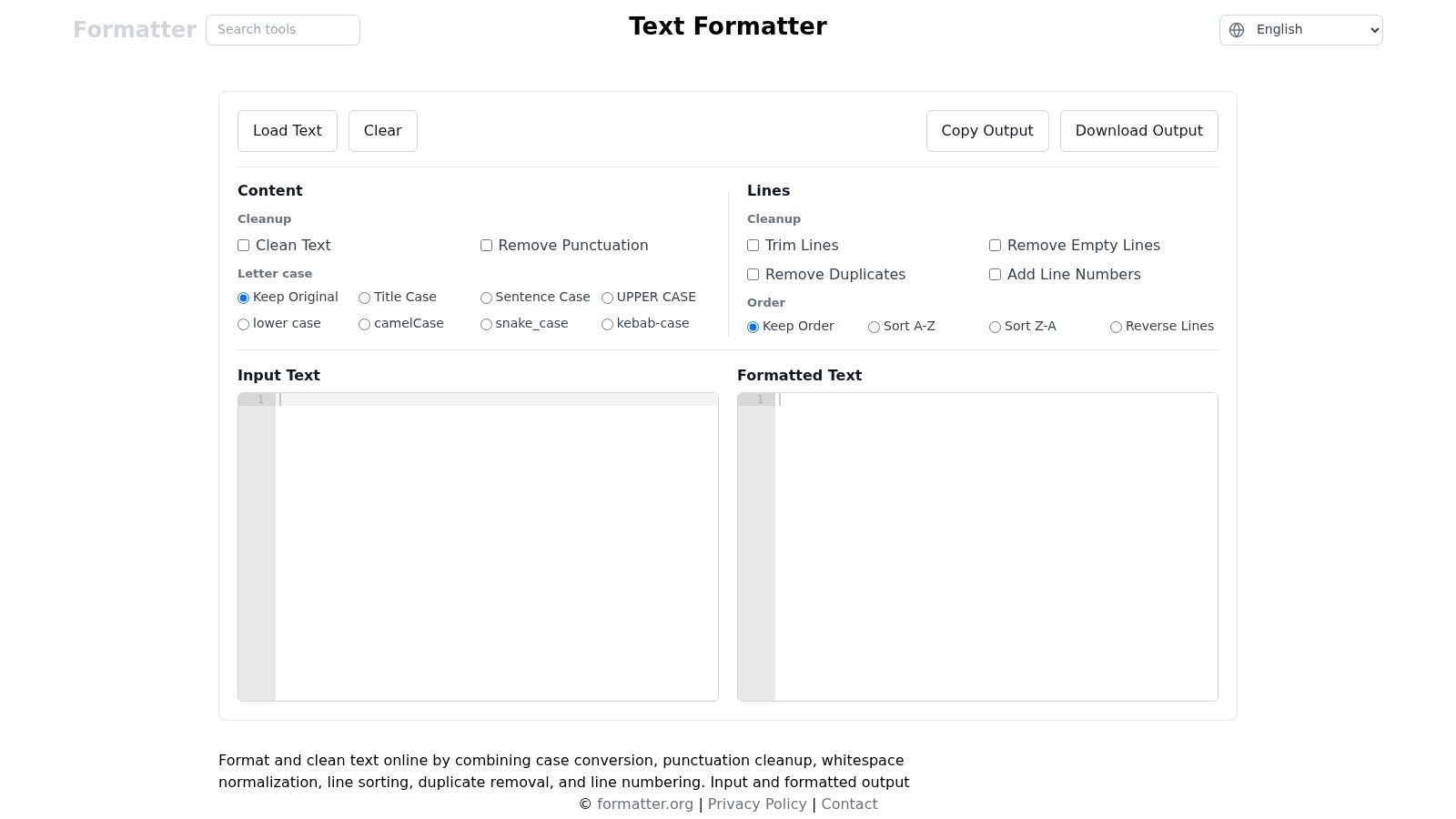
Formatter.org's Text Formatter suits ordinary text and lists that need several cleanup passes in one place. It can change case, normalize whitespace, clean punctuation, sort lines, remove duplicates, and add line numbers. Use it when a draft must be prepared for an editorial system or a list-based workflow without switching among separate utilities.
The one-page layout keeps the workflow compact. Paste the text, apply the needed operations, and inspect the output before copying it. This is faster than opening separate pages for case conversion, sorting, and deduplication, especially when the cleanup sequence is predictable.
The trade-off is limited explanation. Formatter.org shows the cleaned result, but it does not provide detailed per-character reporting, an API, or team integrations for repeatable processing. It can't give you a record of which characters changed. For suspicious Unicode or multilingual text that still behaves oddly, move to a specialist character cleaner.
Use it for routine multi-step cleanup
Choose it for multi-step cleanup on ordinary text and lists. It covers spacing, punctuation, case, ordering, duplicates, and numbering with little setup.
Do not treat a visually clean result as proof that hidden characters or directional controls were identified. For confidential drafts, check the service's handling requirements before pasting. For routine editorial preparation, Formatter.org is practical. For investigation or repeatable team processing, choose a tool with character-level reporting or integration support.
7. Unicode Text Cleaner by UnicodeNow
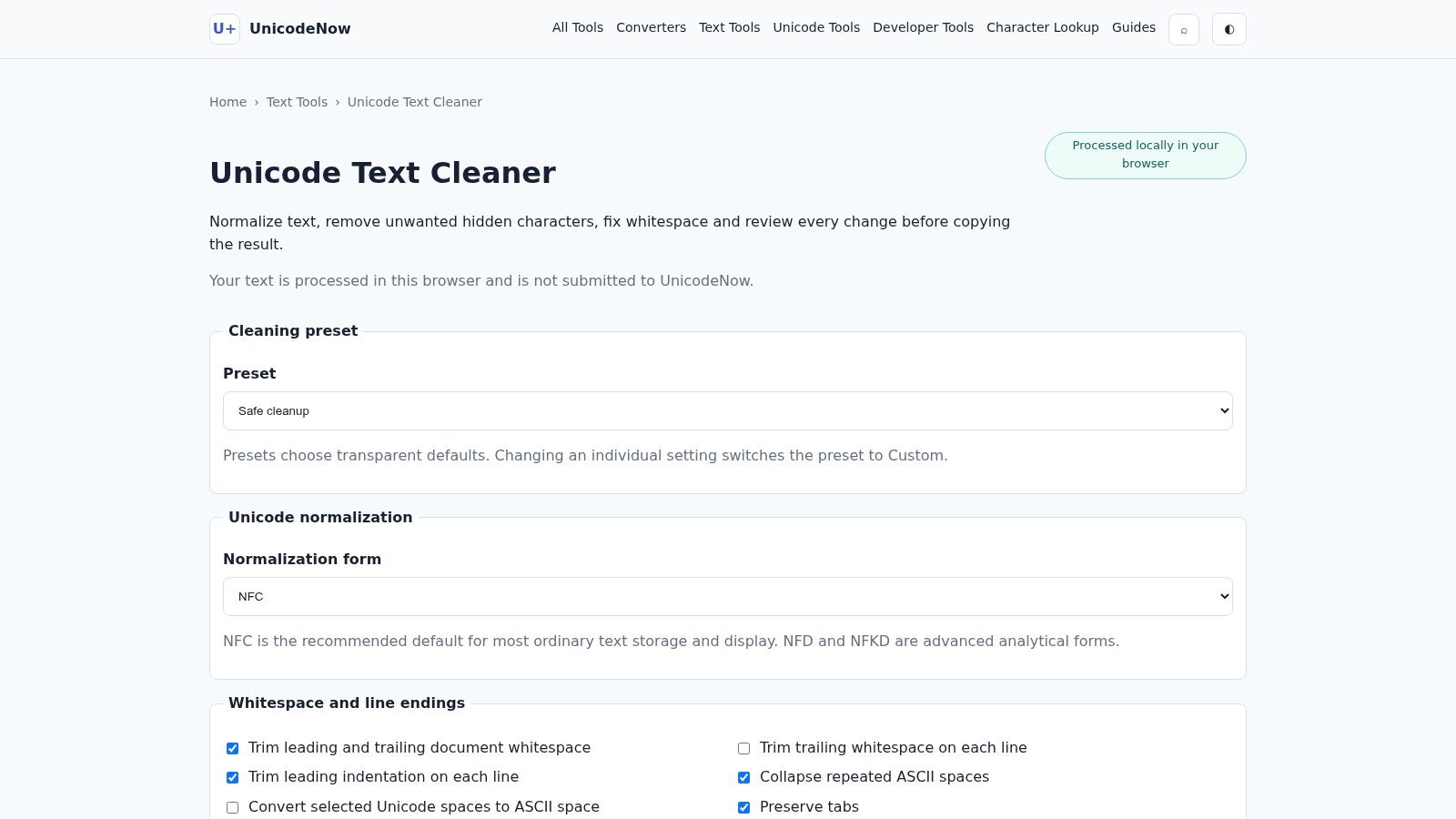
UnicodeNow's Unicode Text Cleaner suits text that looks normal but contains inconsistent or hidden Unicode. It can remove selected control and hidden characters, normalize representations and line endings, and create a transformation report. That record is more useful for editorial QA, compliance checks, and debugging than a formatter that only displays the input and output.
A zero-width-space filter will not cover every case. Invisible-character checks may need to examine zero-width joiners and non-joiners, byte-order marks, bidirectional overrides, non-breaking spaces, and tag characters. Homoglyph substitutions, such as a Cyrillic letter that looks Latin, are visible characters and need a separate check. All of these can interfere with parsing, moderation, search, or copied text. Countflows' invisible-character detector records each character's code point, Unicode name, count, and position, making it suitable for investigating a suspicious paste.
UnicodeNow's main advantage is traceability. Its report shows what changed, so you can review the cleanup instead of trusting a visually improved result. The limit is scope. It is not a general layout formatter, AI rewriting tool, or batch workspace for unrelated transformations.
Use it before publishing or debugging
Choose UnicodeNow when text copied from an AI tool, PDF, word processor, or multilingual source behaves incorrectly downstream. Hidden Unicode and statistical watermarking need separate checks; Simple Unmark's guide to hidden Unicode versus statistical watermarks explains the difference.
8. Textidy Invisible Character Remover
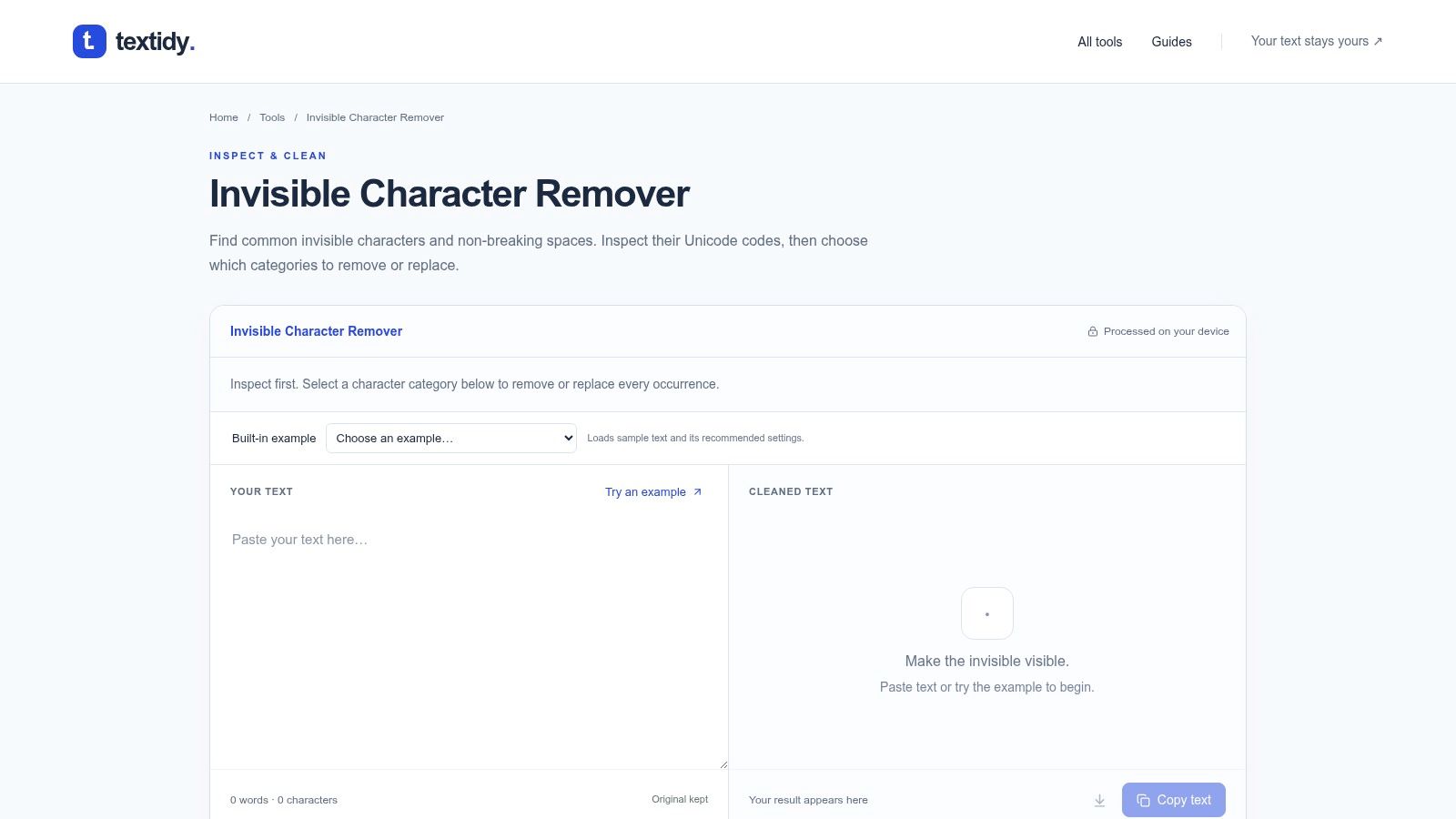
Copied text can look normal and still break sorting, code blocks, or spacing. Textidy's Invisible Character Remover targets that specific problem by detecting and removing invisible characters by category, including non-breaking spaces and zero-width marks. Because it runs in the browser, the workflow stays simple: paste the text, inspect the categories, remove the unwanted characters, then copy the result.
Textidy includes live examples and test cases, which make its controls easier to use correctly. Invisible characters are difficult to identify through visual inspection alone. Seeing how a non-breaking space or zero-width mark behaves helps you select the right cleanup instead of stripping every hidden character without checking its purpose.
The trade-off is narrow scope. Textidy does not count words, rewrite sentences, convert JSON, or provide broad editorial formatting. It also lacks batch and file modes, so it suits one-off inspection and cleanup rather than recurring production work.
Choose category-level cleanup
Use Textidy when the problem is invisible-character contamination and you need selective removal. That control matters for specialized scripts or technical text where some hidden characters may be meaningful.
If the text also needs wording changes because of a possible statistical watermark, that's a separate job. Simple Unmark's AI watermark remover is our tool for it. A character cleaner removes hidden artifacts; a rewrite works on word choice.
9. Text Format Tool
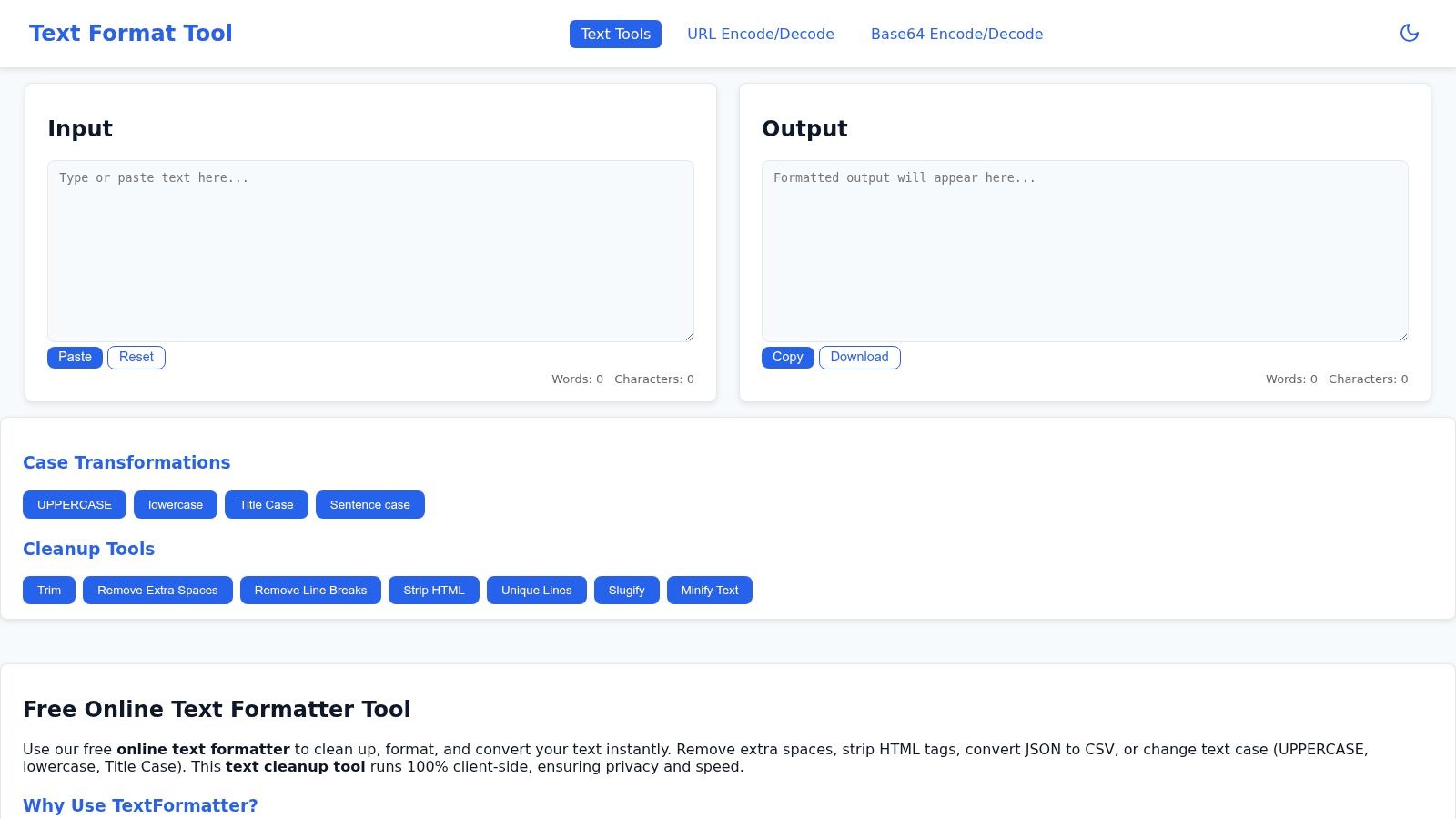
Text Format Tool is a practical generalist for editors who need prose cleanup and light data conversion on one page. It handles whitespace cleanup, HTML tag removal, case conversion, list utilities, and transformations such as JSON to CSV. That combination suits a workflow that starts with copy and ends with a spreadsheet or content system.
The interface keeps common jobs straightforward. You can remove extra spaces, strip markup, or convert a simple data block without configuring a complex sequence of tools. Its main advantage is accessibility, especially for occasional cleanup.
The limitation is transparency. The service returns the transformed text without explaining each change or providing a per-character report. Its tool range is also narrower than larger multi-tool suites, so unusual formatting problems may require a second service. Privacy should still guide the workflow: avoid pasting confidential material into any browser-based tool unless its handling practices meet your requirements.
A sensible generalist
Choose Text Format Tool for one approachable page for prose cleanup and light data conversion. It is a poor fit for forensic Unicode inspection, long batch workflows, or AI-assisted rewriting.
If the AI question is central, read Simple Unmark's guide to removing AI watermarks from text. Formatting, HTML stripping, and file conversion change presentation. They do not automatically change the word-choice patterns that statistical watermark systems may analyze.
10. RealUtil Text Tools
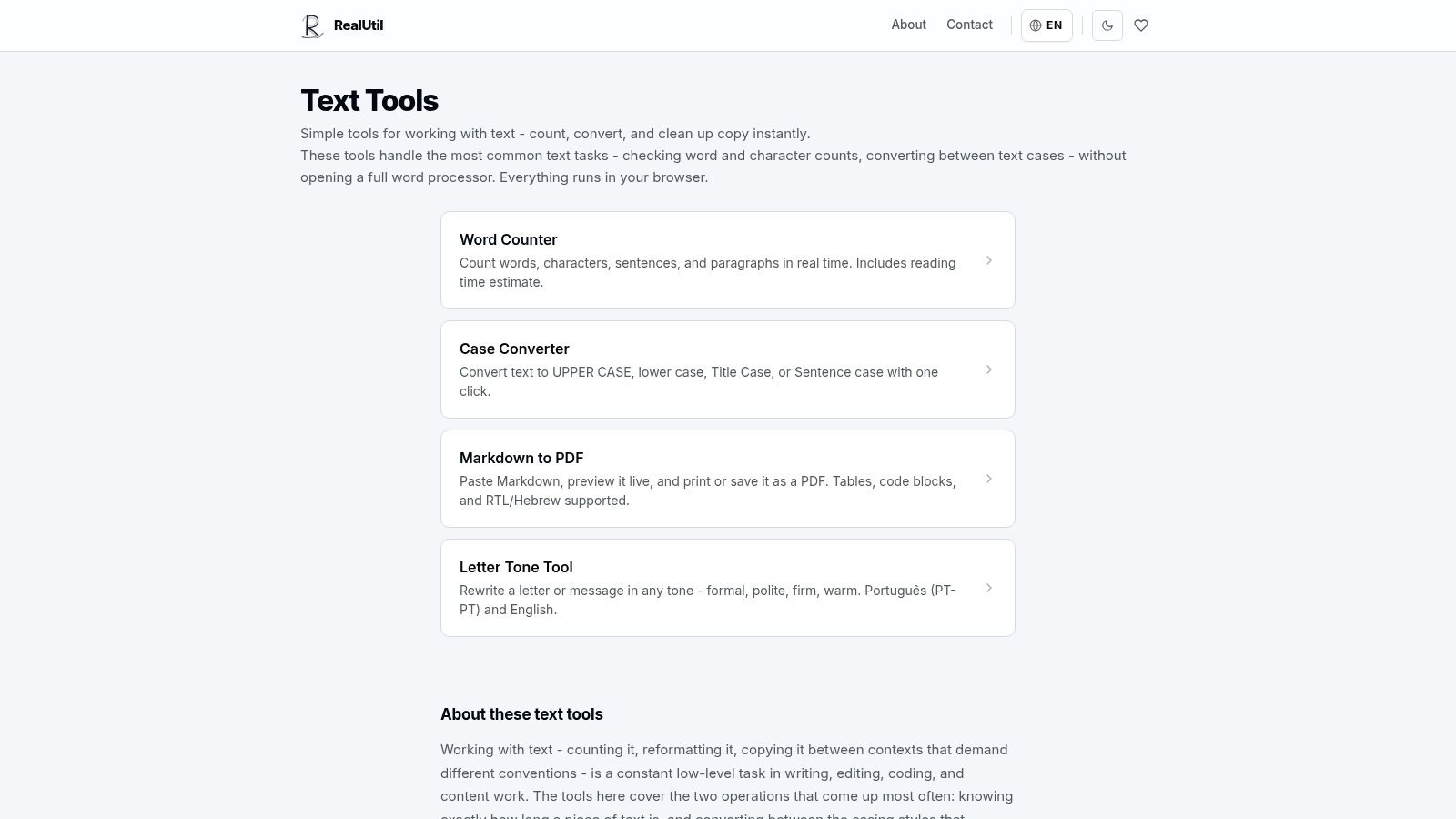
Use RealUtil's text tools when the cleanup job is limited to counting or case conversion. It provides word, character, sentence, and paragraph counts, plus title-case and sentence-case conversion. The pages load quickly and keep attention on the immediate edit.
A practical workflow starts with a short excerpt, heading, or metadata field. Paste the text, check its basic counts, change the case if needed, and copy the result. RealUtil suits a quick editorial check before publishing or a final pass after formatting elsewhere.
It doesn't provide Unicode diagnostics or a transformation report. Text with hidden controls or unusual spacing may look normal after a pass while the underlying characters stay put. For that problem, use a character-level cleaner.
The simple recommendation
Choose RealUtil for counting and basic case conversion. It's fast and focused, with little diagnostic depth. Use WordCounter when drafting and cleanup belong in one editor, Text Mechanic for line operations, and UnicodeNow when you need character-level evidence.
Online Text Formatter Comparison Table
This table summarizes each tool's focus as described on its public pages. It's a positioning summary, not a ranking or a scored test, and pricing and features can change.
| Tool | Core features | Best for | Price | Typical users |
|---|---|---|---|---|
| Simple Unmark (ours) | Free invisible-character remover, line break remover, plain text converter; paid clean with rewrite up to 5,000 words | Character cleanup without rewriting, or cleanup plus a meaning-preserving rewrite | Free tools; cleaner is pay-as-you-go (0.1 credit per started 100 words), 10 starter credits, credits never expire | Writers and editors handling pasted or AI-assisted text |
| Online Text Formatter | Case and whitespace, encode/decode, client-side | Quick in-browser transforms | Free; states processing is client-side | Quick one-off edits, privacy-minded users |
| Text Mechanic | Many line and list utilities (dedupe, sort, insert/delete) | List and line operations | Free, browser-based | Data editors, log processing |
| Online Text Tools (Browserling) | Large set of single-purpose tools, consistent UI, instant preview | Wide coverage with a predictable interface | Free | Frequent editors, repeat workflows |
| WordCounter (with Clean Text) | Live counts, Clean Text for wrapping and newlines | Drafting and cleanup in one editor | Free, in-browser | Students, content teams |
| Formatter.org Text Formatter | One-page multi-step: sort, dedupe, normalize | Several cleanup passes on one page | Free | Editors prepping lists or copy |
| Unicode Text Cleaner (UnicodeNow) | Remove zero-width and control characters, normalization, reports | Unicode diagnostics and transformation reports | Free / freemium | Compliance, editorial QA, developers |
| Textidy Invisible Character Remover | Detect and remove invisible characters by category, live examples | Selective invisible-character control | Free | Developers, copy-paste troubleshooting |
| Text Format Tool | Case, HTML tag stripping, JSON to CSV, whitespace | Prose cleanup plus light data conversion | Free | Editors with occasional data tasks |
| RealUtil Text Tools | Word, character, sentence counts; case conversion | Fast counts and simple formatting | Free | Quick checks |
Choose the Smallest Tool That Works
Pick a text formatter by the problem you need to fix, not by the length of its tool list.
For trimming, case changes, markup conversion, and straightforward spacing, start with Online Text Formatter or RealUtil. Both suit short, uncomplicated jobs where you want a quick result without a heavy workflow. Use WordCounter when word and character counts matter during cleanup, especially for drafts that need editing in the same window.
For sorting, deduplication, prefixes, suffixes, blank-line removal, or other line-based operations, choose Text Mechanic or Formatter.org. Browserling's Online Text Tools is the better utility shelf when you perform many small transformations and want a consistent interface. Choose Text Format Tool when the job crosses from prose cleanup into simple JSON, CSV, or HTML handling.
Use UnicodeNow or Textidy when the text looks normal but behaves incorrectly. Hidden characters can enter through AI output, word processors, PDFs, and copy-paste workflows. Unicode's documentation notes that invisible format controls may affect text handling without changing what readers see, so visual inspection isn't enough for technical or multilingual content. A reporting-oriented cleaner is the better choice when you need to understand what changed and where.
For hidden characters, broken line wrapping, or leftover styling without any rewriting, Simple Unmark's free tools cover each job locally. The paid cleaner is only worth using when AI-assisted text also needs its wording rewritten.
Use the same workflow every time: paste, inspect, clean, compare, then copy. Check any rewritten output against the original for facts, numbers, proper nouns, tone, and intent. Formatting cleanup and watermark-related rewriting are different operations, and no tool can guarantee a detector outcome.
- text formatter online
- text cleaning tools
- Unicode cleaner
- AI text cleanup
- online text tools
Related articles
Unicode Text Converters: Normalization and Cleanup
Separate Unicode conversion, encoding repair, normalization and character removal. Inspect unwanted artifacts while keeping meaningful scripts and accents.
Plain Text Conversion: Formatting, HTML and Unicode
Learn what plain-text conversion removes, what Unicode it keeps, and when to use separate character cleanup. Try the free local converter.

How to Remove Formatting from Text
Strip pasted styling with keyboard shortcuts or a free plain-text converter. Inspect hidden Unicode separately and keep wording unchanged.