
Invisible Numbers and Hidden Characters Explained
Understand zero-width and formatting characters around numbers, why copying can fail, and how to inspect unwanted artifacts without changing digits.
You paste a paragraph into a form and it looks clean, with no odd symbols or extra spaces. Then the form rejects it, search can't find it, or your word count changes when you paste it somewhere else. The usual cause is hidden Unicode.
People search for these as invisible numbers or invisible text. The label is loose, but the problem is real: a character can sit in the text where you can't see it, while software still counts it, parses it, and reacts to it.
This guide is for writers cleaning drafts, editors fixing broken copy, researchers comparing strings, and compliance teams checking documents. It covers what these characters are, why copy and paste keeps breaking, and when Unicode cleanup is enough versus when wording needs to change.
Table of Contents
- Introduction to Invisible Numbers and Why They Matter
- What Invisible Numbers and Hidden Unicode Characters Actually Are
- How Invisible Characters Encode Metadata and Watermarks
- Why Copy Paste Breaks and How Detection Really Works
- How to Detect and Remove Invisible Characters Step by Step
- Cleaning AI Watermarks and What Rewriting Can and Cannot Do
- Choosing the Right Cleanup for Your Workflow
Introduction to Invisible Numbers and Why They Matter
The most common failure is mundane. You copy a sentence from one app into another and it displays fine in both. But the receiving app says the field contains unsupported characters, a search for the exact phrase returns nothing, or two filenames that look identical won't match in a script. Each of those points to a hidden character.
The text looks the same, but it isn't
Humans read glyphs. Software reads code points, byte sequences, token boundaries, and formatting controls. Those aren't always the same thing.
A string can contain an invisible character that changes line breaking, joining behavior, or reading direction. On screen, nothing appears to happen. Under the hood, the text is different.
In practice, "invisible numbers" means Unicode control characters and formatting marks that survive copy and paste. They're occasionally used deliberately to tag text, but the text watermarks Google and Anthropic document for Gemini and Claude work through word choice, not hidden characters. Finding hidden characters in a document doesn't show that AI wrote it.
Who gets hit by this
The problem shows up for:
- Writers: A pasted sentence fails a submission form or picks up odd spacing.
- Editors: A draft looks normal but behaves differently across Google Docs, Word, CMS fields, and chat apps.
- Researchers: Two strings that look identical compare as different.
- Compliance teams: Review logs and text exports don't match what staff saw on screen.
"Invisible" also has an unrelated meaning in consumer finance, where "credit invisible" describes people without a usable credit record. If you were looking for that, start with the CFPB Data Point on credit invisibles. The rest of this article is about text.
What clean workflow looks like
For text, the routine is:
- Paste
- Scan
- Strip hidden characters
- Copy the cleaned text
- Verify it in the target app
You can do steps 1 to 4 in our free invisible character remover, which runs in the browser with no account or upload and doesn't rewrite your wording. The harder part is knowing what to remove, what to keep, and when hidden Unicode is only part of the problem.
What Invisible Numbers and Hidden Unicode Characters Actually Are
Hidden Unicode works like stage directions in a script. The audience never hears "pause" or "enter from left," but the production depends on them. Readers don't see these characters; software acts on them.
They are standard text controls, not hacks
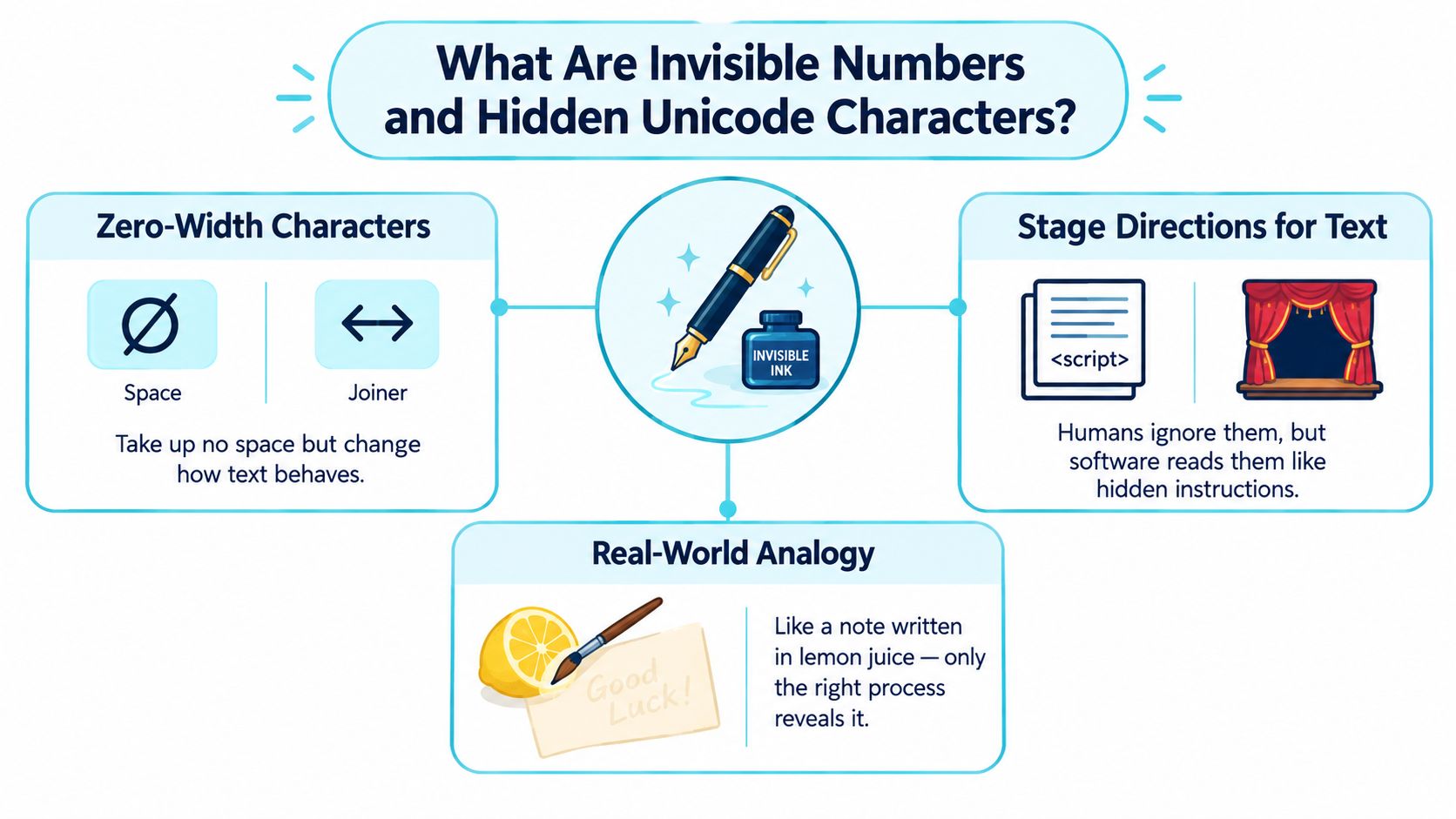
The core idea starts with zero-width characters. They exist in the text stream but take up no visible space. Some mark line-break opportunities. Some affect joining behavior in scripts. Some control text direction.
One of the most important examples is U+200B ZERO WIDTH SPACE, in the General Punctuation block since Unicode 1.1 (1993). It marks an invisible line-break opportunity rather than drawing a glyph, as described in Jukka Korpela's Unicode space reference.
Quick definition: Invisible numbers are usually invisible Unicode format characters that affect how text behaves without showing up as visible letters or normal spaces.
Why they render as blank
Some Unicode code points are treated as formatting controls rather than printable symbols. If a system doesn't visibly render them, they still remain part of the string.
That confuses people because a normal space is visible as separation between words. A zero-width character isn't. It can sit between letters, inside a word, at the start of a line, or next to punctuation without any obvious visual clue.
A few common categories matter most:
- Zero-width spacing controls: Used to suggest breaks without drawing a glyph.
- Joiners and non-joiners: Used in scripts where character shaping matters.
- Direction marks: Used to guide left-to-right and right-to-left rendering.
- Word-joining controls: Used to prevent breaks where they shouldn't happen.
Why this exists in the first place
These characters solve real language and layout problems. Some scripts don't separate words with visible spaces, some need joining behavior that changes letter shapes, and some lines mix left-to-right and right-to-left text. Invisible controls help software render all of that correctly. They're legitimate Unicode features that cause trouble only when they end up in the wrong workflow, which is also why removing every one of them can damage text in those scripts.
| Character type | What humans see | What software may do |
|---|---|---|
| Zero-width space | Nothing | Treat it as a break opportunity |
| Joiner or non-joiner | Nothing | Change shaping or connection behavior |
| Direction mark | Nothing | Influence reading order |
| Word joiner | Nothing | Prevent line breaks |
How Invisible Characters Encode Metadata and Watermarks
What are these characters doing inside your text? Usually something harmless: a pasted paragraph picked up a formatting mark from another app. Sometimes the text carries hidden state that affects validation, matching, moderation, or provenance review.
The same string can look identical and still differ
Unicode classifies several code points as default-ignorable, which means they can be rendered as completely invisible and zero-width when unsupported. That group includes U+200B ZERO WIDTH SPACE, U+200C ZWNJ, U+200D ZWJ, U+200E LEFT-TO-RIGHT MARK, U+200F RIGHT-TO-LEFT MARK, U+2060 WORD JOINER, and U+FEFF ZWNBSP/BOM, according to the Unicode FAQ on unsupported characters.
So two strings can look the same to a person and still differ at the byte and token level. That's enough to break comparison, search, and security-sensitive parsing.
Three different hidden jobs
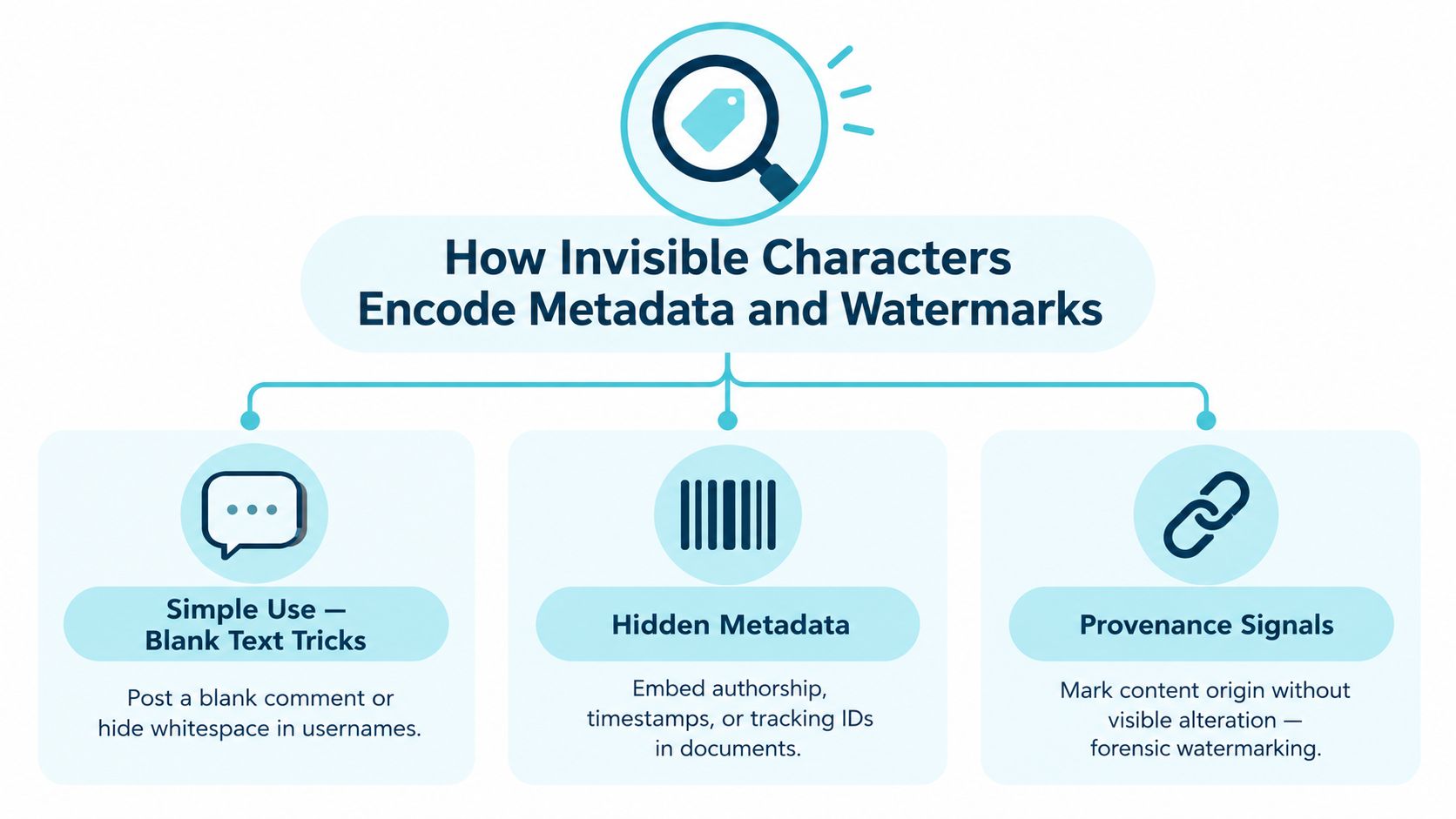
"Watermark" and "hidden text" get used for at least three different things:
- Blank-text tricks: A user inserts zero-width characters so a message appears empty while still containing content.
- Hidden metadata: A system or workflow preserves invisible marks that distinguish one text instance from another.
- Provenance tags: A process inserts invisible characters to mark where a copy came from or how it was handled.
All three rely on explicit characters. A hidden Unicode artifact is a different mechanism from a probabilistic AI text watermark. One lives in explicit characters you can find and delete. The other lives in statistical patterns across word choice. Our guide on hidden Unicode versus statistical watermarks compares them.
Invisible doesn't mean undetectable
An invisible character is hidden from readers, not from systems. A parser can count it. A validator can reject it. A moderation rule can flag it. A tokenizer can split around it.
If software inspects code points instead of screen appearance, invisibility stops helping.
You can delete a visible extra space and leave the real problem behind, or keep the visible wording identical while the structure underneath changes. For editors and developers, the useful question is what the receiving system ingests, not only what a person can see.
Why Copy Paste Breaks and How Detection Really Works
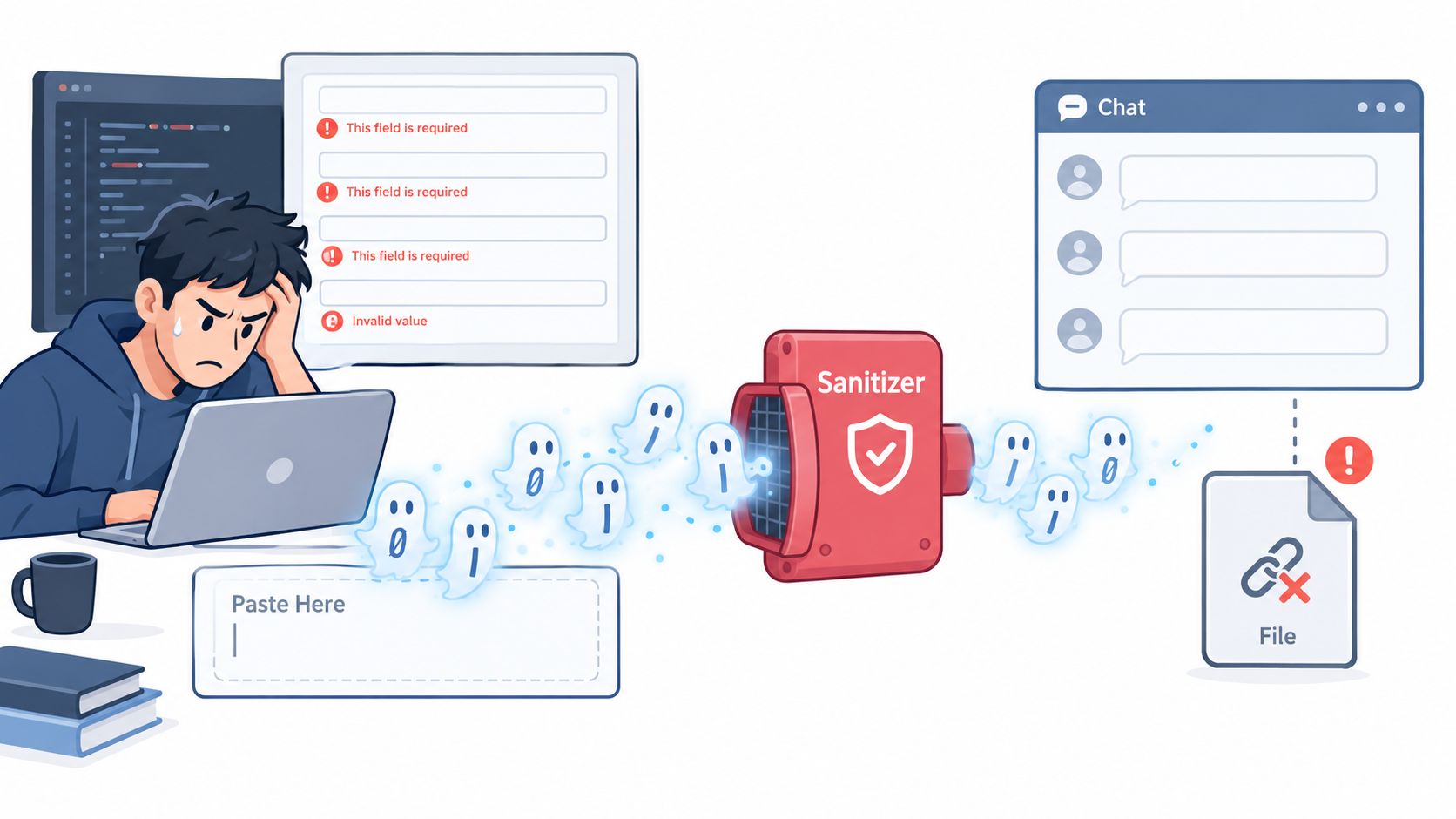
The trouble usually starts when text moves between apps. A hidden character can travel from a chat window into a notes app, then into a CMS, then into a spreadsheet export. One tool preserves it, another strips it, and a third interprets it differently.
What you see versus what the parser sees
A human reviewer sees glyphs on a screen. A parser sees a sequence of code points in order. Those two views usually align. Hidden Unicode is where they drift apart.
That drift causes familiar failures:
| Human view | System view | Result |
|---|---|---|
| Text looks empty | Field contains zero-width characters | Form accepts or rejects unexpectedly |
| Two names look identical | Strings differ internally | Match fails |
| Search phrase looks exact | Index and query tokenize differently | Search misses |
| Word count looks stable | Hidden controls affect processing | Counts shift across tools |
This is why visible editing alone isn't enough. You can backspace through a line and still miss a control mark if your editor doesn't reveal it.
Bidirectional controls are the sharpest example
Some invisible controls change the displayed reading order while leaving the logical sequence intact.
Unicode bidirectional controls became a source-code security issue in CVE-2021-42574, also known as Trojan Source. The core problem is that controls such as U+202E RIGHT-TO-LEFT OVERRIDE and isolates U+2066 to U+2069 can reorder what reviewers see while compilers or parsers still consume the original logical sequence, as documented in the NVD entry for Trojan Source.
A reviewer can read one thing while the software executes another.
That example comes from code, but the lesson applies to text operations too. Display order and logical order aren't always the same. If your workflow depends on visual review alone, you're exposed.
How detection usually works in practice
Character scanners and sanitation pipelines inspect text structurally. (AI-writing detectors are a separate kind of tool and are covered further down.) Common checks include:
- Character-level scanning: Looking for known control code points and direction marks.
- Normalization checks: Comparing how text changes after standard cleanup.
- Boundary analysis: Inspecting odd breaks, joins, or unexpected token boundaries.
- Policy rules: Rejecting or flagging hidden format controls in sensitive fields.
Reliable detection comes from explicit rendering, linting, stripping, or policy rules, not from looking hard at the pasted text.
How to Detect and Remove Invisible Characters Step by Step
If your text is breaking, check for hidden Unicode before retyping anything. Find the actual code points, remove the ones that don't belong, and verify the cleaned text where it failed.
Start with quick checks
First, test whether the problem follows the text or the app.
- Paste into a plain-text editor. If odd behavior disappears, rich formatting or hidden characters may have been part of the original paste.
- Delete and retype one suspect word. If matching or validation changes, the original likely contained a hidden mark.
- Compare string length. If a "blank" field still has content, something invisible may be present.
Those checks won't identify every character, but they tell you whether to keep digging.
Use tools that reveal structure
Unicode defines several invisible format characters that matter for pasted text. U+200B ZERO WIDTH SPACE has no width and marks a break opportunity. U+200E LEFT-TO-RIGHT MARK, U+200F RIGHT-TO-LEFT MARK, and U+061C ARABIC LETTER MARK are also zero-width, with strong directionality. A cleanup tool therefore needs to inspect invisible format controls, not only visible extra spaces.
Use a method that shows or strips:
- Default-ignorable characters
- Bidirectional controls
- Unexpected spacing variants
- Marks inserted during app-to-app paste
If you're also reviewing other kinds of messy inputs, it's useful to compare data standardization tools because text cleanup often sits beside broader scrubbing work such as normalization, formatting repair, and duplicate handling.
Strip, then verify
One option is the free Simple Unmark invisible character remover. It identifies supported hidden code points, removes or normalizes the unwanted ones, and leaves the visible wording unchanged. It runs in your browser, so nothing is uploaded, and it preserves the joiners and direction controls that scripts and emoji sequences need in context. It can't certify that no invisible character of any kind remains, which is why the destination test below matters.
After cleaning, verify three things:
- Search behavior: Can you now find the exact phrase?
- Field acceptance: Does the destination form or editor accept it?
- Comparison stability: Do identical-looking strings now match?
Practical rule: Strip hidden format and bidi controls that don't belong before downstream processing, and keep the ones a script genuinely needs. Visible edits alone won't catch them.
Common cleanup mistakes
- Only fixing what they can see: That misses zero-width marks.
- Cleaning in the wrong app: Some editors preserve hidden state instead of exposing it.
- Skipping the destination test: A string isn't "clean" until the receiving system agrees.
- Confusing cleanup with rewriting: Removing hidden Unicode doesn't affect statistical watermark patterns.
If all you need is copy-safe text, invisible-character removal is usually enough.
Cleaning AI Watermarks and What Rewriting Can and Cannot Do
Unicode cleanup removes explicit hidden characters and formatting controls. It doesn't touch statistical watermarks. Google's SynthID Text for Gemini and Anthropic's watermark for Claude work through word-choice patterns, so the wording itself carries the signal, and stripping invisible characters leaves it alone. OpenAI has announced its own text provenance mark, textGrain, for eligible ChatGPT and Codex output in the EU, with opt-in API use; it isn't applied to all ChatGPT output worldwide.
Where rewriting fits
A 2026 forensic study ran paraphrase attacks on research watermark schemes (forensic study on paraphrase and watermark detection). Among the 50-token texts that were detected before the attack, paraphrasing removed detection in every case for KGW and Unigram and in 58 of 59 cases for SynthID. The SynthID runs used an open-source implementation, not Google's production system, and most samples weren't detected even before paraphrasing, so the result says more about fragility at short lengths than about any provider's live system. Findings like this explain why rewriting, rather than character cleanup, is the approach people use to weaken text watermarks. It means changing the word-choice pattern while keeping the meaning, which takes more than swapping a few words.
For background on how SynthID Text embeds its signal and how it holds up against paraphrasing and back-translation, see this overview of SynthID Text research and the theoretical and empirical analysis of SynthID-Text it draws on.
Unicode cleanup versus rewriting
| Cleaning Method | What It Fixes | When to Use It |
|---|---|---|
| Unicode cleanup | Hidden format characters, zero-width marks, direction controls, odd pasted spacing | When text fails validation, search, matching, or safe copy-paste |
| Rewriting | Probabilistic token-choice patterns that may contribute to watermark-style detection | When the text itself needs meaning-preserving rephrasing beyond character stripping |
| Both together | Explicit hidden characters plus wording-level signals | When you need clean interoperability and also want the wording changed |
This review of text watermark robustness argues that robustness is still an open problem and that published results conflict because providers and independent researchers test under different conditions. Any honest workflow avoids guarantees.
For rewriting rather than cleanup alone, our Simple Unmark AI watermark remover removes hidden Unicode and then rewrites the passage, aiming to weaken statistical watermark signals while preserving meaning, facts, numbers, names and tone. Review the output before you use it. We can't measure how much of a provider's watermark remains afterward: Simple Unmark has no access to provider detectors, and none of them offers a general public checker.
Choosing the Right Cleanup for Your Workflow
Choose cleanup based on what you need to remove. If the problem is copy-paste behavior, validation, matching, or export consistency, strip the invisible Unicode first. If the text is already character-clean but your concern is a statistical watermark in the wording, cleaning alone will not cover the whole job.
A practical decision rule
Use Unicode cleanup only when the issue is operational:
- a form rejects the text
- search does not find an exact phrase
- two strings should match but do not
- pasted text changes behavior across apps or platforms
Use rewriting after cleanup when you want the wording itself to change. A statistical watermark lives in word choices, which survive character stripping.
Start with the smallest fix
Remove the hidden marks first, then test the plain text in the system that matters:
- Paste into a controlled tool first: Do not rely on the destination app to show hidden state.
- Remove invisible controls deterministically: Focus on zero-width marks, direction controls, and other non-printing format characters.
- Retest in the target system: That is where interoperability either holds or fails.
- Escalate only if needed: If cleanup fixes the issue, stop. Move to rewriting only when the wording itself needs to change, and review the result against the original.
Verify the text in its destination rather than trusting any tool's promise. On Simple Unmark, the character remover is free and separate from the rewriting cleaner, so you can stop at the first step when that's all the text needs.
- invisible numbers
- hidden Unicode characters
- AI watermark remover
- text cleaning guide
- Unicode invisible text
Related articles
Unicode Text Converters: Normalization and Cleanup
Separate Unicode conversion, encoding repair, normalization and character removal. Inspect unwanted artifacts while keeping meaningful scripts and accents.
How to Clear Copied Formatting and Clipboard History
Separate pasted formatting from clipboard history. Learn local cleanup steps for rich text, unwanted line breaks and hidden Unicode characters.

Remove Unwanted Unicode Online: 10 Tools Compared
Compare character-cleanup tools and safe defaults. Remove unwanted artifacts while keeping valid accents, non-Latin scripts and emoji sequences.