
10 Best Paraphrasing Tools for Better Writing
Compare the best paraphrasing tools by features, pricing, use cases, limitations, and text-preservation concerns to choose the right fit.
The idea that one paraphraser is best for everyone is wrong. A student cleaning up an essay, a marketer adapting a landing page, and a support agent softening an email need different controls. Compare rewrite intensity, language support, workflow fit, pricing model, voice preservation, and fact accuracy before you choose. You may also need more than ordinary editing. Invisible Unicode artifacts, such as zero-width characters, can travel with copied AI text, while probabilistic watermark signals depend on token choices rather than visible formatting. Unicode's specification explains how characters such as the zero-width space and zero-width joiner affect text behavior.
This list ranks the best paraphrasing tools by the job they perform. The market is expanding, but estimates vary widely. One market study projects growth from USD 1.15 billion in 2024 to USD 3.46 billion by 2034, while another forecasts USD 7.5 billion by 2035, as reported in Market Research Future's paraphrasing tool analysis. Treat pricing and features as moving targets, and review every rewritten passage yourself. No tool reliably protects citations, nuance, or factual details without human checking.
Table of Contents
- 1. Simple Unmark
- 2. QuillBot
- 3. Grammarly
- 4. Wordtune
- 5. DeepL Write
- 6. LanguageTool
- 7. ProWritingAid
- 8. Jasper
- 9. Writesonic
- 10. Sapling
- Top 10 Paraphrasing Tools Comparison
- Choose by Workflow, Then Review Every Rewrite
1. Simple Unmark
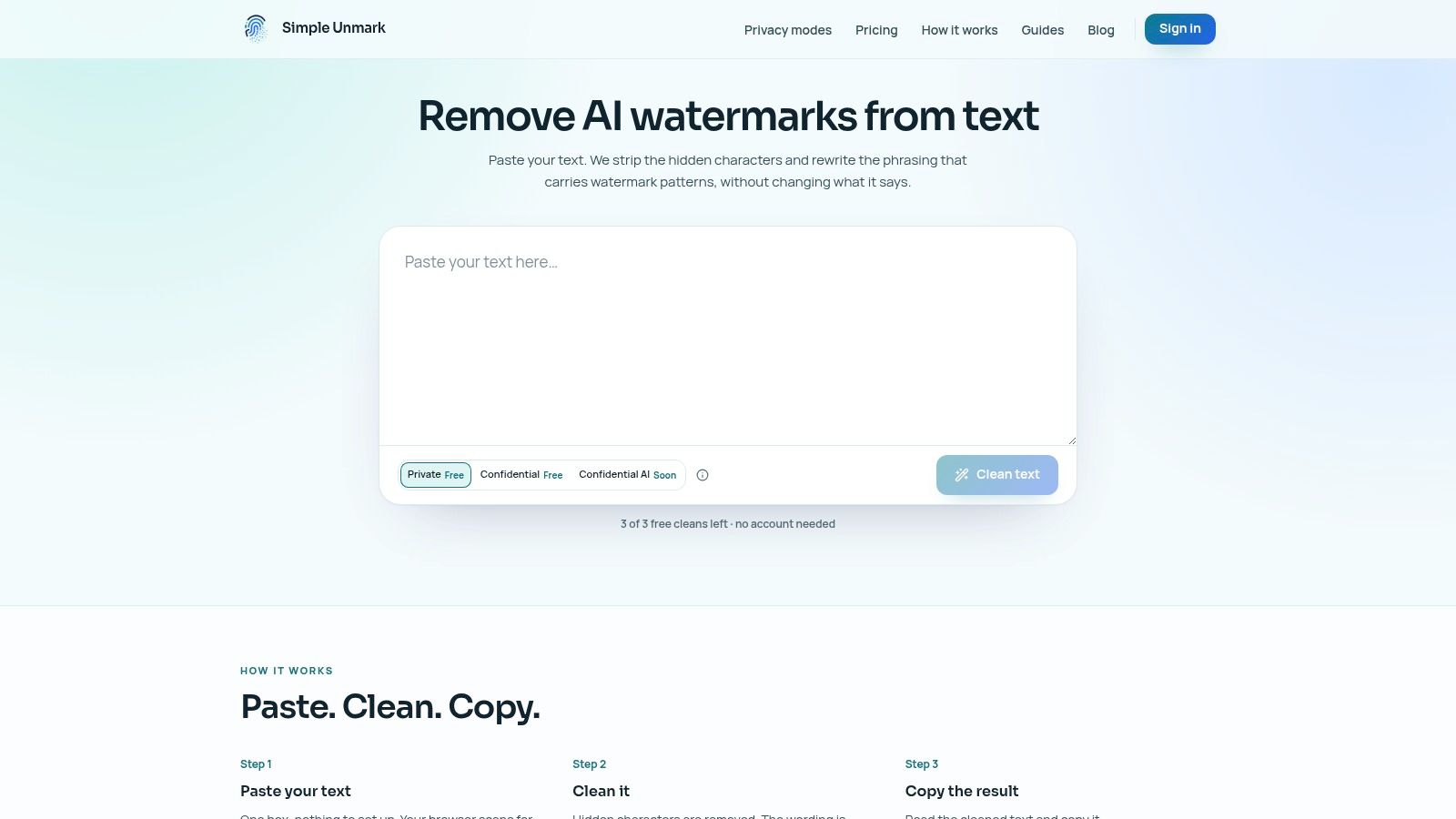
Simple Unmark handles a problem that standard paraphrasers often miss: copied AI text can contain hidden characters alongside wording that needs revision. It combines invisible-character cleanup with meaning-preserving rewriting aimed at reducing statistical watermark signals associated with systems such as SynthID, Gemini, ChatGPT, and Claude. Paste the text, review the local scan, clean the passage, and copy the result.
It removes zero-width marks, direction controls, and unusual spacing before rewriting the wording in the same workflow. Its stated preservation targets include meaning, facts, numbers, proper nouns, tone, and intent. That makes it a better fit for editors, researchers, compliance teams, and creators revising AI-assisted drafts than a basic synonym spinner.
Best for copy-safe cleanup
Simple Unmark processes up to 5,000 words per request, with processing rounded to the next 100 words. New accounts receive 10 starter credits, guests get three free cleans of up to 100 words, and credits do not expire. The service charges 0.1 credit per started 100 words, with credits starting at $5, according to Simple Unmark's pricing page. Verify current limits and prices before paying.
Practical rule: Use Simple Unmark when you need clean plain text and a substantial rewrite. Choose a conventional editor for grammar correction alone.
Private mode is the default and uses transient processing, so submitted text is not stored in the database. The current rewrite uses DeepInfra, while Confidential mode with encrypted processing is planned but unavailable. Detector results are not guaranteed. Compare every output with the source before publishing, especially where citations, numbers, or technical terms matter. Read the technical guide to AI watermark removal for the tool's stated scope and limitations.
Verdict: Choose Simple Unmark for subscription-free, credit-based cleanup that addresses hidden characters and token-choice signals. Use its invisible character remover and Simple Unmark workflow when copy-safe text matters more than light sentence polishing.
2. QuillBot
QuillBot remains the strongest general-purpose pick for people who want visible control over how aggressively text changes. Its paraphrasing suite includes Standard and Fluency modes, additional Premium modes, and a synonym-density slider. That makes it useful for students, bloggers, and business writers who want to test a light rewrite before applying a stronger one.
The free tier is practical for trying the interface, but its word caps per run are restrictive for longer passages. Premium access provides higher limits and more modes, so check the current plan page rather than relying on old pricing copied into comparison articles.
Best for adjustable everyday rewriting
QuillBot also offers browser and Word integrations, plus summarizing, plagiarism checking, AI detection, and humanize features in its wider suite. Those extras are convenient, but they don't turn a paraphrase into verified research. The tool rewrites the text you provide, so you still need to preserve citations and check technical terminology.
- Strength: The synonym slider gives you a clear way to control rewrite intensity.
- Weakness: Untuned output can sound generic, especially when the source has a distinctive voice.
- Workflow fit: Use it inside a browser or document editor when you need fast sentence and paragraph revisions.
A comparative study reported 42.3% lexical diversity, 65.8% structural modification, and semantic accuracy rated 4.6 out of 5 for QuillBot in its evaluation, as documented in the comparative paraphrasing study. Those results reinforce the value of judging structure and meaning, not just changed vocabulary.
Verdict: Pick QuillBot for flexible, general paraphrasing. If your concern is hidden Unicode or AI watermark signals rather than ordinary rewriting, compare it with Simple Unmark's AI watermark remover.
3. Grammarly
Grammarly is a writing assistant first and a paraphrasing tool second. Choose it when the job combines grammar correction, clarity improvements, tone adjustment, and sentence-level rewriting. Its generative AI can revise tone, clarity, and structure without sending the text to a separate app.
Its strongest use case is editing across Google Docs, email, desktop applications, and browser fields. The surrounding writing feedback helps you spot an unclear sentence before rewriting it, then compare the suggested version with your draft. Team and administrator controls are available on higher tiers. Features and pricing change by plan, so check the current offer from Grammarly before paying.
Use Grammarly for polished customer communication, everyday business writing, and marketing copy that needs a clearer voice. It is a weaker choice for aggressive paraphrasing, long-form structural revision, or multilingual editing. Strong suggestions can replace deliberate phrasing with conventional wording, so review voice, names, technical terms, qualifiers, and legal language before accepting changes.
Choose it for: Grammar, clarity, tone, and practical sentence rewriting in one workflow.
Avoid relying on it for: Source verification, citation preservation, invisible-character handling, or guaranteed AI detector results. Inspect the final text yourself if watermark signals or hidden characters affect publication decisions. For context, read how AI text watermarks work.
A comparative evaluation associated Grammarly output with an average readability score of 56.7, describing it as moderately easy text with less aggressive rewriting, in the published comparison. That supports its role as a polishing tool rather than a universal paraphraser.
Verdict: Pick Grammarly when editing across apps matters more than major structural change. Compare every rewrite with the source before publishing.
4. Wordtune
Wordtune earns its place through speed, not deep document analysis. Select a sentence or paragraph, request a rewrite, then adjust tone, length, or phrasing from contextual suggestions. The interface stays simple enough for repeated use during drafting, especially when a sentence is correct but sounds unnatural.
Its clearest audience is non-native English writers who need a rough sentence reshaped into fluent English. Smart synonyms, paragraph expansion, shortening, and mobile support make it useful across quick editing tasks. The limitation is language coverage, since its output is primarily designed for English.
Wordtune fits emails, social posts, short business copy, and sentences that need a formal or conversational tone. It is a poor first choice for a long academic chapter where each paragraph must preserve a carefully defined argument. Use it for local cleanup and general rewriting, not structural revision.
Best use: Rewrite a sentence, shorten a paragraph, or adjust formal and casual tone.
Main trade-off: The free plan has daily generation caps, and plan limits can change, so check the current offer before paying.
Voice risk: Fluent wording may replace a deliberate personal phrase with conventional language.
Run each rewrite against the source, especially for meaning, qualifiers, and named terms. Also check the final text for AI watermarking or invisible characters if those affect publication decisions. Wordtune does not replace those checks.
For long-form work, process smaller logical units and compare every result with the original. That keeps a smoother sentence from changing the paragraph's point.
Verdict: Choose Wordtune for quick English rewrites and tone adjustments. Do not make it your primary multilingual or long-document editor.
5. DeepL Write
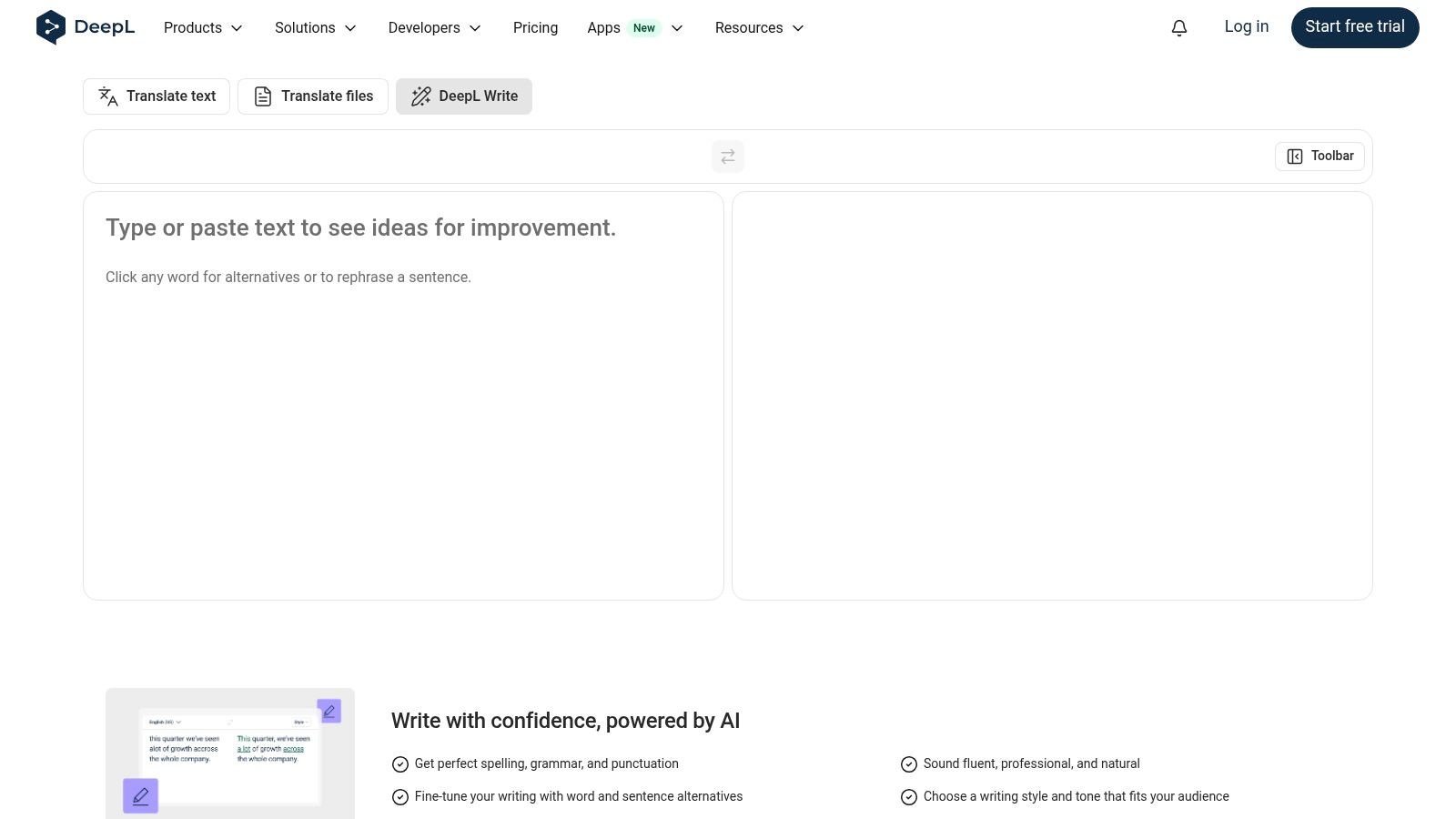
DeepL Write is a strong choice for formal editing inside the DeepL ecosystem. It improves clarity, style, and correctness, then lets users select British or American English. The result fits professional correspondence, reports, and translated drafts better than copy that needs a bold creative rewrite.
Use it to translate, refine, and review. Occasional users may find the broader Pro structure unnecessary. Full Write Pro access requires DeepL Pro with an add-on, and the total cost depends on the selected plan, so verify the current offer on DeepL Write.
Best for controlled formal revision
DeepL Write's job is language refinement, not high-volume content repurposing. It can polish a report while keeping the tone professional, but it is a weaker fit for turning one source into ads, social posts, or multiple campaign angles.
- Strength: Natural phrasing for formal writing and multilingual refinement.
- Useful control: British and American English variety settings.
- Control gap: No synonym-density or rewrite-intensity slider, so users cannot set how aggressively the wording changes.
- Review requirement: Check technical terms, citations, statistics, and legal qualifications against the source.
DeepL Write works well as a second pass after translation. It improves readability, but it does not verify facts or guarantee that every qualification survives. Compare the output with the original, then inspect for AI watermarking and invisible characters before publication.
Verdict: Choose DeepL Write for precise formal editing, bilingual work, and English variety control. Choose another tool for creative repurposing or a dedicated cleanup workflow.
6. LanguageTool
LanguageTool earns its place through multilingual editing, not marketing automation. Its AI paraphraser can make passages more formal, fluent, or concise, while grammar and style checks remain in the same workflow. Product information lists support for 30+ languages, and the writing assistant integrates with popular applications.
That combination suits international teams and multilingual publishers. You can shorten a draft, adjust its tone, and correct grammar without switching between specialist tools. LanguageTool is less suitable for campaign repurposing or detailed brand-voice management.
Premium includes unlimited paraphrasing, while Basic limits the number of daily paraphrases. Regional pricing can change, so check the current Premium offer before buying. Confirm which features your local plan includes rather than assuming every market has the same terms.
LanguageTool's main decision factor is language coverage. It preserves the source's meaning reasonably well during controlled changes, but review names, idioms, technical terms, and culturally specific wording in every language. Compare the rewrite with the original to catch altered emphasis or missing qualifications.
The tool is not a dedicated solution for AI watermarking or invisible-character handling. Inspect those issues separately before publishing, especially when a clean, traceable output matters.
Verdict: Choose LanguageTool for multilingual drafts, grammar correction, and measured tone changes. Choose another tool for marketing repurposing, deeper brand controls, or targeted watermark and invisible-character cleanup.
7. ProWritingAid
ProWritingAid earns its place as a long-form revision tool, not a quick paraphrase generator. Rephrase offers standard, fluent, formal, informal, sensory, shorter, longer, and emotion-focused versions. The wider suite adds 25+ analysis reports for repetition, pacing, structure, and style, so writers can judge a new sentence within the surrounding manuscript.
That context is its main advantage. An author can shorten a crowded sentence, test a more formal option, then check whether the revision disrupts rhythm or repeats nearby wording. Web editing and integrations, including Word support, keep those checks close to the draft.
The cost is attention. The interface presents more choices than a paste-and-rewrite page, and new users must learn which reports fit their project. A novelist or long-form editor gets meaningful control; someone changing one email will work faster elsewhere.
A rewrite succeeds only when it improves the passage while preserving the author's intended emphasis.
ProWritingAid can also expose an intentional voice choice as a problem. Review suggestions against the manuscript rather than accepting every recommendation. Check the current plan and pricing before committing, since offers can change. For AI watermarking or invisible-character handling, run a separate inspection instead of assuming a writing report covers those issues.
Verdict: Choose ProWritingAid for manuscripts, structural editing, and complex revision workflows. Its feedback is more useful than fast word substitution, but the learning curve makes it a poor fit for minimal, one-off paraphrasing.
8. Jasper
Jasper is a marketing platform first and a paraphrasing tool second. Its Content Rewriter agent changes tone and length while following a brand voice, making it a better fit for campaign repurposing than for basic sentence cleanup. Business features include style guides, knowledge-base grounding, SSO, and API access, which support consistent messaging across landing pages, campaigns, and other content channels.
The platform also accepts commands to rewrite or remix content on demand. Its marketing toolchain includes SEO, AEO, and GEO-oriented rewrite options, so teams can adapt one source passage for different channels without starting each version from scratch.
Use Jasper when marketing output must stay within defined brand rules. A writer can turn a long article into campaign copy, adjust its tone for a channel, and apply a style guide across multiple drafts. That workflow adds control, but it also adds setup and interface overhead for anyone revising a single sentence.
Best fit: Brand-controlled repurposing, campaign content, and marketing workflows that involve several contributors.
Review closely: Shortened copy can remove a qualification or make a cautious product claim sound absolute. Compare each output with the source, especially for technical claims, regulated copy, and citations. Check whether the current plan still includes the required features, since pricing and packaging can change.
Jasper should not be your default choice for multilingual editing, invisible-character inspection, or dedicated AI watermarking analysis. Treat those as separate checks rather than assuming a marketing rewrite covers them. For a focused explanation of rewrite-based watermark cleanup, see how to remove AI watermarks from text.
Verdict: Choose Jasper for on-brand marketing repurposing and controlled rewrites. Choose a lighter tool for one-off cleanup or a simple sentence change.
9. Writesonic
Writesonic fits teams that paraphrase as part of content production, rather than writers changing one sentence at a time. Its Content Rewriter supports sentence, paragraph, and article-level edits, while in-editor shortcuts cover paraphrasing, improvement, expansion, and shortening. Plans also combine content creation with SEO auditing tools.
That combination makes Writesonic useful for marketing repurposing. A team can adapt a blog post for a landing page or campaign, then review headings, search intent, claims, and internal links in the same broader workflow. The trade-off is a busy interface. A simple cleanup task can take longer when surrounded by features you do not need.
Best fit: SEO content teams repurposing blog posts, landing pages, and campaign material.
Choose it for workflow coverage, not for maximum voice preservation. Rewriting can change emphasis, remove qualifications, create repetition, or make a careful claim sound more definite. Read the source beside the output before publication, especially when the copy includes technical details or links.
Pricing warning: Writesonic's features and plan inclusions change over time. Confirm that the current plan covers the tools your workflow requires.
Also review the result for AI watermarking concerns and invisible characters if those checks matter to your publishing process. A marketing rewrite does not replace dedicated inspection. Those checks should be handled separately.
Quality control: Have a human editor approve the final draft. The tool can make prose look cleaner while weakening context or changing the intended message.
Verdict: Choose Writesonic when paraphrasing belongs inside a broader SEO and content operation. For occasional sentence-level cleanup, use a more focused tool.
10. Sapling
Sapling targets customer communication rather than literary rewriting. Its Rephrase feature applies tone presets such as formal, concise, and empathetic to email, chat, and CRM messages. Browser integrations place suggestions inside support and sales workflows, while the Rephrase and Edits API lets developers add similar functions to internal products.
The practical benefit is consistency. Support agents can turn a blunt draft into a calmer reply, shorten a message for chat, or adjust a sales email without switching applications. Sapling is most useful for repeatable customer communication, not creative alternatives or long-form revision.
Best fit: Support tickets, sales messages, CRM notes, and internal customer tools.
Developer advantage: API access supports embedded rephrasing with usage-based billing. Check the current billing terms before building a workflow around it, since plan details can change.
Trade-off: Sapling gives writers less creative control than author-focused suites. The free web utility also is not intended for high-volume use.
Review every customer-facing result. A tone preset cannot decide whether a refund promise is authorized, whether an escalation requires specific wording, or whether the reply answers the customer's actual question. It may also alter emphasis or weaken voice preservation in a sensitive message.
Sapling is not presented as a dedicated solution for AI watermarking or invisible-character handling. Run those checks separately when they matter to your publishing or compliance process.
Verdict: Choose Sapling for support and sales teams that need fast, consistent tone adjustment. Choose an authoring suite for creative work, multilingual editing, or long-form revision.
Top 10 Paraphrasing Tools Comparison
| Tool | Core capability | Quality (★) | Price / Value (💰) | Target (👥) | Unique selling point (✨) |
|---|---|---|---|---|---|
| Simple Unmark 🏆 | Invisible‑char stripper + watermark‑aware rewrites; up to 5,000 w/run; paste→clean→copy | ★★★★☆ | 💰 Credit-based (0.1 credit / started 100w); credits start $5; 10 starter credits; guests 3 free cleans | 👥 Writers, editors, researchers, compliance teams | ✨ Rewrites to reduce SynthID/Gemini/AI watermark signals; automatic zero‑width cleanup; no subscription |
| QuillBot | Multiple paraphrase modes; synonym slider; extensions & extras | ★★★☆☆ | 💰 Free tier; Premium for higher caps/modes | 👥 Students, bloggers, general creators | ✨ Mode slider; summarizer, plagiarism checker, AI detector |
| Grammarly | Grammar/style checks + one‑click rewrites; generative AI; cross‑platform | ★★★★☆ | 💰 Freemium; paid plans and team pricing | 👥 Professionals, teams, general writers | ✨ Strong grammar+rewrite ecosystem; wide app support |
| Wordtune | Clarity & tone rewrites; smart synonyms; mobile support | ★★★☆☆ | 💰 Free with daily caps; Premium removes limits | 👥 Non‑native writers, everyday users | ✨ Fast UI, tone controls, contextual shortening/expansion |
| DeepL Write | Formality/tone and variety toggles (US↔UK); precise fluent rewrites | ★★★★☆ | 💰 Some features require DeepL Pro / add‑on | 👥 Translators, formal writers, DeepL users | ✨ Natural formal output; deep integration with DeepL ecosystem |
| LanguageTool (Paraphrase) | Multilingual paraphrasing + grammar checks (30+ languages) | ★★★★☆ | 💰 Free basic; Premium/unlimited paraphrasing in paid tiers | 👥 Multilingual users, orgs needing data locality | ✨ Broad language support; grammar + paraphrase combined |
| ProWritingAid (Rephrase) | Rephrase with many transformation types + 25+ analysis reports | ★★★★☆ | 💰 Paid suite (monthly/annual or desktop license options) | 👥 Authors, long‑form editors, intensive revisers | ✨ Deep structural reports paired with varied rephrase modes |
| Jasper (Paraphraser) | Marketing‑grade rewrites; brand voice, agents, workflows, API | ★★★★☆ | 💰 Business/enterprise pricing; aimed at scale | 👥 Marketing teams, agencies, brand teams | ✨ On‑brand rewrites at scale; style guides & knowledge grounding |
| Writesonic | Content rewriter inside content/SEO platform; editor shortcuts | ★★★☆☆ | 💰 Plan/usage based; bundles SEO utilities | 👥 Marketing teams repurposing content | ✨ Paraphrase + SEO/GEO tools in one workflow |
| Sapling (Rephrase) | Tone‑preset rephrasing for support; browser/CRM integrations + API | ★★★☆☆ | 💰 Usage/API billing; limited free web utility | 👥 Support & sales teams, developer integrations | ✨ Tone presets for customer comms; developer API for embedding |
Choose by Workflow, Then Review Every Rewrite
The best paraphrasing tool is the one that matches the failure you need to prevent. Choose Simple Unmark for invisible-character cleanup and reduction of probabilistic watermark signals. Choose QuillBot for adjustable general paraphrasing, Grammarly for writing assistance across apps, and Wordtune for quick English rewrites.
Use DeepL Write or LanguageTool when language-focused editing matters most. Choose ProWritingAid for long-form revision, Jasper or Writesonic for marketing repurposing, and Sapling for support and sales communication. Those recommendations are deliberately job-specific. A tool that excels at customer tone isn't automatically the right choice for a manuscript, and a marketing platform isn't automatically the best sentence rewriter.
Pricing changes, plan limits change, and product features move between tiers. Verify the current price and included access before purchase, particularly when a tool uses a subscription, usage allowance, regional pricing, or an enterprise quote. Simple Unmark takes a different approach with credits that don't expire, while the other products in this list generally tie broader access to their current plans.
Preservation matters more than surface fluency. Compare the rewrite with the source, check every citation, and confirm that numbers, names, dates, qualifiers, technical terms, and legal wording remain accurate. A paraphraser doesn't know whether a claim is supported unless you provide that context and verify it yourself.
Research on AI detection makes detector results especially unreliable as a decision rule. A 2026 study found that paraphrasing reduced detection accuracy across many tests, but performance varied sharply by detector and model. A separate evaluation reported GPTZero sensitivity falling from 100% to 23% after paraphrasing in one test, as described in the academic study of paraphrasing and AI detection. That does not prove a passage is human-written, original, accurate, or ethically suitable.
Watermarking has its own limitations. SynthID-Text uses tournament sampling and can operate in a non-distortionary mode that preserves text quality or a distortionary mode that increases detectability at a quality cost, according to the Nature paper on SynthID-Text. Independent evaluation also found that meaning-preserving paraphrase eliminated detected watermark signals in 100% of initially detected KGW and Unigram texts and 98.3% of SynthID texts in that evaluation, documented in the watermark robustness research. These results show why rewrite behavior matters, not why any detector outcome should be treated as guaranteed.
For a broader look at software categories, workflows, and content operations, see AI writing tools for every workflow. Then choose the lightest tool that solves your actual problem and keep a human responsible for the final text.
Simple Unmark cleans hidden Unicode characters and rewrites AI-assisted passages to reduce probabilistic watermark signals while aiming to preserve meaning, facts, numbers, proper nouns, tone, and intent. If you need a focused, credit-based alternative to a full writing suite, visit Simple Unmark and test the paste, clean, and copy workflow on your own text.
- best paraphrasing tools
- paraphrasing tools
- AI writing tools
- text rewriting
- content editing
More posts

How to Clear Copy and Paste Text Without Losing Meaning
Learn how to clear copy and paste text by removing hidden formatting, invisible Unicode, and AI watermark signals while keeping meaning intact.
10 Paraphrase Tool Online Options Compared
Compare 10 paraphrase tool online options by features, pricing models, use cases, rewrite fidelity, and limits, including Simple Unmark.
10 AI Tools for Content Creators in 2026
Compare 10 AI tools for content creators, from writing and research to video and text cleanup, with use cases, trade-offs, and pricing guidance.