
AI Text Humanizers: Rewriting, Cleanup and Limits
Learn what humanizers change, when local Unicode cleanup is enough, and how to review a rewrite without relying on a detector score.
You paste an AI draft into Google Docs or a CMS and the wording looks fine. Then search stops matching a phrase you can clearly see, a line wraps badly for no obvious reason, or a detector flags the text even after you edited it by hand. That's often when people start looking for an AI text humanizer.
"Humanizing" usually covers two separate jobs. One is cleaning out invisible Unicode characters that survive copy and paste. The other is reshaping wording patterns, which is the only thing that can affect a statistical watermark. They need different fixes.
If your workflow also turns text into audio, settle the wording first. Narration, pacing, and delivery depend on it, so find the best TTS voice once the text itself is readable and stable.
Much of what's written about humanizers folds all this into "bypassing detection." For publishing, research, compliance, or clean copy reuse, it helps to keep the layers apart.
Table of Contents
- Why AI Text Needs Humanizing
- What an AI Text Humanizer Actually Does
- How Probabilistic Watermarks Like SynthID Work
- Invisible Characters and Why They Survive Copy Paste
- How to Humanize AI Text Without Losing Meaning
- Choosing the Right Humanizing Approach for Your Use Case
- Key Takeaways for Clean and Copy Safe AI Text
Why AI Text Needs Humanizing
The real problem isn't just tone
Plenty of AI text reads well enough and is still awkward to reuse. A draft from Gemini, ChatGPT, or Claude can pick up hidden formatting on the way into a publishing system. Or you rewrite a few lines, run a detector, and get a result that contradicts your own judgment.
Clean text should survive copy, paste, editing, search, and formatting without surprises.
So "humanizing" can mean making sentences sound more natural, but it can also mean removing hidden characters or changing the token-choice patterns that some watermarking systems rely on.
Two jobs, not one
In practice there are three kinds of work here, and they're easy to mix up:
- Unicode cleanup: Remove zero-width marks, direction controls, odd spacing, and similar characters that are valid but invisible. Our free invisible character remover does this in the browser without changing any words.
- Watermark-oriented rewriting: Change token choices while keeping the meaning, which may weaken a statistical pattern in the original output.
- Style editing: Fix stiff rhythm, repetitive structure, and generic phrasing.
If your pasted draft breaks formatting, rewriting alone may not fix it. If your concern is a watermark, stripping invisible characters won't help: Google's SynthID Text and Anthropic's documented Claude watermark work through word choice, not hidden characters. Work out which layer you're dealing with before you touch the text.
What an AI Text Humanizer Actually Does
A basic paraphraser swaps phrases around. A useful AI text humanizer tries to keep the meaning, facts, numbers, proper nouns, tone, and intent while changing how the text is expressed. The message stays the same and the wording pattern changes.
Paraphrasing versus signal reduction
If you change "The tool improves workflow efficiency" to "The software helps teams work faster," you've paraphrased it, and readability may improve. The technical question is whether you changed the token pattern enough to weaken a statistical signal, because watermark detectors don't look at meaning. They look for patterns in word choice.
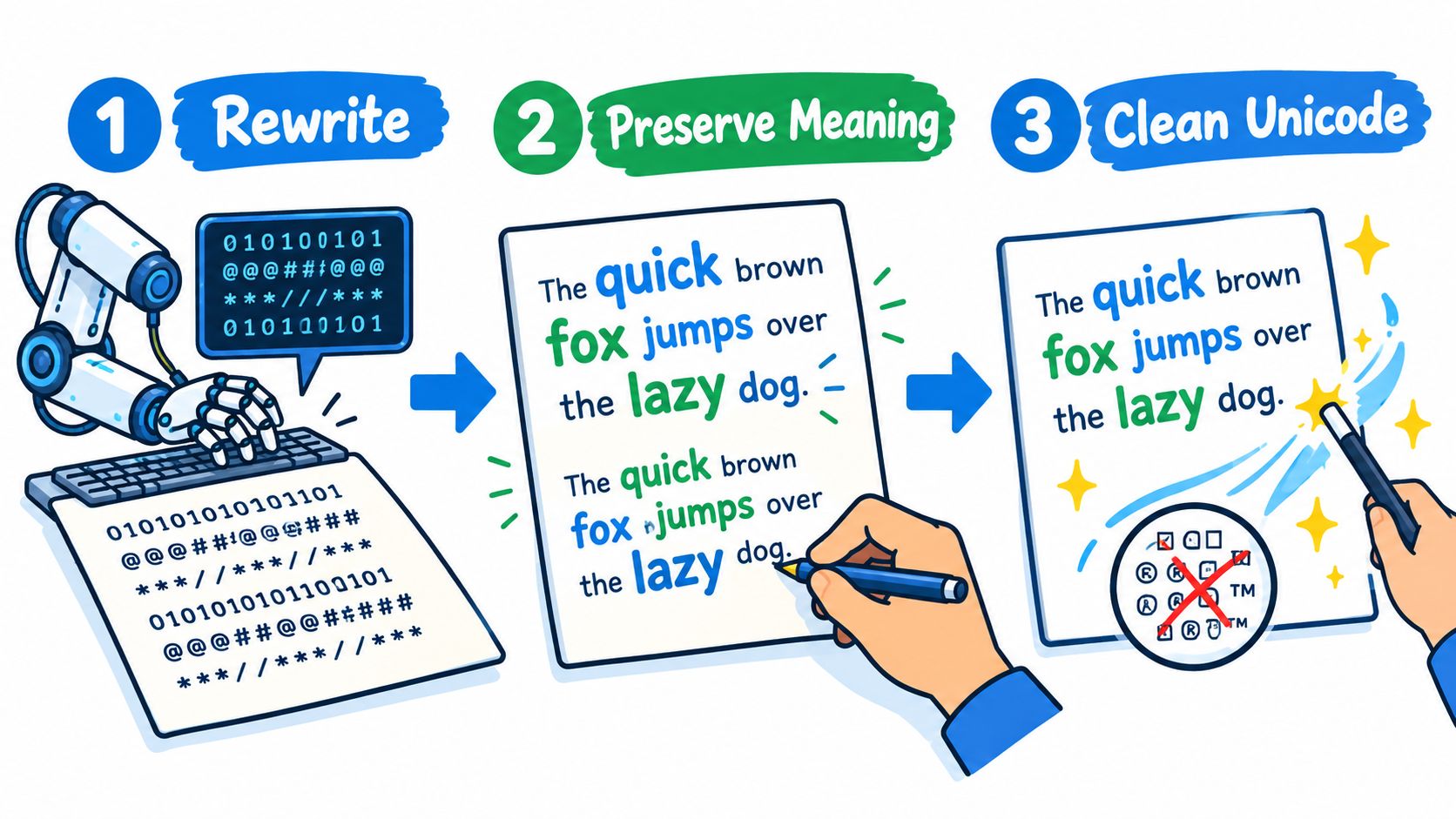
A practical humanizer usually does three things:
- It rewrites wording patterns instead of making tiny cosmetic edits.
- It preserves anchor details like names, numbers, and factual claims.
- It cleans hidden text artifacts that survive copy and paste.
If you're using AI to speed up drafting, the overall workflow matters more than detector scores. This guide to faster content with AI covers where AI helps and where human editing still does the work.
Why humanizers became their own category
Research on edited AI text shows why rewriting gets so much attention. A 2025 paper from the detector company Pangram on adversarially modified AI text argues that watermarking schemes such as SynthID are highly susceptible to removal by humanizers, and reports that watermark detection collapsed after paraphrasing in its test setup (research summary). A detection method that looks strong on untouched AI output may tell you little about text that has been substantially edited.
How Probabilistic Watermarks Like SynthID Work
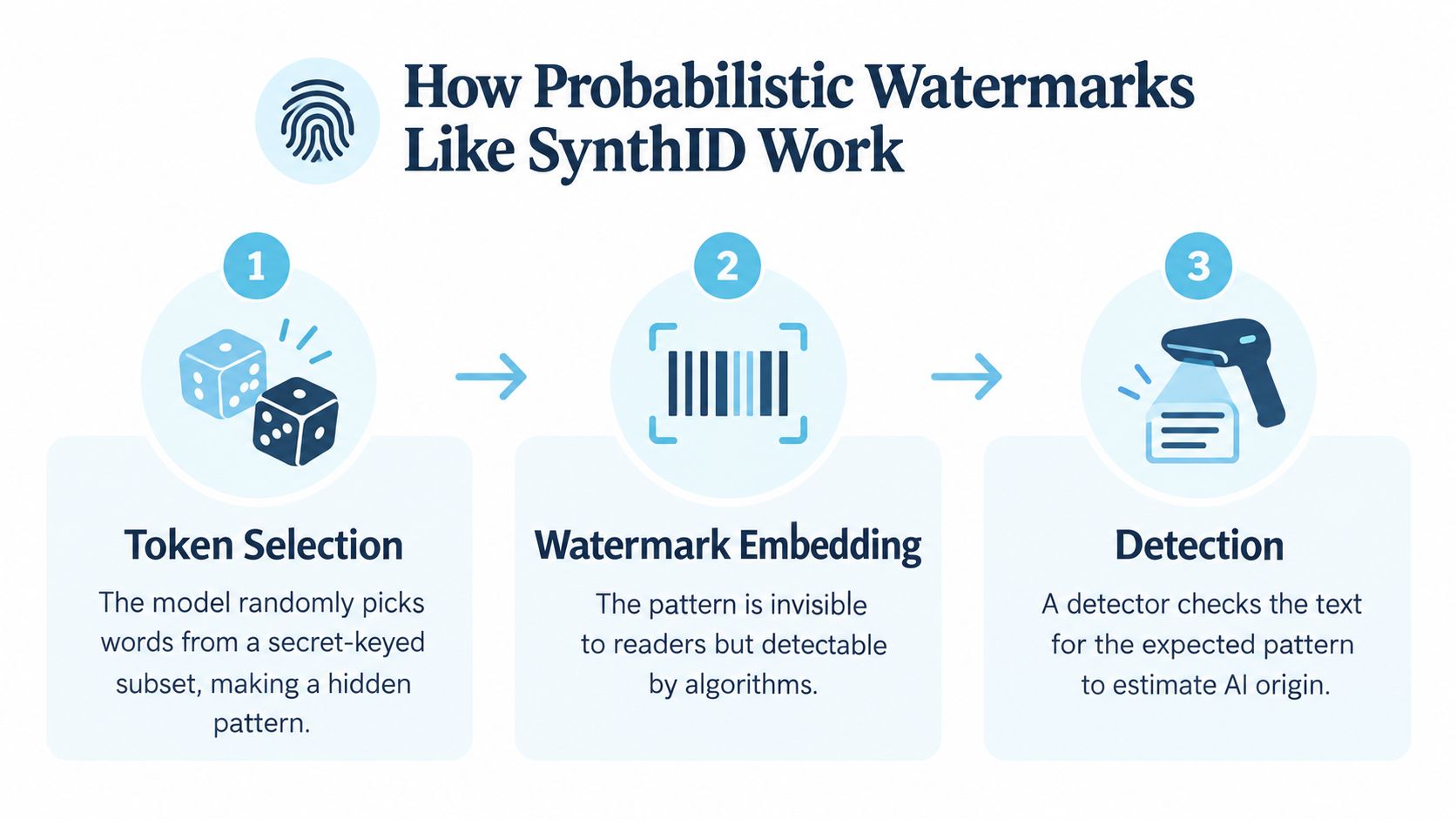
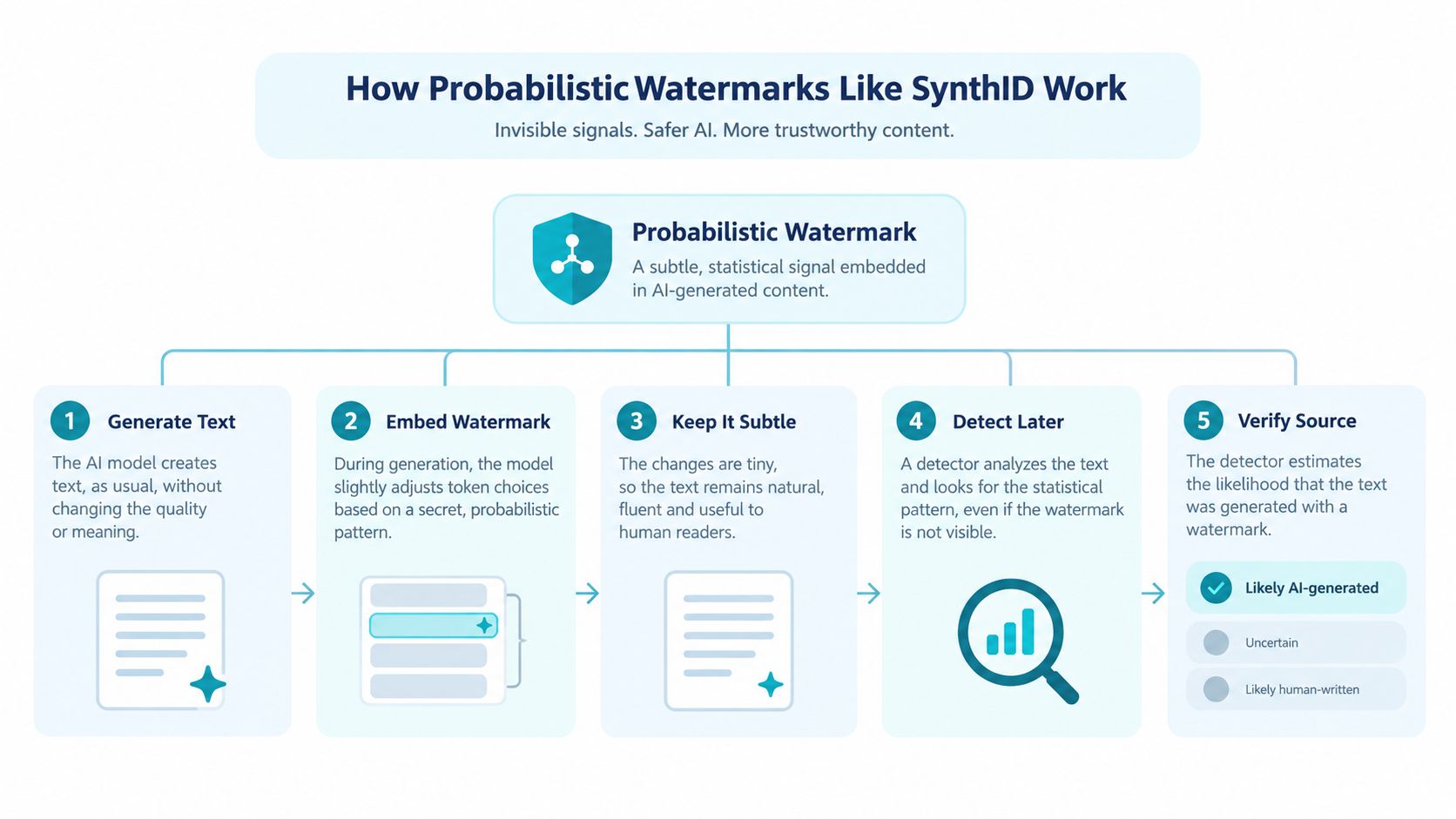
The core idea of probabilistic watermarking is simple. The model is nudged to prefer some word choices over others using a secret key. Later, a detector holding the same key checks whether the text shows that pattern more often than chance. Nothing visible is added, and there's no hidden metadata tag.
The basic mechanism
Reviews of text watermarking describe the process this way: a watermarking system biases token selection toward a secret-keyed subset of tokens, then detection uses a statistical test on the observed token distribution. Detection works when the share of “green” tokens crosses a significance threshold (watermarking review).
In plain English, the model keeps leaning toward certain acceptable words, too slightly for a reader to notice but enough for a detector to test later.
DeepMind says SynthID embeds watermarks directly into AI-generated text by modulating token likelihoods during generation, and that the watermark comes from the final pattern of word choices plus adjusted probability scores rather than from any visible marker (DeepMind overview).
Our technical guide to AI text watermarks covers what each provider documents. In short: Google uses SynthID Text for Gemini, Anthropic documents a SynthID-style keyed watermark it is rolling out for Claude, and OpenAI documents textGrain for eligible ChatGPT and Codex text in the EU, plus an opt-in for API customers.
Why rewriting weakens the signal
If the signal depends on the original spread of token choices, meaning-preserving rewriting can disturb that spread. The text may still say the same thing without carrying the same statistical pattern.
Google DeepMind's Nature paper says SynthID-Text uses a tournament-sampling algorithm and can run in non-distortionary mode, which preserves text quality, or distortionary mode, which improves detectability at some cost to quality (Nature paper). Like any engineering trade-off, that leaves room for failure modes.
Change enough of the word-choice pattern, and a statistical watermark can get much harder to detect even when the message stays intact.
Passing a detector is not the same as removing a watermark
A detector may miss text because it's weak, because the text is a human-AI mix, or because the wording changed enough to blur the original signal. A miss means the evidence got weaker. It doesn't show that every trace is gone.
Most public "AI detectors" are also a different kind of tool: classifiers that guess from style, with no access to any provider's watermark key. A low score from one of them says nothing about whether a watermark was removed. Keep that in mind when anyone draws forensic or compliance conclusions from detector output.
Invisible Characters and Why They Survive Copy Paste
Some text problems have nothing to do with wording. Unicode includes many valid code points that have no visible width or act as formatting controls. That's normal; the trouble starts when they ride along into ordinary prose. They also aren't a sign of AI authorship. They come from copy paths, editors, and web pages as often as from chat apps.
What these characters are
The Unicode Standard defines U+200B ZERO WIDTH SPACE as a break opportunity with no intrinsic width. It also classifies U+200E LEFT-TO-RIGHT MARK and U+200F RIGHT-TO-LEFT MARK as invisible zero-width format characters with strong directionality (Unicode specification).
These are real characters that happen to be hard to spot. Research on Unicode-based text watermarking describes zero-width characters as valid Unicode that is invisible to readers (research overview); bidirectional controls and tag characters behave similarly. That's why targeted removal makes a good first cleanup step. Standard Unicode normalization (NFC or NFKC) doesn't remove them, so it can't replace that step.
Why copy paste doesn't fix them
Copy paste usually preserves characters unless the destination strips them out. Many editors don't.
So invisible marks can move from a chat window or web page into:
- Docs and notes apps: Search or cursor movement behaves oddly.
- CMS fields: Formatting breaks appear after publishing.
- Moderation or indexing systems: Matching and parsing act inconsistently.
- Shared drafts: One person sees clean text while the next inherits hidden characters.
To inspect or strip those characters, use an invisible character remover. Ours lists what it finds, keeps the joiners and direction marks that scripts and emoji need, and leaves your wording alone. If the problem is hard line breaks from a PDF or email, the line break remover handles that.
Practical rule: Clean invisible Unicode first. Then decide whether the wording itself needs heavier editing.
Why this matters more than people think
Discussion of humanizers tends to jump straight to detectors and skip the more common problem: text reused across systems that never show hidden characters to editors. If your main risk is formatting, search, or moderation glitches, Unicode cleanup may be the only step you need.
How to Humanize AI Text Without Losing Meaning
Clean the text, rewrite only as much as needed, and verify that the meaning didn't move. Bad outputs usually come from skipping one of those steps.
Start with preservation rules
Before you rewrite anything, decide what must not change.
Use this short checklist:
- Facts stay fixed: If the original text includes a factual claim, don't let the tool soften, exaggerate, or replace it.
- Numbers stay exact: Don't let “5.4%” become “about five percent” unless you chose to simplify it.
- Proper nouns survive: Product names, people, brands, and technical terms need to remain intact.
- Intent stays the same: A cautious statement shouldn't become more confident just because the wording got smoother.
A rewrite that breaks these rules has changed what the text says.
Then rewrite for variation, not decoration
A good rewrite changes the sentence pattern as well as some of the words.
Weak edit:
- swaps a handful of adjectives
- keeps the same sentence skeleton
- leaves repetitive cadence untouched
Stronger edit:
- changes sentence structure
- varies clause order
- replaces predictable phrasing with natural alternatives
- trims filler instead of piling on synonyms
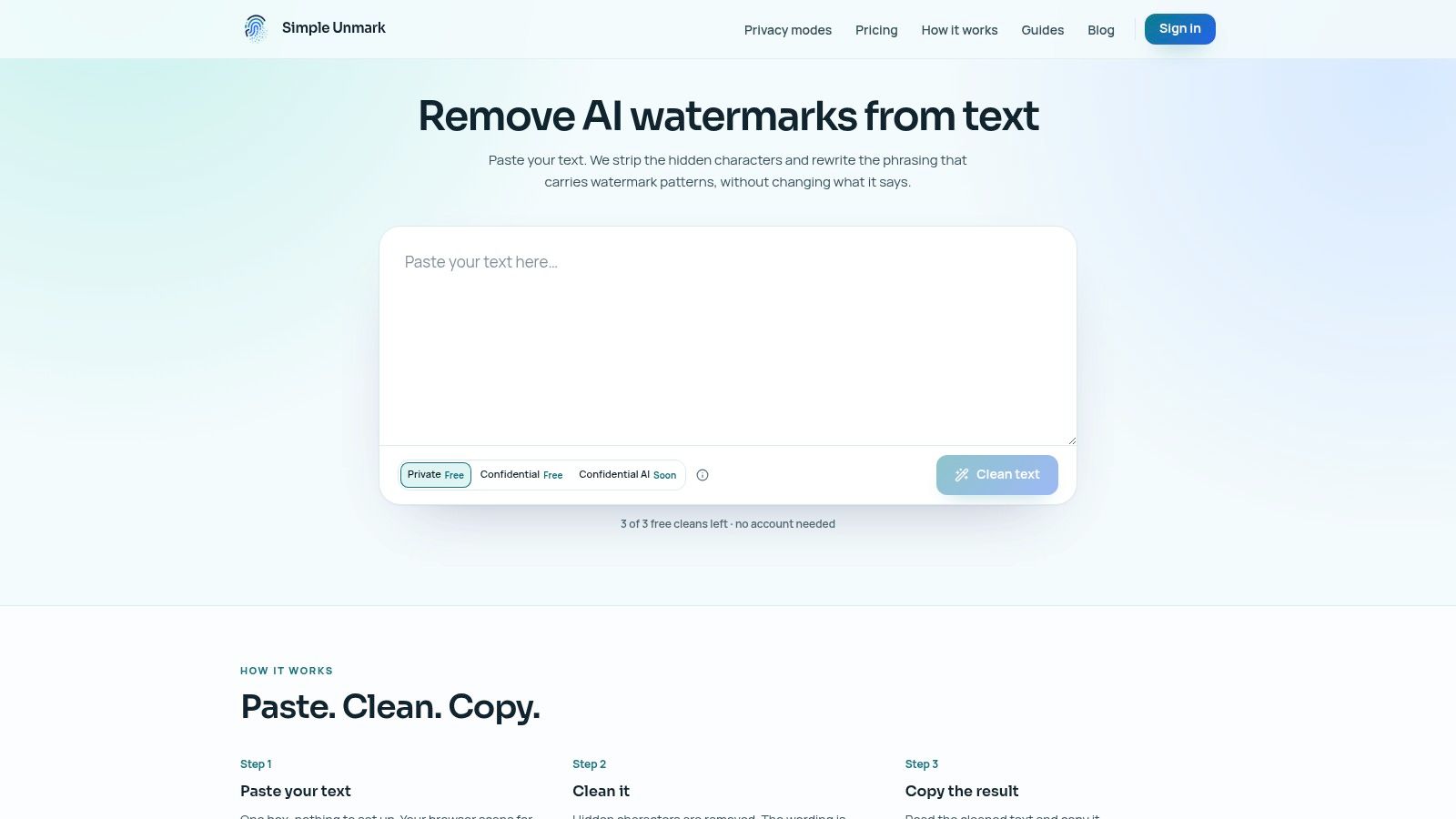
A practical paste clean copy workflow
Simple Unmark, our product, is one web-based option built for this. Its cleaner removes hidden Unicode characters and rewrites passages with the aim of weakening statistical watermark signals while keeping meaning, facts, numbers, proper nouns, tone, and intent. It can't guarantee identical meaning or any detector result.
You paste, clean, and copy. Guests get three free cleans of up to 100 words. Accounts get 10 starter credits and can clean up to 5,000 words or 60,000 characters at a time, at 0.1 credit per started 100 words in Private mode or twice that in Confidential mode. Credits are one-time purchases from $5 and don't expire, which suits occasional work such as one publication batch or one research handoff. Simple Unmark doesn't store your text or output in its application database or analytics, unless you choose to share cleaned output through optional feedback. Both modes send the text to the model provider DeepInfra for the rewrite; Confidential encrypts it from your browser to the rewriting workload and bypasses the web backend.
Final checks before reuse
Read the first output like an editor before you use it:
- Compare the factual anchors. Names, dates, figures, and claims should match.
- Read for human rhythm. The text should sound natural, not over-polished or bloated.
- Paste into the destination. Your CMS, doc editor, or form field is the actual test.
- Check purpose, not just style. If the draft was meant to explain, ask, warn, or persuade, that job should still be clear.
If you wouldn't stand behind the rewritten version with your name on it, it isn't ready.
Choosing the Right Humanizing Approach for Your Use Case
Some drafts only need hidden characters stripped. Some need a fuller rewrite. Sometimes a plain editorial pass is enough. Whichever applies, one detector result rarely settles the question.
Detector error rates show why. Even a low false-positive rate adds up at scale: at 1%, a detector would wrongly flag about 100 of every 10,000 human-written documents. Vendors also measure accuracy on their own test sets. Pangram, a company that sells an AI detector, published a technical report summary with very high accuracy figures on its own benchmark; those are a vendor's own figures, not an independent benchmark, and may not carry over to your writing.
Base your workflow on risk and use case rather than on detector scores.
Which Humanizing Method Fits Your Need
| Approach | Best For | Limitation |
|---|---|---|
| Unicode-only cleanup | Pasted text with formatting glitches, search mismatch, or strange spacing | Doesn't address statistical watermark patterns |
| Light stylistic editing | Blog drafts or emails that sound stiff but don't carry higher compliance risk | May leave token-choice patterns mostly intact |
| Rewriting-based humanizing | AI-assisted text where wording patterns need deeper reshaping | Requires careful meaning checks after rewrite |
| Watermark-focused cleaning tool | Text from a provider that documents a statistical watermark, cleaned before reuse with a tool such as our AI watermark remover | Can't guarantee any detector outcome, and the result can't be verified without the provider's detector |
The big misconception
"It passed the detector, so the watermark is gone" claims too much.
A 2026 study reported that, under its test settings, meaning-preserving paraphrase eliminated watermark detection in 100% of initially detected texts for the KGW and Unigram schemes and 98.3% for a SynthID configuration, with a 5.4% false-positive rate for SynthID on paraphrased human-written control texts. The authors argue these methods fall short of forensic-evidence admissibility standards (independent analysis). Watermarking still has uses, but it supports narrower conclusions than people often draw from it.
Key Takeaways for Clean and Copy Safe AI Text
An AI text humanizer does two different kinds of work. One is cleanup. The other is rewriting.
Cleanup removes hidden Unicode artifacts that can break formatting, search, and publishing workflows. Rewriting changes wording patterns while trying to keep the original meaning intact. If you treat those as the same job, you'll either over-edit or miss the underlying problem.
The practical order is straightforward:
- Clean first: Strip unwanted invisible characters before you judge the prose.
- Rewrite second: Only if wording patterns or watermark risk matter.
- Verify last: Check facts, numbers, names, and intent against the original.
No tool can guarantee a detector outcome across every model, platform, and kind of text, and mixed or heavily edited text is hard for any detector. For publishing, research, or compliance, aim for text that is readable, clean, and faithful to the original meaning, then test it in the workflow where it will be used.
- ai text humanizer
- AI watermark remover
- SynthID remover
- humanize AI text
- AI writing tools
Related articles
AI Text Converters: Rewriting vs. Plain-Text Cleanup
Learn which converters rewrite wording and which remove formatting. Inspect hidden Unicode separately and choose the least disruptive useful change.
AI Content Humanizers: Editing Without False Promises
Learn how humanizers revise wording, how Unicode cleanup differs, and what to check so a smoother paragraph does not change the original claim.

AI Text Cleaners: 10 Tools for Different Cleanup Jobs
Compare tools for Unicode inspection, plain-text cleanup and rewriting. Match the tool to the defect and review changes before using the result.