
AI Plagiarism Remover: What It Is and What It Actually Does
An honest guide to AI plagiarism removers: how they differ from paraphrasers, what they can and cannot remove, plus a real cleaning workflow and example.
Most advice about an AI plagiarism remover starts in the wrong place. It assumes a detector's result is a fact, then tells you to “humanize” everything until the score changes. That's sloppy editing. A flagged passage might contain copied wording, invisible Unicode characters, a statistical watermark, or nothing problematic at all. The tool you need depends on which problem you have.
Table of Contents
- Why Everyone Is Confused About AI Plagiarism Removers
- What an AI Plagiarism Remover Actually Is
- How AI Watermarks Hide Inside Your Text
- How Rewriting Reduces Watermark Signals
- The Hidden Character Problem Nobody Checks For
- What These Tools Can and Cannot Guarantee
- A Real Cleaning Workflow With Simple Unmark
- When to Clean, When to Disclose, and What to Do Next
Why Everyone Is Confused About AI Plagiarism Removers
People say “plagiarism remover” when they mean three different jobs. They might want to strip hidden characters from copied text, rewrite wording to reduce statistical watermark signals, or fix genuine similarity with another source. Those tasks overlap in a user interface, but they're not the same technical problem.
A traditional plagiarism checker compares your writing with other indexed or submitted material. It flags similarity. It doesn't remove anything. A character cleaner deals with code points that readers can't see. A rewriting tool changes the statistical pattern of word choices. Calling all three an AI plagiarism remover makes the category sound simpler than it is.
The popular assumption is that a detector gives you a clean verdict: AI or human, original or copied. Current evidence doesn't support that confidence. Detector performance varies sharply across tools, generators, domains, and editing methods, so blindly rewriting a clean passage can create more risk than it removes. The practical distinction between AI watermarks and AI detectors matters before you touch the text.
The first editing question isn't “How do I beat the score?” It's “What caused the score, and does that result deserve trust?”
This guide separates the jobs. You'll learn what a remover changes, how statistical watermarks work, why paraphrasing affects them, how invisible Unicode creates a separate cleanup problem, and where detector results become too unstable to justify rewriting. You'll also get a concrete workflow and a decision checklist for knowing when to clean, verify, or disclose AI assistance.
What an AI Plagiarism Remover Actually Is
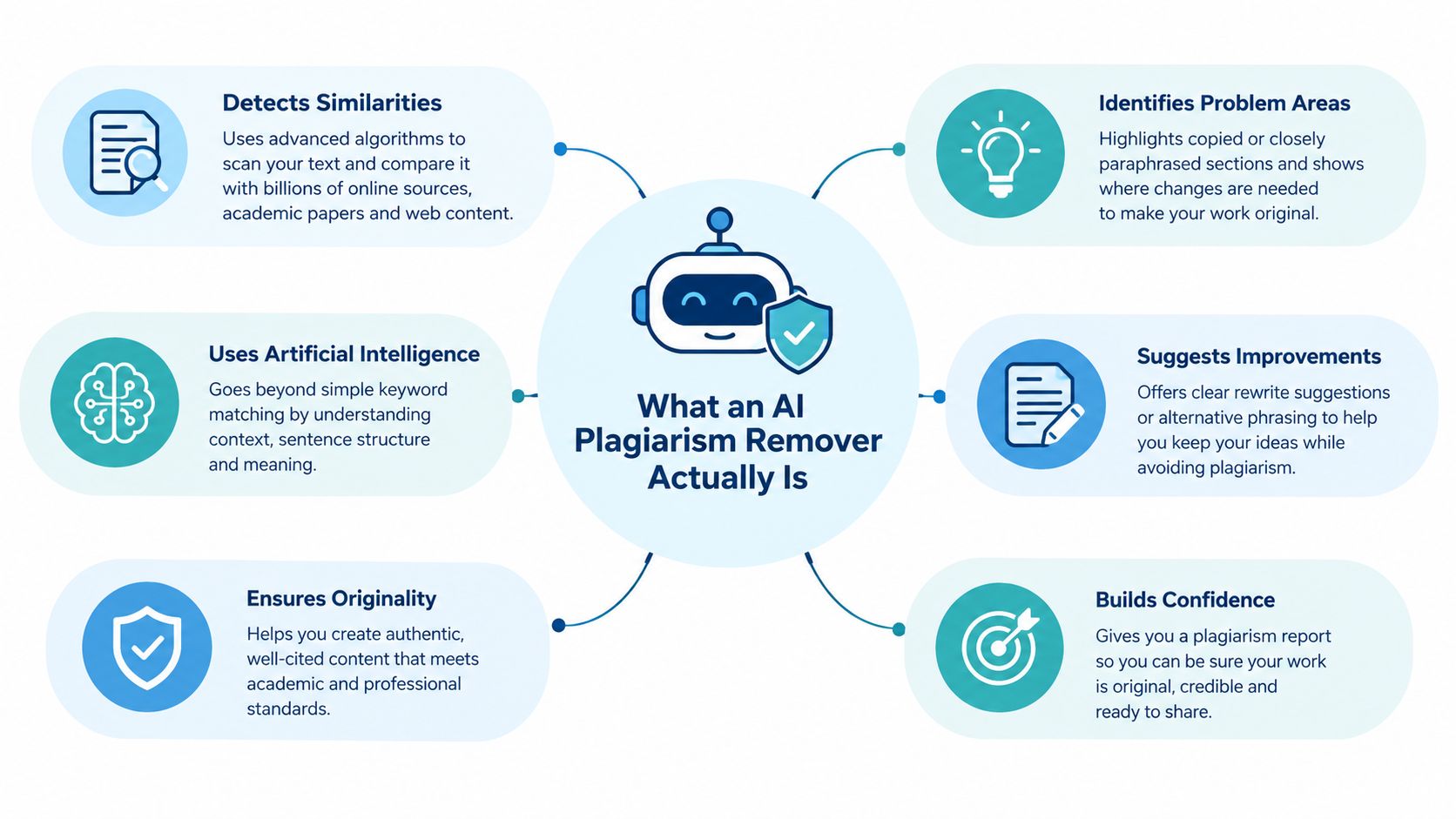
An AI plagiarism remover is a text-cleaning tool for AI-assisted writing. In a useful implementation, it scans pasted text for hidden artifacts, rewrites selected wording, and tries to preserve the information that matters, including facts, numbers, proper nouns, tone, and intent.
That definition still hides important differences. A paraphraser changes wording for readability or style. A watermark remover targets statistical token patterns associated with systems such as SynthID. An invisible character cleaner strips hidden Unicode marks. A traditional plagiarism checker only reports similarity. One product may combine these functions, but the functions remain distinct.
| Tool type | What it targets | What it changes | What it preserves |
|---|---|---|---|
| Plagiarism remover | Similar phrasing and AI-assisted text artifacts | Rewrites wording and may clean hidden characters | Intended meaning, facts, and structure when the tool works carefully |
| Paraphraser | Style, sentence flow, and repeated phrasing | Replaces words and restructures sentences | General meaning, but not always precise details |
| Watermark remover | Statistical token-choice patterns | Rephrases text to alter the generation pattern | Meaning and selected content constraints |
| Character cleaner | Invisible Unicode and formatting controls | Removes harmful hidden code points | Visible text, legitimate spacing, and valid script behavior |
The label you need depends on the job. If a copied passage contains a zero-width space, rewriting the paragraph is unnecessary. If a detector is responding to token patterns, deleting hidden characters won't address the signal. If the issue is actual source overlap, neither kind of cleanup replaces proper quotation, citation, or original analysis.
Some writers also use tools described as ethical AI detection bypass tools. Treat that label carefully. “Ethical” depends on whether you're correcting accidental artifacts, revising an AI draft into accountable work, or misrepresenting machine-assisted writing under a policy that requires disclosure.
How AI Watermarks Hide Inside Your Text
A statistical watermark isn't a visible stamp. It lives in the choices made during generation.
Google describes SynthID as a logits processor applied after Top-K and Top-P during generation. It uses a pseudorandom function to influence token selection without materially changing the apparent quality of the output, as explained in the SynthID technical documentation. The result is not a special character sitting between two words. It is a pattern in which words the model selected, and how those selections fit the watermarking rule.
Think of a card dealer who subtly favors certain cards. No single card proves anything. The evidence appears in the sequence. If you know the dealer's rule and examine enough hands, the pattern can become detectable. A statistical text watermark works in a similar way, except the “cards” are token choices made as the model generates a passage.
That distinction explains why simple find-and-replace edits are weak. There may be no visible marker to delete. The relevant signal is distributed across the wording, sentence construction, and token sequence. Removing a symbol, changing a space, or swapping a handful of synonyms may leave most of the statistical pattern intact.
Why SynthID changed the conversation
SynthID-Text reached a major practical milestone when Google deployed it inside Gemini and Gemini Advanced. The Nature paper on SynthID-Text described the 2024 deployment as the first large-scale deployment of a generative text watermark, serving millions of users. By May 2025, Google said more than 10 billion pieces of content had been watermarked with SynthID in that ecosystem, a scale that moved text watermarking beyond a laboratory concept.
That matters when looking for an AI plagiarism remover. The task isn't just cosmetic editing. A cleanup tool may be dealing with a generation-time signal that was designed to survive ordinary reading and formatting.
You can't delete a visible mark if no visible mark exists. You have to change the pattern that produced the signal.
This doesn't mean every Gemini passage carries a detectable watermark in every circumstance, and it doesn't mean every detector can identify one reliably. It means the mechanism determines the correct response. Statistical signals require statistical disruption, while Unicode artifacts require code-point inspection and selective removal.
How Rewriting Reduces Watermark Signals
Rewriting works because it changes the model's original sequence of token choices. A careful rewrite doesn't merely replace a few fashionable words. It rebuilds sentences with different phrasing while holding the underlying content steady.
The practical workflow is simple:
- Paste the passage. Start with the text you plan to submit or publish.
- Scan locally. Check for unusual spacing, invisible marks, and obvious wording problems before processing the whole document.
- Set constraints. Preserve numbers, names, citations, technical terms, tone, and intent.
- Rewrite the wording. Replace the original token pattern with a new one that still expresses the same claims.
- Review the output. Compare the result against the source and verify every meaningful detail.
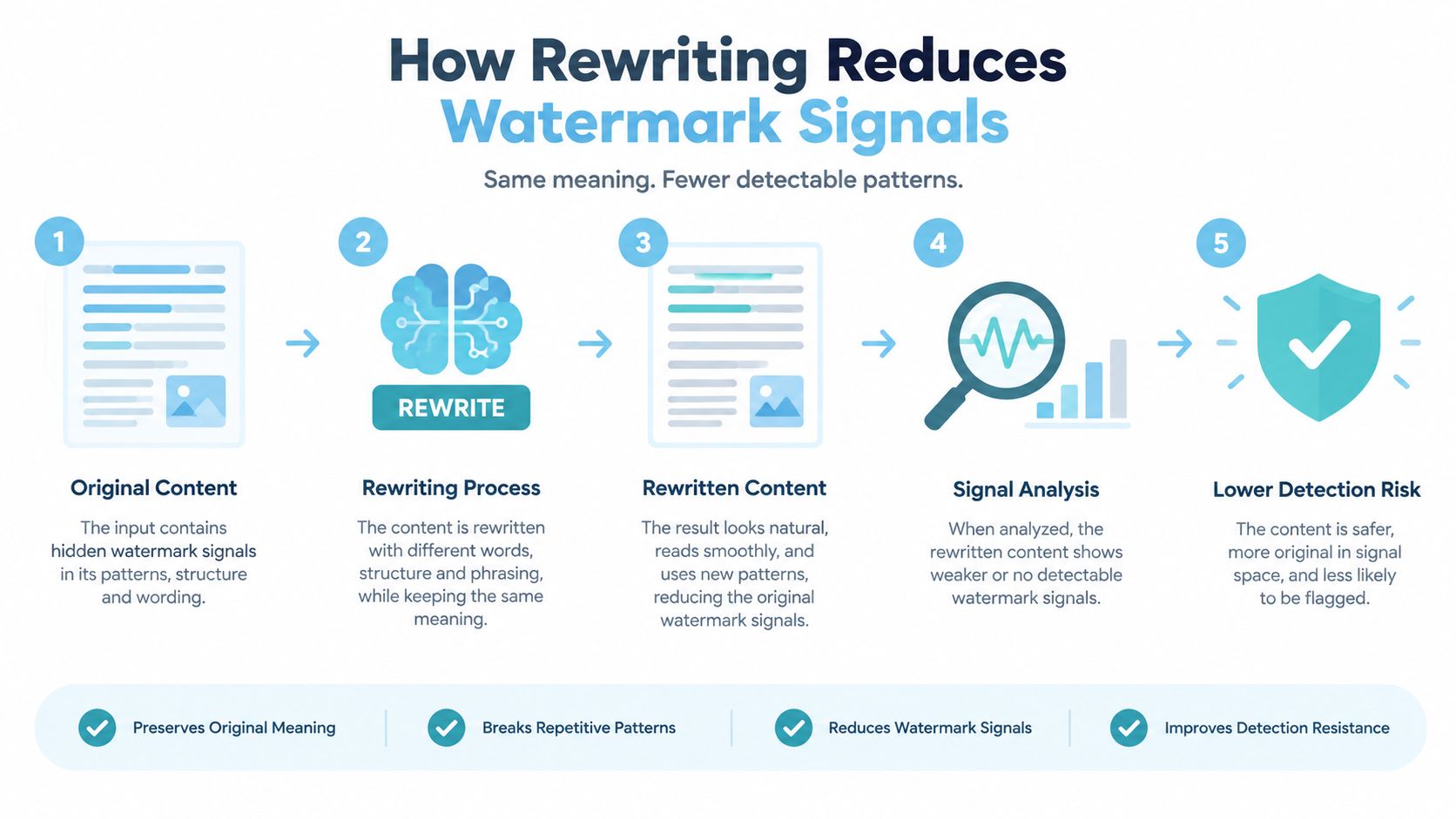
The important step is the fourth. Superficial editing changes the surface but may preserve much of the original statistical structure. A full paraphrase changes sentence rhythm, word selection, and local phrasing. That gives the detector a different sequence to analyze.
Research on SynthID-Text has tested meaning-preserving attacks such as paraphrasing, copy-paste modifications, and back-translation. The technical analysis of SynthID-Text robustness reports that these transformations can significantly reduce watermark detectability. That supports the method in principle, but it doesn't turn rewriting into a guarantee.
What a responsible rewrite must protect
A rewrite that changes the facts is not a successful cleanup. It's a damaged draft. The tool should treat these elements as locked unless you explicitly approve a change:
- Numbers and dates: A changed figure can make an accurate passage false.
- Proper nouns: Names of people, companies, products, laws, and places need exact handling.
- Technical terms: Replacing a precise term with a common synonym can alter the claim.
- Citations and quotations: A tool shouldn't erase attribution or present someone else's words as yours.
- Intent and tone: A formal compliance note shouldn't come back as casual marketing copy.
Read the output like an editor, not like a customer admiring a lower detector score. Compare sentence by sentence. If a rewrite makes the prose less precise, restore the original wording and accept that cleanup isn't worth the trade.
The Hidden Character Problem Nobody Checks For
An AI plagiarism remover can solve the wrong problem. Statistical watermark rewriting changes wording to reduce detectable patterns. Invisible-character cleanup handles the raw text itself. Keep those jobs separate. If the only issue is a hidden code point, rewriting the passage is unnecessary and can introduce meaning drift.
Text may look normal in a browser while containing characters that affect copying, rendering, searching, indexing, or downstream processing. Common examples include U+200B ZERO WIDTH SPACE, U+200C ZERO WIDTH NON-JOINER, U+200D ZERO WIDTH JOINER, U+FEFF BYTE ORDER MARK, and U+00A0 NO-BREAK SPACE. Bidirectional direction controls, tag characters, and look-alike Unicode symbols can cause similar trouble. The Unicode Standard's guidance on format controls explains that text-analysis processes ordinarily ignore some zero-width controls, while software still must handle them correctly.
The consequences are practical. A hidden character can split a search term, make two strings compare differently, corrupt an import, or conceal text from a human reviewer. It may also confuse a plagiarism or moderation system that reads the raw character stream instead of the rendered text.
Clean the code points before changing the prose
Use a three-stage process:
- Reveal the characters. Inspect the text at code-point level rather than trusting the screen.
- Classify them. Distinguish harmful controls from characters required for emoji shaping, connected scripts, directionality, or legitimate formatting.
- Remove selectively. Strip unwanted marks without converting every unusual character to plain ASCII.
The Unicode character cleanup guide recommends identifying specific code points before removal. Follow that advice. Blanket normalization can damage script behavior, erase formatting, and still miss characters requiring special handling.
Scan first, strip second. Never let a text cleaner decide that every invisible character is junk.
Make this check routine when you paste AI output into a publishing system, academic portal, code editor, customer relationship system, or legal document. A dedicated tool can reveal and strip these marks in one pass. See the invisible character remover guide. If the text is otherwise sound, clean the characters and leave the prose alone.
What These Tools Can and Cannot Guarantee
Detector results can be unreliable before any cleanup happens. A 2026 empirical study reported baseline false-negative rates of 70% for KGW, 83% for Unigram, and 80% for SynthID. Meaning-preserving paraphrase eliminated detection in 100% of initially detected KGW and Unigram texts and 98.3% for SynthID, while SynthID produced a 5.4% false-positive rate on clean text in the same study. See the study of watermark detection and paraphrase attacks for the reported results.
Commercial AI detectors are unstable too. A 2026 security study reported false-positive rates ranging from 0.05% to 68.6% and false-negative rates ranging from 0.3% to 99.6% across commercial tools, as reported in the University of Florida coverage of detector reliability research. Those ranges are too broad for a detector score to function as a standalone authorship verdict.
That leads to the contrarian point most remover articles skip: sometimes the remover is solving a problem that doesn't exist. An editor, student, or compliance team may spend time rewriting original work because an unreliable detector made a bad classification. The harm isn't limited to failed evasion. A false accusation can damage trust, trigger an unnecessary review, or push a writer to alter clear and accurate prose.
What cleanup can do
- Remove hidden artifacts: A Unicode-aware process can identify and selectively strip unwanted controls.
- Change statistical wording patterns: Meaning-preserving rewriting can reduce a watermark signal.
- Improve readable prose: Editing can remove repetition, awkward rhythm, and generic AI phrasing.
- Expose review points: A good workflow makes you inspect facts, sources, and unsupported claims.
What cleanup can't do
- Guarantee a detector result: No rewrite can promise that every current or future detector will classify the text a certain way.
- Prove authorship: A clean output doesn't establish who wrote the original passage.
- Fix plagiarism ethically: Rephrasing copied ideas without attribution is still misconduct.
- Preserve everything automatically: Even careful systems can alter nuance, emphasis, or technical meaning.
- Replace policy review: Academic, publisher, employer, and client rules decide whether AI assistance must be disclosed.
A separate review of detector behavior found that paraphrasing, humanization, and collaborative editing can weaken performance, while benchmark results also suffer when the text differs from the data used to build the detector. The research on detector robustness under distribution shift reinforces the need for judgment instead of score worship.
A Real Cleaning Workflow With Simple Unmark
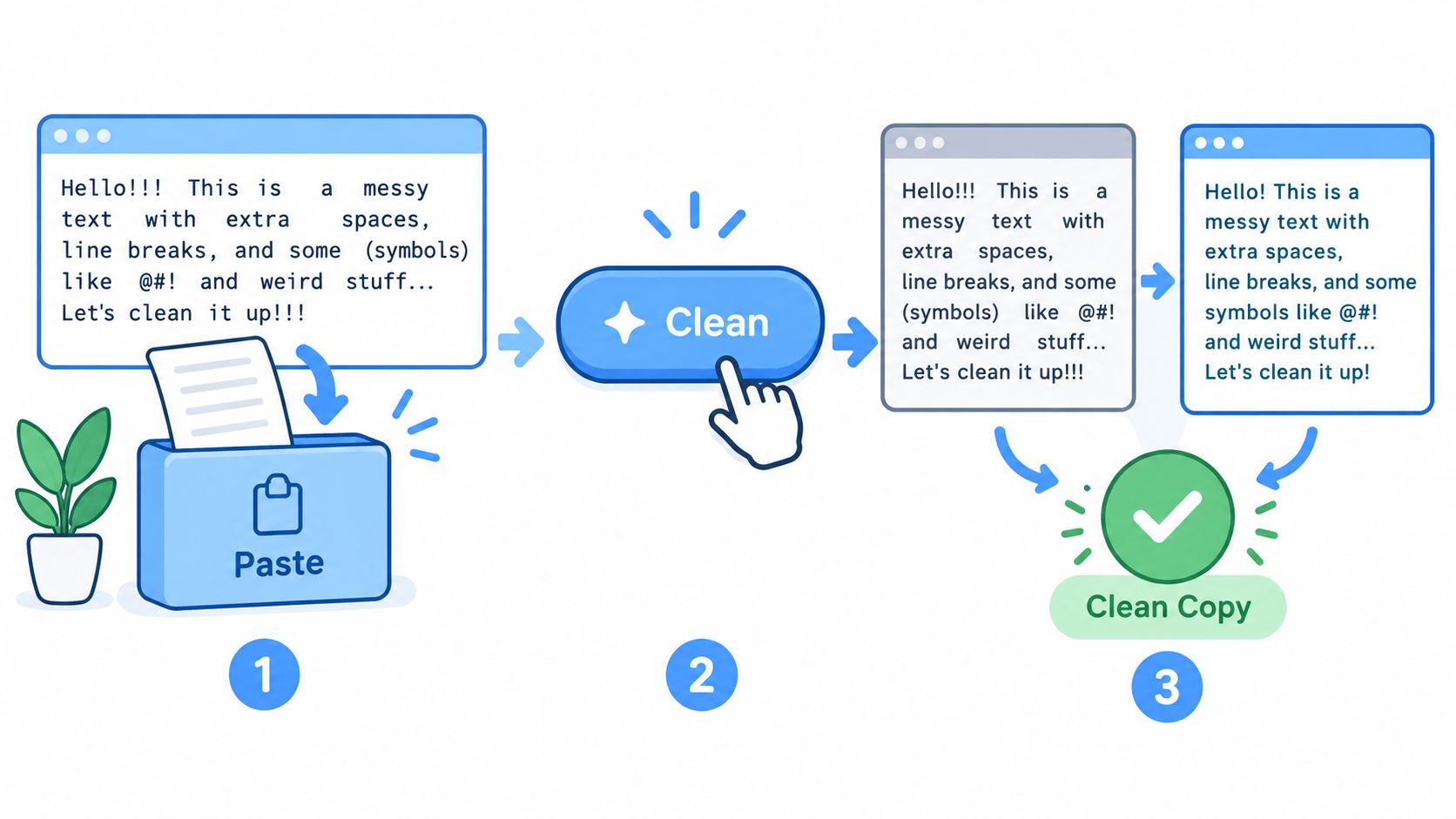
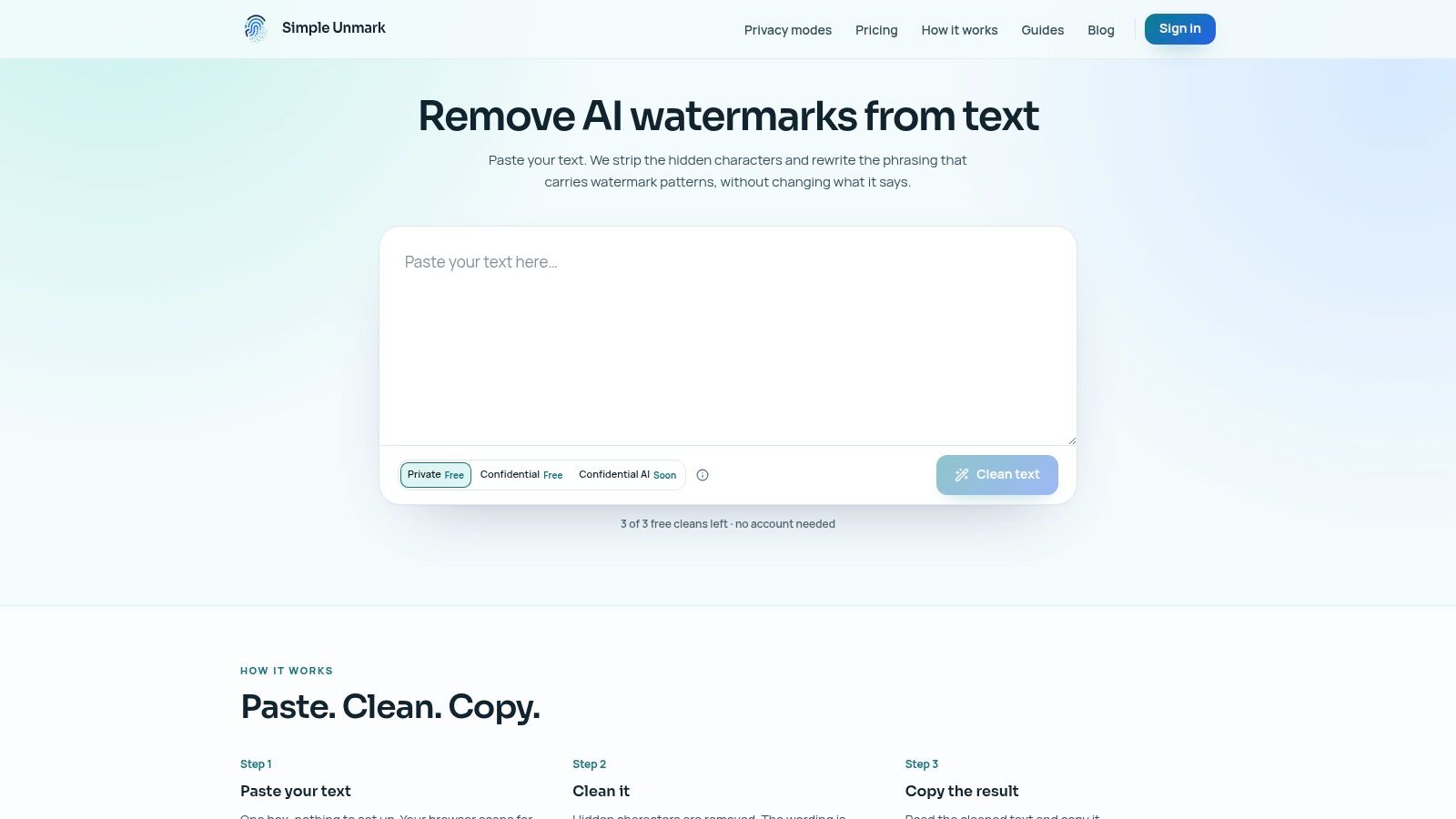
Take a short AI-assisted article draft that contains odd spacing after copy-paste and wording you want to revise before publication. Start by pasting it into Simple Unmark's paste, clean, and copy workflow. The interface provides local scan feedback as text is entered, then combines Unicode cleanup with a wording rewrite in the same run.
The service supports passages of up to 5,000 words per request, and processing uses 0.1 credit per started 100 words, according to the AI watermark remover workflow. Credits are purchased once and don't expire. A guest can make three free cleans of up to 100 words, while a new account includes 10 starter credits. Payments are hosted by Stripe.
What happens during the run
First, paste the draft and inspect the local feedback. If the scan reveals zero-width marks, unusual spacing, or direction controls, the cleanup stage handles those artifacts. The rewrite stage then changes the wording pattern while aiming to preserve facts, numbers, proper nouns, tone, and intent.
Next, copy the result into a comparison document. Check every statistic, name, citation, and technical phrase against the original. Don't publish directly from the output just because the sentences sound smoother. The tool's public technical guidance states that detector outcomes cannot be guaranteed, which is the right limitation to put in front of users.
Privacy also matters when you're pasting unpublished work. Guest submissions aren't saved. Account records track counts and credit activity rather than submitted text, according to the service information. That doesn't remove your responsibility to follow your organization's data-handling rules, but it gives you a specific policy to inspect instead of a vague promise about privacy.
This is one example of how the category can work, not proof that every remover behaves the same way. Compare the actual limits, retention terms, rewrite controls, and review process before trusting any tool with sensitive material.
When to Clean, When to Disclose, and What to Do Next
Use cleanup when invisible characters are breaking a system or when you have a defined reason to revise statistical wording patterns in AI-assisted text. Don't rewrite solely because a detector produced a scary label. First check the detector's reliability, review your drafts and sources, and ask whether the submission rules require disclosure.
Use manual editing when the main problem is weak reasoning, repetition, unsupported claims, or a voice that doesn't sound like you. Use a plagiarism checker when you need to investigate source overlap. Use citation and quotation when someone else's words or ideas remain. A remover isn't an ethical shortcut around attribution.
Before processing a sensitive passage, apply this checklist:
- Identify the issue: Hidden characters, source similarity, watermark signals, or poor writing?
- Check the policy: Read your institution's, publisher's, employer's, or client's AI rules.
- Test a small passage: Compare meaning, names, figures, citations, and tone after rewriting.
- Verify the result: Treat detector output as one signal, not proof.
- Disclose when required: Cleaning text doesn't erase an obligation to report AI assistance.
Using a remover to misrepresent authorship can violate academic or publisher policies. If disclosure is required, disclose. If the text includes claims that matter, verify them yourself. A cleaned draft is still a draft.
Simple Unmark combines invisible Unicode cleanup with rewriting intended to reduce probabilistic watermark signals while preserving key content details. Test a small passage, review the output carefully, and visit Simple Unmark when you need a practical paste, clean, and copy workflow.
- AI plagiarism remover
- AI watermark removal
- SynthID remover
- invisible character remover
- AI text cleanup
More posts
Watermark Removal Tool: What It Does and How It Works
Learn what a watermark removal tool actually does, how it tackles probabilistic marks like SynthID, and where Simple Unmark's approach stands out.
AI Paraphrasing Tool: What It Is and How It Works
Learn what an AI paraphrasing tool does, how it works, and when to pair it with cleanup tools like Simple Unmark for clean, human-ready text.
10 Best Paraphrasing Tools for Better Writing
Compare the best paraphrasing tools by features, pricing, use cases, limitations, and text-preservation concerns to choose the right fit.